
Unlocking Restaurant Efficiency With Integrated Point Of Sale Systems
· Thibault Le Conte
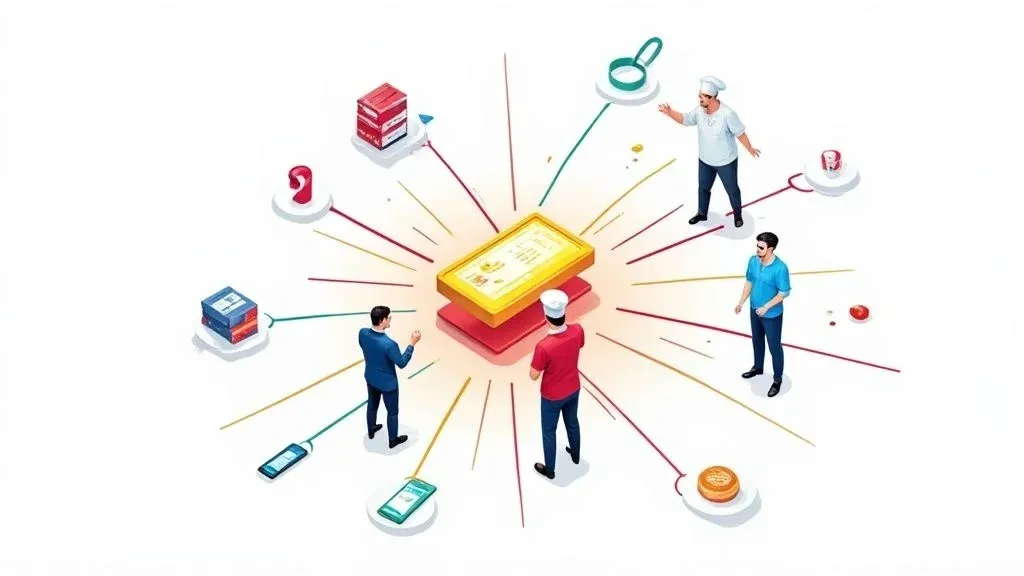
Think of an integrated point of sale (POS) system as the central nervous system of a modern restaurant. In simple terms, it’s the technology that connects all your separate operational tools—delivery apps like DoorDash, online ordering platforms, kitchen displays, and sales reports—into one smart, cohesive hub.
Instead of your staff juggling a dozen tablets and manually punching in orders from each one, this technology automates the entire flow of information. The result? A massive drop in errors, huge time savings, and a crystal-clear, real-time view of your entire business. This matters because it directly impacts restaurant efficiency, staff productivity, and your bottom line.
What Are Integrated Point Of Sale Systems

A traditional, standalone POS is basically a modern cash register. It’s great for taking orders and payments from your in-house guests, but it’s completely cut off from the massive world of online ordering and third-party delivery.
This means every single order from a platform like DoorDash or Uber Eats has to be manually entered into your main system by a staff member. It’s a slow, error-prone process that leads to food waste and unhappy customers.
An integrated point of sale system, on the other hand, fixes this mess by building a digital bridge between all your software. It’s the smart hub that finally gets your front-of-house, back-of-house, and online restaurant delivery operations talking to each other. When a customer places an order on a delivery app, the POS integration automatically sends that order directly to your POS and kitchen printer—no manual entry required. This simple automation frees your staff from being data-entry clerks so they can focus on what actually matters: providing great service.
Standalone POS vs Integrated POS: A Quick Comparison
To really see the difference, it helps to put the two systems side-by-side. The contrast in daily restaurant operations is stark.
Feature Standalone POS System Integrated POS System Order Entry Manual input for all online/delivery orders. High risk of human error. Automatic injection of all orders directly into the POS. Minimal errors. Workflow Staff juggles multiple tablets, creating a chaotic “tablet farm.” A single, unified workflow for all order channels. Sales Reporting Fragmented data. Requires manually compiling reports from different platforms. Consolidated reporting provides a “single source of truth” for all sales data. Menu Management Updates must be made manually on each individual platform. Centralized menu updates sync across all connected platforms simultaneously. Staff Focus Tied up with administrative tasks and manual data entry. Freed up to focus on customer service and operational efficiency.
Essentially, moving to an integrated system is about trading manual, repetitive tasks for automated, reliable ones. It’s a shift from just surviving the rush to actually managing it efficiently, directly impacting cost savings and staff productivity.
How Does Food Tech Connect Everything?
The magic behind this seamless connection is something called an API (Application Programming Interface). In simple terms, you can think of an API as a universal translator. Every software platform—from your POS to a delivery app—speaks its own unique code “language.” An API lets these different systems communicate by translating their requests and data into a format they can all understand.
So, when an order comes in from a platform like Uber Eats, the integration API grabs that order, translates it, and securely sends it to your POS system in the correct format. That’s how an order for a “Large Pepperoni Pizza, extra cheese” placed on a smartphone instantly pops up on your kitchen display without anyone lifting a finger. This API communication is the technical backbone of modern food tech and efficient restaurant operations. For a deeper dive, check out our guide on the fundamentals of point of sale system integration.
Why POS Integration Matters For Your Restaurant
This shift toward connected systems isn’t just a trend; it’s a fundamental change in how successful restaurants run. The global POS market is on track to hit around $110.22 billion by 2032, with cloud-based systems driving that growth. You can dig into more stats about the expanding POS market on Fortune Business Insights.
That explosive growth is happening for a reason. Adopting an integrated system directly impacts your bottom line in a few critical ways:
- Drastic Error Reduction: Automating order entry wipes out the human errors that cause incorrect orders, food waste, and unhappy customers, leading to significant cost savings.
- Increased Staff Productivity: Your team can finally stop playing whack-a-mole with tablets and re-keying orders. That reclaimed time means they can handle more customers and improve service quality.
- A Single Source of Truth: All your sales data, whether from dine-in or delivery, flows into one central dashboard. This gives you a complete, accurate picture of your business, making it easier to spot trends and make smarter decisions.
This is why major POS platforms like Square and Clover have invested so heavily in building app marketplaces. They allow restaurants to easily plug in third-party tools for restaurant delivery, marketing, and everything in between. The bottom line is simple: an integrated POS system turns chaos into control, driving efficiency and boosting profits.
The Real-World Impact of POS Integration on Restaurant Operations
Upgrading your tech can feel like just another expense. But with an integrated point of sale system, it’s a fundamental shift in how your restaurant runs, with immediate benefits for your restaurant delivery and in-house service. The biggest win? You start eliminating those costly human errors that chip away at your profits.
Think about it. Every time a staff member has to manually punch an order from a DoorDash or Uber Eats tablet into your main POS, there’s a risk of error. A missed modifier or wrong quantity leads to wasted food, comps that hurt your bottom line, and frustrated customers. An integrated system solves this by sending orders automatically from the delivery app to your kitchen, guaranteeing 100% order accuracy. This alone saves money on remakes and reduces kitchen stress.
Enhancing Staff Productivity and Focus
When you automate order entry, you free your team from a tedious task they probably hate. That time you’ve just given back is incredibly valuable. Instead of acting as data-entry clerks, your staff can finally focus on what truly matters—creating a great customer experience.
- Quicker Service: They can greet guests, keep the dining room tidy, and ensure in-house diners feel taken care of.
- Better Customer Care: They have the headspace to answer questions and provide the kind of personal touch that builds loyalty.
- Less Stress: A smoother, more organized workflow makes for a happier team, reducing burnout and improving staff productivity.
By letting the tech handle the repetitive work, you empower your people to deliver genuine hospitality. For example, a busy pizza shop using a Square POS with an integration can automatically process dozens of delivery orders during the dinner rush, allowing the front-of-house staff to focus entirely on serving dine-in and pickup customers without distraction.
Streamlining Restaurant Delivery and Takeout
An integrated POS becomes the central hub for every single order, whether it’s for delivery, takeout, or dine-in. Instead of managing a dozen different streams of information, everything is consolidated into one system.
This makes your entire delivery process more efficient. Driver handoffs become a breeze because all order details and pickup times are in one spot. The system also keeps your inventory updated in real time. When an online order comes in, the POS automatically deducts the ingredients from your stock. This prevents you from selling an item you just ran out of, a common issue that disappoints customers and complicates restaurant operations. For more ideas on fine-tuning your kitchen processes, check out our guide to improving restaurants operations management.
Making Smarter Decisions with Better Food Tech Data
This might be the most powerful, long-term benefit: unified data. When every sale from every channel—dine-in, takeout, and all third-party apps—lives in one place, you finally get a complete, unfiltered view of your business.
You can instantly see what’s selling best on Uber Eats versus in your dining room, pinpoint your busiest delivery hours, and track sales trends. This “single source of truth” gives you the power to make intelligent, data-backed decisions that grow your business. For any restaurant looking to bridge the gap between their physical and digital sales, exploring omnichannel ecommerce solutions is a logical next step.
This move toward smarter, connected restaurant tech is a major industry trend. A recent report found that 52% of restaurants were planning to invest in new or upgraded POS systems, with a heavy focus on contactless and self-service options. You can learn more about industry investment trends from this IBISWorld report.
It’s clear that integrated systems offered by partners like Square and Clover are no longer a nice-to-have. They’re a foundational piece of modern food tech.
Your Practical Next Step
At the end of the day, integrating your POS is about trading chaos for control. It means fewer mistakes, a more focused team, a smoother workflow, and the clear data you need to make smart moves. The operational improvements are tangible benefits you’ll feel from day one. To get started, you can explore integration options for your POS.
The actionable takeaway is simple: evaluate your current manual processes and identify where errors and time waste occur. Then, explore a POS integration solution that automates those tasks. You can start onboarding for free in just a few clicks at https://dashboard.orderout.co.
How Does POS Integration Actually Work?
Ever wondered what happens behind the scenes when a customer taps “place order” on a delivery app? The technology that makes integrated point of sale systems tick is quite logical. Understanding this process is key to seeing how much time and money it can save your restaurant.
In simple terms, think of your restaurant having a super-efficient, multilingual front-of-house manager. This manager can take an order from a customer using Uber Eats and one from a customer using DoorDash and instantly translate both into perfect English for your kitchen staff (your POS). No misinterpretations, no delays.
In the tech world, that brilliant manager is an API, which stands for Application Programming Interface. It’s a set of rules and protocols that lets different software programs talk to each other, ensuring everyone is speaking the same language. This is the core of modern POS integration.
From a Customer’s Tap to a Kitchen Ticket
Let’s follow an order from start to finish to see this in action. This is where the real power of POS integration shines, turning a chaotic, manual process into something smooth and automatic, which is critical for restaurant efficiency.
- The Order is Placed: A hungry customer opens their favorite delivery app, like DoorDash, and orders a burger with extra pickles and no onions.
- The API Kicks In: The second that order is confirmed, the delivery app sends all the crucial data to the integration software. The API acts as the translator, instantly converting that information into a format your Clover or Square POS system understands.
- The Order Hits Your POS: The translated data is fired directly into your restaurant’s POS system. It appears exactly as if one of your cashiers had punched it in themselves.
- The Kitchen Gets the Ticket: Without anyone lifting a finger, your POS processes the order and sends a ticket to the kitchen printer or Kitchen Display System (KDS). Your chefs get a clean, standardized ticket and start cooking.
This entire automated process takes just a few seconds, eliminating costly typos and frustrating delays. The benefits compound from there, creating a much more efficient operation.

As you can see, cutting down on mistakes is the first domino to fall. It frees up your staff, which in turn gives you the breathing room to make smarter decisions for the business.
What About Keeping the Customer in the Loop?
So how does the customer get that “Your order is being prepared” notification on their phone? That’s where another piece of the tech puzzle comes into play: the webhook.
In non-technical terms, if an API is like your manager taking a detailed order, a webhook is like a quick “heads-up!” text message. It’s an automated ping that one system sends to another whenever a specific event happens.
From a technical standpoint, when your kitchen staff marks an order as “cooking” or “ready for pickup” in the POS, the system automatically sends a webhook—a lightweight HTTP callback—back to the delivery app’s server. The app instantly uses that info to update the customer. This real-time communication is what customers expect today, and it’s only possible with a true POS integration. For a deeper look at the nuts and bolts, our guide on POS integration software has you covered. The same principles apply to other parts of your business, too—for example, integrating POS with accounting software like Xero can completely automate your financial reporting.
It’s Not Magic, It’s Just Smart Tech
Understanding the technology behind integrated point of sale systems shows it’s not some unknowable sorcery—it’s just smart, automated communication. By using APIs and webhooks, platforms like Clover and Square can talk directly to your other essential tools, putting your delivery orders on autopilot. This is the foundation of a modern, more profitable restaurant.
Must-Have Features In An Integrated POS Solution

Choosing the right integrated point of sale system feels like a huge commitment, but it gets easier once you know what to look for. The best systems aren’t just for taking payments; they’re the central hub that connects every moving part of your restaurant. The goal is to find a solution that handles the grunt work, gives you clear insights, and helps you run a smarter, more profitable restaurant.
Seamless Restaurant Delivery and POS Integration
These days, your online storefront is as critical as your physical one. Your POS must work seamlessly with the big third-party delivery apps your customers use, like Uber Eats and DoorDash. Manually punching in these orders is a recipe for chaos, leading to expensive mistakes and a stressed-out team.
You need a system with native integrations to these services. This means orders fly directly from the delivery app into your POS and straight to the kitchen—no human intervention needed. This directly enhances restaurant efficiency.
Here’s what that looks like in practice:
- A Single Dashboard: Imagine managing menus and 86’ing items across all your delivery platforms from one screen. This is a massive time-saver.
- Automatic Order Injection: This is non-negotiable. Every single order should pop up in your POS automatically, guaranteeing 100% accuracy and reducing errors.
This kind of POS integration is what separates a basic cash register from a true restaurant management powerhouse. You can see this in action with the app marketplaces for POS systems like Clover and Square, which let you plug these powerful connections right into your existing setup.
Real-Time Inventory and Menu Management
Good inventory management is where profits are made or lost. An integrated POS should give you a live, accurate count of everything you have in stock. When an order comes in, the system should instantly deduct the ingredients from your stock count. This real-time tracking stops you from selling out-of-stock items and gives you the data you need to order smarter, cutting down on food waste and saving money.
This need for smart, digital management is a global trend. Just look at India, where the number of POS terminals exploded from 5.8 million in 2022 to over 10.7 million by early 2025—an 85% jump driven by this very need. You can learn more about the booming POS terminals market and its drivers.
Robust Reporting for Better Restaurant Operations
Your data is gold, but only if you can make sense of it. A top-tier integrated system pulls all your sales information into one simple, readable dashboard. You should be able to see at a glance what’s selling best on DoorDash versus in-house, pinpoint your busiest hours, and track revenue trends.
A unified dashboard is your restaurant’s “single source of truth.” It takes the guesswork out of your business strategy, empowering you to make smart decisions on everything from menu changes to staff scheduling, which is key for efficient restaurant operations. For a deeper dive into comparing features, you might find our guide on the best POS systems for restaurants helpful.
Strong Customer Relationship Management (CRM)
Finally, a great POS should help you connect with your customers. A truly integrated system captures customer information from every transaction, letting you see who your regulars are, how often they order, and what they like. This is how you turn a one-off delivery customer into a loyal regular by creating targeted marketing offers that keep them coming back.
Essential Integrated POS Feature Checklist
To make your evaluation process easier, use this checklist to compare systems and ensure you’re choosing a solution that meets the demands of a modern restaurant.
Feature Category Must-Have Functionality Why It Matters for Your Restaurant Online Ordering & Delivery Direct, native integrations with major third-party apps (e.g., DoorDash, Uber Eats). Centralized menu management. Eliminates manual order entry, reduces errors to zero, and saves hours of administrative work. Inventory Management Real-time, ingredient-level stock tracking that syncs across all sales channels. Low-stock alerts. Prevents selling out-of-stock items, reduces food waste, and provides data for smarter purchasing. Reporting & Analytics A single, unified dashboard with sales data from all sources (in-house, online, delivery). Customizable reports. Gives you a complete picture of your business performance to make informed decisions on menu, staffing, and marketing. Customer Relationship (CRM) Automatic creation of customer profiles from sales data. Ability to track order history and visit frequency. Helps you understand your customers, build loyalty programs, and turn new guests into regulars. Payment Processing Secure processing for all payment types (credit, debit, mobile, gift cards). Clear and transparent fee structure. Ensures smooth, fast, and secure transactions for a better customer experience and protects your revenue.
Your practical next step is to use this checklist to audit your current POS system and identify gaps. Then, seek out an integration partner that fills those needs. Ready to see it in action? You can start your journey toward full integration for free at https://dashboard.orderout.co.
Your Step-By-Step Implementation Plan
Making the leap to an integrated system can feel like a massive undertaking, but with a solid plan, it’s a smooth process. A well-thought-out implementation cuts down on downtime, reduces staff stress, and ensures you start reaping the rewards—like huge time savings and fewer order mistakes—from day one, boosting restaurant efficiency immediately.
Let’s walk through the actionable roadmap.
Phase 1: Audit Your Current Setup
Before you can move forward, you need a clear picture of where you are. Kick things off by taking inventory of your current technology and restaurant operations. What POS are you running? What hardware do you use?
Next, get honest about the problems you’re trying to solve. Are manual entry errors from your restaurant delivery apps eating into your profits? Is your counter buried under a “tablet farm”? Nailing down these specific pain points will guide every decision you make. This is a quick but critical first step.
Phase 2: Vet Your Integration Partners
Once you know what you need, it’s time to find the right partner to connect all the dots. Look for providers that have proven integrations with your specific POS, whether it’s a major player like Clover or Square. Compatibility is a dealbreaker.
When you’re talking to potential partners, ask direct questions:
- What’s your onboarding process actually look like? A good partner will have clear, simple steps.
- What kind of customer support can I expect? You need to know someone has your back during a busy service.
- Can you show me case studies or connect me with a reference? Nothing beats hearing from another restaurant owner.
Doing your homework here ensures you end up with a partner who understands the restaurant business and can deliver a rock-solid POS integration.
Phase 3: Plan The Rollout and Train Your Team
A great launch is all about preparation. Instead of turning everything on at once, consider a phased rollout. You could start by integrating just DoorDash, and once it’s running smoothly, add the next one. This approach takes the pressure off and lets your team get comfortable.
Staff training is the most critical factor in a successful implementation. Block out dedicated time for it. Walk your staff through the new workflow, showing them exactly how an online order will now pop up directly on the POS. Emphasize how this change makes their jobs easier by eliminating tedious manual entry, which directly impacts staff productivity. For a more technical deep-dive, our guide on point of sale integrations is a great resource for your managers.
Phase 4: Test Everything Before Going Live
This is the final dress rehearsal. Before you officially go live, test the entire flow from start to finish. Place several test orders from every single delivery platform you’re connecting. For example, place one order on Uber Eats and another on DoorDash. Follow the order’s journey from the customer’s phone all the way to your kitchen printer.
Check every last detail:
- Do special requests and modifiers show up correctly?
- Are the tickets printing in an easy-to-read format?
- Does the order status update in the POS as it should?
This final check is your chance to catch any small hiccups before they can affect a real customer, ensuring your go-live day is a success. By following this step-by-step plan, you can turn a potentially overwhelming project into a series of manageable steps. You can start building a more streamlined operation today by onboarding for free in just a few clicks at https://dashboard.orderout.co.
The Future Is Integrated, So Why Wait?
If there’s one takeaway, it’s this: an integrated point of sale system has gone from a “nice-to-have” to a must-have for restaurant efficiency. It’s the engine that powers a modern, competitive restaurant. We’ve walked through how POS integration delivers tangible results—fewer order mistakes, a less-stressed staff, seamless restaurant delivery management, and data that helps you make smarter decisions.
Making this change is a direct investment in your business’s future. That investment shows up in your bottom line through serious cost savings and error reduction, but it also gives you back your most valuable asset: time. When you automate how information moves between your systems, you’re building a stronger foundation for everything you do.
And the best part? Getting started isn’t the technical nightmare it used to be. The screenshot below shows just how straightforward it is to start linking your delivery apps directly to your POS.
This is your command center—a clear, simple starting point for connecting all your sales channels without needing a degree in computer science.
The biggest barrier to running a more efficient restaurant is usually just taking that first step. Modern integration tools have made that step easier than ever. The time to build a smarter, more profitable, and data-backed restaurant is now.
Your practical next step is to explore an integration solution that works with your current POS. You can get on the path to full integration in just a few clicks.
Start your free onboarding process today at https://dashboard.orderout.co.
Your Questions, Answered
If you’re looking into integrated POS systems, you probably have a few questions. That’s a good thing. Getting the right answers is the first step to understanding how this food tech can genuinely help your restaurant.
What’s This Going to Cost Me?
In simple terms, most integrated POS services have a combination of a one-time setup charge and a recurring monthly subscription. But you have to look at it as an investment, not just a bill. The return shows up fast through cost savings. When you stop entering orders by hand, you eliminate expensive mistakes and food waste. The money you save by preventing just a couple of wrong orders each week can easily cover the subscription cost, improving your bottom line.
Do I Have to Rip Out My Whole POS System?
This is a common myth. You do not need to start from scratch. The whole point of modern food tech is to work with the systems you already have. You can add powerful POS integration capabilities to your existing setup without the headache of a full overhaul. The goal is to enhance your current restaurant operations, not tear them down. Most major POS systems, like Clover and Square, were designed to easily connect with other software.
How Long Will It Take to Get Set Up?
Forget about long IT projects. Getting connected is surprisingly fast. For the vast majority of restaurants using a compatible POS, the entire integration can be up and running within the same business day. The process is designed to be seamless, so you can start seeing orders flow in automatically without any major disruption to your service. This is an actionable improvement you can implement quickly to boost staff productivity and restaurant efficiency right away.
Ready to stop juggling tablets and start running a more profitable restaurant? The team at OrderOut can get your delivery apps talking directly to your POS system, saving you time and cutting out those frustrating manual errors.