
How to Build a Profitable Ghost Kitchen Menu
· Thibault Le Conte
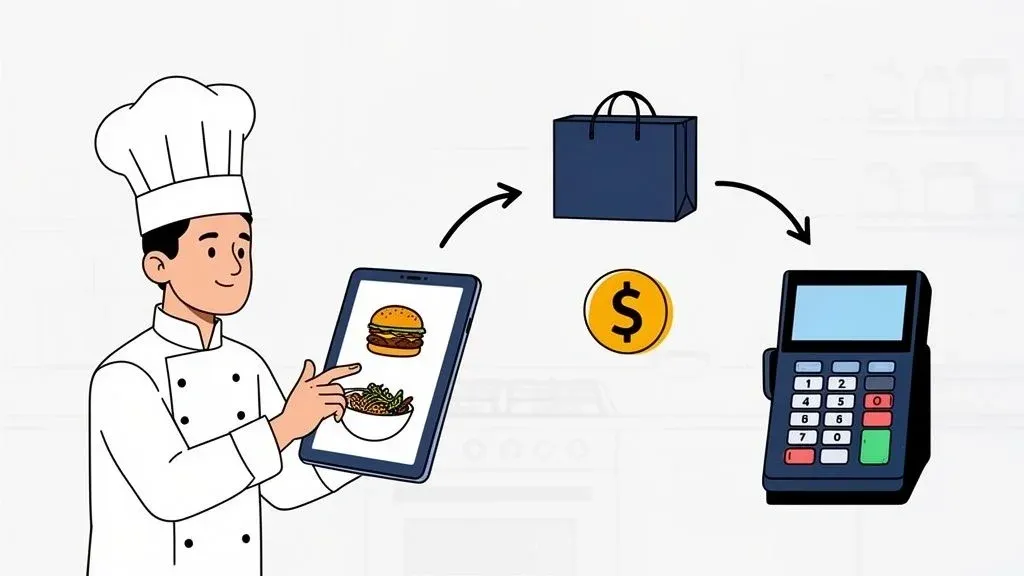
When you’re running a ghost kitchen, your menu isn’t just a list of food. It’s everything. It’s your storefront, your brand, and your most valuable salesperson, all rolled into one. Customers on Uber Eats or DoorDash don’t experience your restaurant’s ambiance or friendly service; they see your menu. That first impression is the only thing that matters.
Your Menu Is Your Most Important Asset

In a delivery-only world, your menu is the engine of your entire operation. It sets the pace for your kitchen, defines what your brand stands for, and ultimately determines whether you turn a profit. A haphazard menu is a recipe for disaster. It creates chaos in the back of house, leads to spoiled ingredients, and racks up bad reviews. But a thoughtfully engineered menu? That’s your ticket to growth.
This means you need to shift your thinking. Forget the sprawling, novel-length menus of traditional restaurants. They just confuse customers and bog down your cooks, which is a killer when every second counts. Your goal should be a tight, focused menu full of winners that customers love and your team can execute flawlessly.
The Link Between Menu Design and Restaurant Operations
Every single item you add to your menu has a direct impact on your kitchen’s workflow. The most successful menus start with a solid foundation of understanding the core ghost kitchen business model—making sure every dish is designed for operational speed and delivery resilience.
Here’s why it matters for your efficiency and profit:
- Smarter Prep & Less Food Waste: A menu built around cross-utilized ingredients (like using the same grilled chicken for bowls, wraps, and salads) means your team preps more efficiently. This simplifies inventory, drastically cuts down on spoilage, and protects your bottom line.
- Better Order Accuracy & Faster Service: Simple menu items with logical modifiers are easier to get right. When you connect this menu to your POS system using an integration tool, orders from delivery apps like Uber Eats are sent straight to the kitchen. This eliminates the human error of juggling multiple tablets, reducing mistakes and saving valuable time. A real-world example is how a Square POS integration can completely automate this flow.
A well-designed ghost kitchen menu isn’t just about the food; it’s about building a repeatable, scalable, and profitable operational system. It’s the blueprint for efficiency.
Why Your Digital Storefront Matters
Put yourself in your customer’s shoes. They’re scrolling through DoorDash, and you have about three seconds to grab their attention. Your photos, item descriptions, and pricing are the only tools you have to close the deal.
In this guide, we’ll walk you through the whole process: designing delivery-proof recipes, optimizing your menu with real-time data, and using POS integration to make it all run smoothly. Let’s get started on turning your menu into your most powerful asset.
Designing a Menu That Survives Restaurant Delivery

The second a dish leaves your kitchen, the clock starts ticking. What was a perfectly plated meal on the pass can easily become a soggy, lukewarm mess by the time it reaches a customer’s doorstep. For a ghost kitchen, where that delivery experience is your brand, building a menu that can handle the journey is everything.
It all starts with a simple, non-negotiable step: the travel test. Before a single item gets a spot on your menu, you have to know how it holds up after a typical 30-minute delivery ride.
The 30-Minute Travel Test
This is a simple but powerful action you can take today. Cook an item just as you would for an order, box it up in your chosen to-go containers, and then just let it sit for 30 minutes. Don’t peek. Don’t vent it. Just let it simulate the real-world experience of waiting for a driver and then sitting in their car.
After that half-hour, it’s time for an honest assessment.
- Temperature: Is it still hot enough to be enjoyable?
- Texture: Did your crispy fries go limp? Have the nachos devolved into a pile of mush?
- Presentation: Is it a jumbled mess? Does it still look appetizing?
This quick test is your first line of defense. It immediately flags the items that are built for the road and those destined to fail, saving you from a tidal wave of bad reviews before you even go live. This simple step directly impacts customer satisfaction and reduces the cost of remaking failed orders.
Identifying Delivery Winners and Losers
Some foods are just natural-born delivery champions. The trick is to lean into items that are either structurally sound from the get-go or can be deconstructed for the customer to assemble themselves.
Delivery Winners:
- Customizable Grain Bowls: Ingredients hold their texture well, and since they can be served warm or at room temperature, heat loss isn’t a dealbreaker.
- Gourmet Burgers: When packaged correctly—sauces on the side, a sturdy bun—burgers hold their heat and shape surprisingly well.
- Burritos and Wraps: These are portable powerhouses. Wrapped up tight, they maintain their structural integrity and temperature.
Common Delivery Failures:
- Delicate Fried Foods: Think tempura. The steam that builds up in the container is their kryptonite, killing that essential crispiness in minutes.
- Nachos: This is the number one offender for becoming a soggy disaster. Trapped heat and moisture turn crisp chips into an unappetizing pile.
- Anything with a Delicate Foam or Emulsion: Don’t even try. It will almost certainly break and separate.
The most profitable ghost kitchen menu isn’t about having the most options; it’s about having the right options. Every single item needs to be a reliable ambassador for your brand, arriving just as you intended.
Smart Sourcing for a Leaner Operation
Once you’ve nailed down your core delivery-friendly dishes, the next move is to get smart about your inventory. This is where your menu directly impacts restaurant efficiency and your bottom line.
Instead of buying unique ingredients for every dish, build your menu around a core group of workhorse items. For instance, that same grilled chicken can be the hero protein in a grain bowl, the main filling for a burrito, and the premium add-on for a salad. This cross-utilization simplifies everything.
This strategy is a game-changer. Fewer unique ingredients mean less food waste, easier ordering from suppliers, and much faster prep. Your kitchen team becomes incredibly efficient, which slashes ticket times and minimizes errors, especially when you’re slammed. A streamlined kitchen is a profitable kitchen, and it all begins with a focused, delivery-proof menu. This operational efficiency is a cornerstone of any modern delivery-on-demand strategy.
Pricing Your Menu and Creating Profitable Bundles

Pricing for a ghost kitchen is a completely different beast. For a traditional restaurant, menu prices cover food, labor, and rent. But when you’re delivery-only, a whole new set of costs enters the picture—costs that will eat your margins alive if you ignore them.
We’re talking about third-party commission fees, specialized packaging, and the marketing dollars you need to spend just to get noticed on the apps. You must figure out the true cost-per-dish for every item, baking in all those delivery-specific expenses from the start.
Calculating Your True Cost for Restaurant Delivery
To set a price that’s both competitive and profitable, you have to look beyond the ingredients. The math needs to be more honest about the real economics of online ordering.
Start with your base food cost, of course. But then, layer on every other expense tied directly to a delivery order.
- Commission Fees: This is the big one. If a platform like DoorDash is taking a 25% commission, that has to be factored into your price from day one.
- Packaging: Those sturdy, leak-proof containers cost more than a standard dine-in plate. You need to account for every box, bag, and portion cup.
- Marketing & Promotions: Running a BOGO deal or offering a discount? That’s a real cost that needs to be absorbed into your overall pricing model.
If you miss these, you could be losing money on your most popular dishes without ever knowing it. Getting this right is the foundation of a sustainable ghost kitchen. For a deeper dive into the numbers, check out our guide on using a restaurant profit margin calculator to protect your bottom line.
Boosting Average Order Value with Smart Bundles
Once your individual item pricing is solid, the next move is to get each customer to spend a little more. This is where bundles and combos become your secret weapon. Customers love them because they feel like a complete meal and a good deal. For you, they’re an operational dream.
Creating irresistible bundles is one of the most reliable ways to lift your average order value (AOV). Instead of just selling a burger, you’re selling a whole meal experience—it’s an easy, convenient decision for the customer.
A well-designed bundle does more than just increase AOV; it actually streamlines your kitchen operations. By guiding customers toward specific combinations, you create a more predictable order flow, which helps your team work faster and make fewer mistakes.
Real-World Example: The Burger Bundle
On a delivery app like Uber Eats, a customer can buy a la carte or choose a bundle.
- À La Carte: A customer orders a Signature Burger for $12.00.
- The Bundle: You offer a “Burger Combo” with the same burger, a side of fries, and a drink for $16.50.
From the customer’s perspective, they just got a convenient, value-packed meal. But from your perspective, you just increased that order’s value by over 37%. Better yet, that combo likely uses your most popular, highest-margin items and is something your kitchen staff can assemble in their sleep. This simple tactic directly boosts your revenue and makes kitchen operations more efficient.
The takeaway is simple: Pinpoint your best-sellers, create two or three compelling bundles, and feature them prominently on your delivery menus. This is an actionable step you can take this week to increase profitability.
Using POS Integration for Flawless Menu Operations
A killer ghost kitchen menu can quickly become a liability if it doesn’t talk to your kitchen. Picture this: orders are flooding in from DoorDash, Uber Eats, and Grubhub, and a staff member is frantically trying to punch them into the POS from three different tablets. This is exactly where food tech becomes your secret weapon.
In simple terms, POS integration is technology that connects your delivery apps directly to your kitchen. Instead of a messy game of telephone, orders flow automatically from the delivery platform straight into your Point of Sale system and pop up on your Kitchen Display System (KDS). This simple connection eliminates the single biggest point of failure in any ghost kitchen: manual order entry. This automation saves time, reduces errors, and lets your staff focus on cooking.
The Power of Automated Restaurant Operations
Imagine the Friday night rush. Without integration, one of your team members is chained to chirping tablets, manually typing every detail into the POS. Every touchpoint is a chance for a mistake—a missed modifier, a wrong item, a delayed ticket.
Automating this process with the right tech changes the entire game. Tools like OrderOut connect your delivery platforms directly to your existing POS, whether it’s Clover or Square. The moment a customer places an order, it appears on your KDS just as if it were entered in-house. This frees up your staff to do what they do best: cook great food, fast.
The impact is immediate and undeniable:
- Drastic Error Reduction: Automated orders are 100% accurate to what the customer requested, which means no more costly mistakes and free remakes.
- Increased Staff Productivity: Your team can finally focus on fulfillment instead of tablet-sitting, letting them handle a much higher volume of orders without added stress.
- Faster Ticket Times: Orders hit the kitchen line the second they’re placed, shaving precious minutes off the time from placement to pickup.
Setting Up Your Menu for Seamless POS Integration
For this automation to work perfectly, your menu needs to be built logically within your POS. This goes beyond just listing items; it’s about anticipating every possible customer choice and building it into the system as a clean, clickable option.
First, make sure every menu item has a distinct name that is identical across all platforms. Next, you have to nail your modifiers. Ditch the open-text “special instructions” field and create predefined choices for everything.
- Removals: “No Onions,” “No Pickles,” “No Mayo”
- Add-ons: “Add Bacon (+$2.00),” “Add Avocado (+$1.50)”
- Side Choices: “Side of Fries,” “Side Salad”
This structured approach turns every customization into a clean data point your POS and KDS can understand instantly. Your cooks won’t have to decipher messy notes, guaranteeing order accuracy every time. For a deeper look at the tech, you can explore the fundamentals of powerful POS integration software.
The whole point of POS integration is to make your kitchen operations predictable and repeatable. When you structure your ghost kitchen menu with clear items and modifiers, you turn chaotic special requests into a smooth, automated workflow.
Manual Entry vs. Automated POS Integration Workflow
Manually juggling tablets feels busy, but it’s a bottleneck that costs you time and money. An automated system creates a frictionless path from the customer’s tap to the kitchen’s prep line. Seamless integration that funnels orders from multiple apps into a single POS feed can slash fulfillment time by 20-30%.
Operational Step Manual Workflow (Multiple Tablets) Automated Workflow (OrderOut + POS) Why It Matters for Your Restaurant Order Received Tablet alarm goes off. Staff member must stop their task to acknowledge it. Order is accepted automatically and injected directly into the POS. No delays. The kitchen gets the order the instant it’s placed. Order Entry Staff manually re-keys the entire order, including all modifiers, into the POS. No manual entry needed. Order details are transmitted perfectly. Eliminates 100% of human error from typos or missed items. Ticket to Kitchen After manual entry, the ticket is printed or sent to the KDS. The ticket is instantly sent to the KDS from the POS. Reduces ticket times by minutes, getting food out the door faster. Menu Updates Changes must be made on each delivery platform’s portal individually. Update the menu in your POS once, and changes sync to all platforms. Saves hours of tedious administrative work and prevents menu discrepancies. Staff Focus Staff are distracted, managing tablets and acting as data-entry clerks. Staff are focused on food quality, speed, and packing orders correctly. Higher staff productivity, less stress, and a team focused on what drives revenue.
The takeaway is simple: stop letting manual entry slow you down. By automating your order flow with a tool that integrates with your Square or other POS, you empower your team to work faster, smarter, and with far less stress.
Your Menu Isn’t Set in Stone—Use Data to Sharpen It
Think of your ghost kitchen menu as a living, breathing thing—not a static list you create once and forget about. The most successful operators are constantly tweaking their menus based on what customers are actually ordering and, more importantly, what’s making them the most money.
Guessing what will sell is a fast track to wasted inventory and missed profits. The real secret to building an efficient, profitable operation is learning to read the story your sales data is telling you every single day. You just have to be willing to look at the numbers and act on what they’re telling you.
A Quick and Dirty Guide to Menu Engineering
At its heart, menu optimization is about figuring out your winners and losers. In simple terms, you can group every menu item into one of four categories based on two things: popularity (how many you sell) and profitability (how much you make on each one). You can pull everything you need right from your POS reports.
-
Stars (High Popularity, High Profitability): These are your champions. Customers love them, and they make you fantastic money. These are the items you should be featuring at the very top of your Uber Eats and DoorDash listings.
-
Plowhorses (High Popularity, Low Profitability): People order these all the time, but your margins are thin. The goal here is to make them more profitable. Could you tweak the recipe with slightly less expensive ingredients? Or bump the price by 50 cents?
-
Puzzles (Low Popularity, High Profitability): These are high-margin dishes that just aren’t selling. The challenge is figuring out why. Maybe they need better photos, a more prominent spot on the menu, or to be bundled into a new combo deal.
-
Dogs (Low Popularity, Low Profitability): These items are dead weight. They take up valuable menu space, complicate your inventory, and don’t make you money. In almost every case, the best move is to cut them loose and simplify your operation.
Taking this data-first approach pulls the emotion and guesswork out of your menu decisions. It gives you a clear, logical roadmap for maximizing profit, cutting down on food waste, and making life easier for your kitchen staff.
Putting Your POS Data to Work
Your POS system is so much more than a digital cash register—it’s a goldmine of information. For instance, a quick report from your Square POS might show that your “Spicy Chicken Sandwich” is a certified Star. That’s your actionable insight: make that sandwich the hero of your menu and create a “Spicy Chicken Combo” to drive up your average ticket size.
On the flip side, that same report might reveal your “Gourmet Mac & Cheese” is a Dog. This is the kind of insight that lets you make a tough but smart business call: replace it with something more popular or find a way to make it more profitable. You can dive deeper into this topic with our guide on using restaurant menu data to your advantage.

As you can see, connecting your systems eliminates those error-prone manual steps that slow down your kitchen and lead to costly mistakes.
Making Real-Time Changes with Modern Food Tech
Today’s food tech lets you act on these insights almost instantly. Imagine identifying a Puzzle on Monday morning and, by that afternoon, running a flash promotion for it across all your delivery platforms with just a few clicks. For kitchens that also have a physical presence or pickup option, a high-impact digital display menu can be a game-changer for testing and promoting items in real time.
This is where having a truly integrated system makes all the difference. When your delivery apps are connected to your POS through a service like OrderOut, you can manage your entire menu from one central dashboard. This saves an enormous amount of time and guarantees your menu is consistent everywhere, from a Clover terminal to your own online ordering site.
Your Practical Next Step:
Block off 30 minutes on your calendar every week to review sales reports. Your mission is simple: identify your top-selling Star and your worst-selling Dog. For the Star, brainstorm one new way to promote it. For the Dog, make the call to either fix it or cut it. This small, consistent habit will turn your menu from a static list into a dynamic engine for growth.
Your Practical Next Step: Automate Your Menu
Crafting a killer ghost kitchen menu is part art, part science. We’ve walked through the fundamentals—from designing dishes that travel well to nailing your pricing and using data to get better every single day. If there’s one thing to take away, it’s that your digital menu is the engine of your entire operation, and how it connects with your POS system is critical for restaurant efficiency.
Bridging the Gap Between Apps and Your Kitchen
Imagine your DoorDash and Uber Eats orders flowing straight into your kitchen’s workflow, without anyone having to re-punch them. That’s the reality when you integrate your menu directly with your POS, whether you’re using systems like Clover or Square.
This isn’t just a small convenience; it’s a massive operational upgrade. It means fewer mistakes, less food waste from remakes, and a calmer, more focused kitchen team. Ultimately, it leads to happier customers who get the right order, every time.
An optimized ghost kitchen menu isn’t just a list of items. It’s a streamlined workflow that starts with a customer’s tap and ends with a perfect order. The right food tech makes this connection seamless.
The most practical step you can take right now is to declare war on manual entry errors. Automate your order flow and free up your team to do what they do best: cook incredible food. Ready to connect your menu and put your delivery orders on autopilot? Restaurant owners can start onboarding for Free in a few clicks at https://dashboard.orderout.co.
Common Questions on Nailing Your Ghost Kitchen Menu
When you’re running a ghost kitchen, a few key operational questions always pop up. Getting the answers right from the start can make a massive difference to your bottom line and your sanity.
How Many Menu Items Should We Actually Offer?
Keep it tight. The sweet spot for most successful ghost kitchens is somewhere between 10 to 15 core items.
This isn’t about limiting creativity; it’s about mastering what you sell. A focused menu means simpler inventory, less food waste, and a team that can execute flawlessly. It also lets you dial in the quality for delivery, which is how you earn those five-star reviews on DoorDash and Grubhub that keep people coming back. This directly improves your restaurant’s efficiency and profitability.
What’s the Smartest Way to Handle Special Requests?
Control the chaos before it starts. The trick is to pre-set every possible modification within your POS system, whether you’re using a Clover terminal or a Square setup.
When a customer on a delivery app clicks “no onions” or “extra cheese,” that choice should flow directly to your kitchen printer as a clear, standardized instruction. This system cuts out messy handwritten notes and verbal mix-ups. If you can, turn off the open-ended “special instructions” field on the apps—it’s a recipe for disaster.
This structured approach to modifiers is a non-negotiable for efficient food tech. You’re turning what could be a jumbled mess into clean, actionable data for your BOH team, which means fewer mistakes, faster staff productivity, and a more efficient kitchen.
How Often Should We Be Changing Up the Menu?
You should be looking at your menu performance every month. Dive into your POS sales data to see what’s selling and what’s not. This is your chance to cut the dead weight (the “dogs”) and brainstorm profitable seasonal specials.
As for major overhauls, I’d stick to a quarterly or semi-annual schedule to keep from overwhelming your team. A data-driven approach keeps your menu fresh and profitable without creating operational nightmares. And whatever you do, always—always—update your menu across all delivery platforms simultaneously to avoid order errors and angry customers.
Stop wasting time with manual order entry. OrderOut plugs your delivery apps straight into your POS system, saving you headaches and boosting your accuracy.
You can get started for free in just a few clicks right here.