
A Restaurant Owner's Guide to a Food Online Ordering System
· Thibault Le Conte
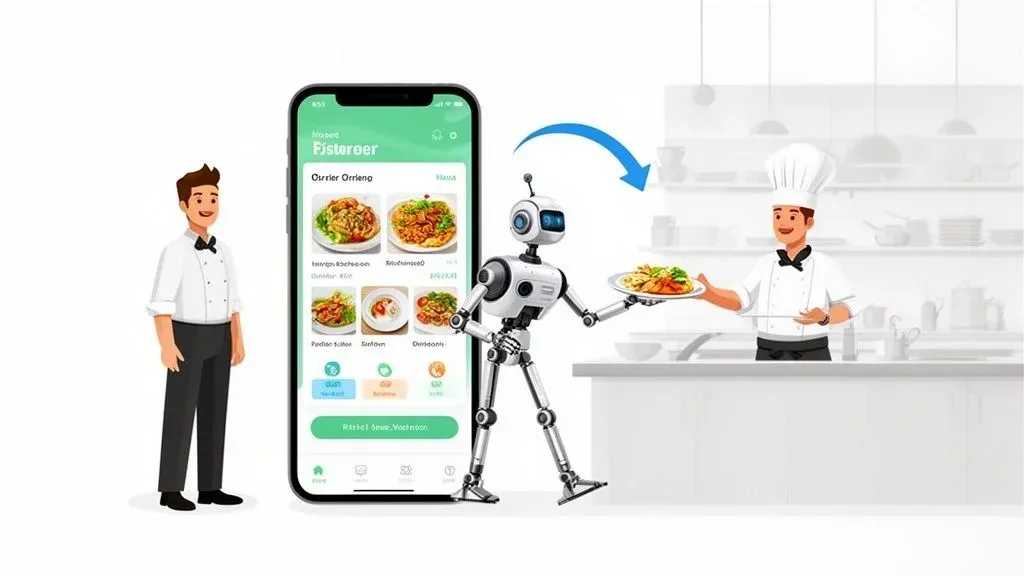
Picture this: a digital waiter who works around the clock, never gets an order wrong, and manages every online request without breaking a sweat. That’s essentially what a food online ordering system is. In simple terms, it’s the software that lets your customers order food directly from your website or a third-party app like DoorDash. For today’s restaurants, it’s moved from a “nice-to-have” luxury to an absolute necessity for boosting efficiency and sales.
What Is a Food Online Ordering System and Why Does It Matter?
At its core, a food online ordering system is the technology that lets your customers place orders through your website, a mobile app, or even third-party platforms. It’s the digital handshake between a hungry customer and your kitchen, making sure every detail—from “extra pickles” to “no onions”—is captured perfectly.
This isn’t just about convenience; it’s about connecting to your customers where they are. This technology matters because it plugs your restaurant directly into the massive and growing world of online delivery and pickup. By not participating, you are invisible to a huge portion of potential diners, which directly impacts your revenue.
The market numbers tell the whole story. The global online food delivery scene was worth a staggering USD 288.84 billion in 2024 and is on track to hit USD 505.50 billion by 2030. If you’re not playing in this space, you’re leaving a massive amount of money on the table and becoming invisible to a huge chunk of your potential customers.
The Two Main Flavors: Direct vs. Third-Party Systems
When you step into online ordering, you’ll encounter two main approaches. Getting a handle on them is the first step to building a strategy that actually makes you money.
- Direct (First-Party) Systems: This is your own turf. Think of the ordering function built right into your restaurant’s website or a custom-branded app. You own the customer relationship, you control the branding, and you keep all the data.
- Third-Party Aggregators: These are the big marketplaces like DoorDash and Uber Eats. They put your menu in front of millions of eyeballs, which is fantastic for discovery. The catch? They take a hefty commission on every single order and stand between you and your customer.
Even with the best tech, the little things matter. For any delivery, using clear and professional delivery receipt templates builds trust and keeps your operations transparent.
The Power of Integration: Making It All Work Together
The smartest strategy isn’t about choosing one or the other. It’s about making them work in harmony. You can use the third-party apps for what they’re good at—attracting new customers—while encouraging those new fans to order directly from you next time to save on fees.
This is where a unified system becomes a game-changer. Instead of your staff juggling multiple tablets and manually punching in orders from different apps, an integrated system funnels everything directly into your kitchen. For example, a restaurant using a POS like Clover can use an integration tool to automatically accept orders from Uber Eats and send them to the kitchen printer, saving time and eliminating errors.
To see just how chaotic manual entry can be, let’s compare it to an automated, integrated workflow.
Manual Order Entry vs. An Integrated Online Ordering System
Operational Task Manual Process (Without System) Automated Process (With Integrated System) Order Reception Staff listens to phone calls or monitors multiple tablets, risking missed orders during busy rushes. Orders from all channels (website, app, third-party) are automatically accepted and centralized. Order Entry A staff member manually types each order into the POS system, opening the door to human error. Orders are injected directly into the POS, eliminating typos and miscommunications. No re-keying needed. Kitchen Communication Staff shouts orders or hand-delivers paper tickets, leading to confusion and potential delays. Orders are sent directly to the Kitchen Display System (KDS) with perfect accuracy and timing. Payment Processing Manually entering credit card details over the phone or reconciling multiple payment sources at day’s end. Payments are pre-authorized and processed online, with all financial data automatically synced. Reporting & Analytics Managers spend hours manually compiling sales data from different sources into spreadsheets. The system generates instant, unified reports, showing sales trends and top-performing items.
The difference is night and day. Automation removes the friction points that cost you time and money, boosting staff productivity and reducing costly mistakes.
An effective system doesn’t just take orders; it organizes them into a smooth, manageable flow. If you want to dive deeper into this, our guide on the basics of a restaurant order management system is a great place to start. By unifying your channels, you slash staff stress, cut out those costly order-entry mistakes, and get a crystal-clear view of your business performance.
The Core Components of a Modern Ordering System
To really get a handle on how an online ordering system can change the game for a restaurant, it helps to look under the hood. Think of it like a well-oiled kitchen line: you have different stations, each with a specific job, all working together to deliver a seamless experience. In simple terms, it’s about how a customer’s click turns into a finished meal.
Technically, this involves several software components communicating with each other. When these pieces are in sync, you get faster service, way fewer mistakes, and a much healthier bottom line. This efficiency boost is crucial for improving restaurant operations and profitability.
Your Digital Storefront: The Customer Interface
This is the part your customers actually see and touch. It’s your online menu, your virtual front door, and the first impression people get of your brand online. A great customer interface is clean, intuitive, and makes ordering feel like a breeze.
Think about the experience of using an app like Uber Eats. The photos are great, the descriptions are clear, and finding the customization options is simple. This isn’t just about looking pretty; it’s about making it easy for people to give you their money. A clunky, confusing menu causes people to give up and go somewhere else. A well-designed one, on the other hand, actually encourages them to browse, add that extra side, and finish the purchase, which directly bumps up your average check size.
Mission Control: The Backend Management Dashboard
If the customer interface is your storefront, the backend dashboard is your restaurant’s mission control. This is the private portal where you and your team manage everything happening behind the curtain. It’s the engine that keeps your entire online operation running.
This management hub is where you create efficiency. It’s not just a place to see orders; it’s where you take control of your entire digital business, from tweaking menu prices to seeing what’s selling.
From this single dashboard, you can:
- Update Your Menu: Instantly add a new special, 86 an item that just sold out, or adjust prices across every platform you’re on. This reduces errors and saves significant time.
- Manage Incoming Orders: See, accept, and keep tabs on every single order, no matter where it came from, all in one spot.
- Access Crucial Data: Pull reports to spot sales trends, figure out your most popular dishes, and learn your peak hours to make smarter staffing and inventory decisions.
This kind of control is vital for running a nimble business. Instead of waiting on a developer to make a simple menu change, you can do it yourself in seconds. This is where effective restaurant order management software really proves its worth.
The Transaction Engine: Secure Payment Gateways
The payment gateway is basically your digital cash register. Its job is to securely handle the money transfer between your customer’s bank and your own. You absolutely cannot skimp on this part—it’s all about building trust.
Modern systems plug right into trusted payment processors like Stripe, which is the same technology powering platforms like Square. These gateways take care of all the heavy lifting on the security side, protecting sensitive credit card data and making sure you get paid without a hitch. By making the checkout process smooth and quick, it reduces the chance of someone abandoning their cart at the last second. It’s a critical piece of food tech that saves everyone time and secures your revenue.
Keeping Everyone in Sync: Order Notification Systems
Finally, the notification system acts as the messenger between your website and your BOH team. The second an order is placed, this system needs to instantly alert the kitchen.
This alert could be a loud chime from a tablet, a ticket automatically spitting out of a thermal printer, or the order popping up directly on your Kitchen Display System (KDS). The whole point is speed and accuracy. A good notification system gets rid of any lag time and makes sure the kitchen fires an order the moment it’s confirmed. That direct line of communication is essential for cutting down ticket times and keeping your customers happy, directly improving your delivery efficiency.
Actionable Insight: Each of these parts—the interface, dashboard, payment gateway, and notification system—is essential. If one piece is weak, it can throw off the whole operation. When you’re looking at different food online ordering system options, your first step should be to evaluate how well these components work together to boost efficiency.
Unlocking Peak Efficiency with POS Integration
This is where the real magic happens for your restaurant operations. An online ordering system on its own is a good start, but connecting it directly to your Point of Sale (POS) system is what turns it into an absolute powerhouse. In non-technical terms, this means making your online orders show up in your kitchen automatically, just like an order taken at the counter.
Without that link, you’re stuck in “tablet hell”—that dreaded counter space cluttered with a half-dozen devices, each one beeping and demanding attention. This setup forces your staff to manually punch every single online order into the POS. It’s a tedious, time-sucking process that slows down your kitchen and, frankly, is a breeding ground for expensive mistakes. One simple typo can mean a wrong order, an unhappy customer, and lost money, directly hurting your bottom line and staff productivity.
How Direct POS Integration Transforms Your Workflow
Direct POS integration isn’t just a nice-to-have feature; it’s a fundamental shift in how your restaurant manages its entire digital business. It automates the whole process, from the moment a customer taps “order” on their phone to the ticket printing out in your kitchen.
Here’s how that automation directly helps your bottom line:
- Eliminating Manual Entry Errors: By taking the human re-typing out of the equation, you virtually kill the risk of error. That means fewer wrong meals, fewer customer complaints, and a lot less food waste. This is a direct cost saving.
- Accelerating Kitchen Prep Times: Orders are fired straight to the kitchen the instant they’re placed. This shaves off the lag time from manual entry, getting food on the prep line faster and shortening ticket times, which is a lifesaver for your restaurant delivery service during a dinner rush.
- Ensuring Accurate Sales Data: Every online order gets automatically recorded in your POS. This gives you one clean, accurate source for all your sales data, making financial reporting and business analysis so much simpler and more reliable.
The core benefit is simple: your staff can stop being data-entry clerks and get back to focusing on what truly matters—providing excellent service to the guests right in front of them.
POS Integration in Action with Real-World Examples
So, what does this actually look like in a busy restaurant? Imagine an order comes in from DoorDash. Instead of an employee having to stop what they’re doing, grab the tablet, and punch the order into a Square POS, the integration software handles it all automatically. The order prints in the kitchen with perfect accuracy, saving valuable time and reducing stress on staff.
This concept map shows a simplified view of how a system’s core components—the user interface, the management dashboard, and payment processing—all work together.
The integration layer is the invisible hero here. It’s the piece that connects all of these components directly to your POS, making the entire workflow feel seamless.
For instance, major POS platforms like Clover and Square have built-in app marketplaces that allow for this kind of deep connection. An integration tool essentially “plugs into” these systems, creating a bridge that lets third-party orders flow in just like an order placed right at the counter. For a deeper dive, check out our guide on the benefits of POS software integration.
Why This Matters in a Competitive Market
The need for this kind of efficiency isn’t just theoretical; it’s driven by the massive growth of the online delivery market. In the U.S. alone, online food delivery is a $353.30 billion business in 2024, and it’s projected to hit $534.60 billion by 2028. Restaurants that don’t get their digital operations running smoothly are going to be left behind.
Actionable Insight: Integrating your online ordering with your POS isn’t an optional upgrade anymore; it’s a strategic necessity. It directly solves the biggest headaches of online ordering—manual mistakes, slow service, and staff burnout—and replaces them with automation, speed, and accuracy. Your next step should be to audit your current workflow and pinpoint exactly where manual entry is costing you time and money.
How to Choose the Right Restaurant Food Tech
Picking the right technology partner is a huge decision. Simply put, you’re choosing a tool that will either save your team time or add to their stress. With what feels like a million options out there, the trick is to look past the flashy sales pitches and get down to what really matters for your daily restaurant operations.
Don’t just ask, “Do you integrate with my POS?” We need to go deeper. The real goal is to find a system that actually takes work off your team’s plate, not add another tedious task. You want a solution that plugs operational holes, saves you money, and makes life easier for your staff.
Go Beyond the Basic Integration Question
When a vendor tells you they “integrate,” that’s just the beginning of the conversation. Technically, an integration is an API connection that allows two different software systems to share data. A flimsy integration might just dump an order into your system, leaving your team to sort out the details. A truly deep integration, on the other hand, automates the entire flow from the customer’s tap to your kitchen.
Here are the smarter questions you should be asking potential food tech partners:
- How deep is your menu mapping? Can your system handle our complicated modifiers, add-ons, and special notes without glitching?
- Does it sync order status in real-time? When a DoorDash driver picks up an order, will my POS know instantly, or does my host have to go in and manually update it?
- What happens when we 86 an item? If I mark the salmon as “sold out” in my POS, will it automatically disappear from Uber Eats, Grubhub, and our website?
- How do you handle price updates? Can I change the price of our burger in one spot and trust that it updates everywhere at the same time?
Asking these kinds of specific, operational questions helps you find a partner that offers true automation. That automation is what directly leads to cost and time savings, because it stops your team from wasting hours manually updating menus across a dozen different tablets.
Essential Features Checklist for Your Ordering System
As you start vetting different food online ordering systems and integration platforms, it helps to have a checklist. This keeps the process organized and ensures you’re comparing apples to apples, focusing on what will actually help your restaurant succeed.
Here’s a practical checklist to guide your conversations and demos with potential tech partners.
Feature Category Key Questions to Ask Why It Matters for Your Restaurant System Reliability What’s your uptime percentage? What happens if the system crashes during our Friday night rush—who do I call and how fast will they fix it? Your ordering system is mission-critical. Downtime during peak hours means thousands in lost revenue and a mob of angry customers. POS Integration How deep is your connection with my POS, like a Clover or Square system? Show me exactly how it works. This is the heart of your restaurant’s efficiency. A rock-solid POS integration eliminates manual order entry, which cuts down on costly mistakes and frees up your staff. Ease of Use Can you walk me through the backend dashboard? How much training will my managers need to update a menu or pull a sales report? Complicated software just creates headaches. The system should be intuitive enough for anyone on your team to use without needing an IT degree, which boosts staff productivity. Customer Support Is your support team available 24/7? What’s the real-world response time for a critical problem, not just the promised one? When things break, you need help now. Great support is the difference between a minor hiccup and a full-blown operational meltdown for your restaurant delivery business.
This checklist isn’t just a list of features; it’s a framework for finding a technology solution that truly fits the way your restaurant works.
Finding a True Technology Partner
Think of your technology provider as a key employee who works around the clock. You need to be able to trust them. A good partner will be completely upfront about what their system can and can’t do—no surprises.
Your goal is to find a solution that becomes an invisible, reliable part of your team. It should work so well in the background that you forget it’s even there—it just handles the digital side of your business flawlessly.
By focusing on deep integration, bulletproof reliability, and responsive support, you set your restaurant up to thrive in the modern dining world. It’s a strategic move that ensures you get a system that genuinely improves your workflow, slashes errors, and drives your business forward. To dig deeper into this, you can learn more about the leading restaurant technology companies and see what makes them stand out.
Practical Next Step: Before your next demo call with a tech vendor, write down three specific, nagging problems you have with online orders right now. On the call, ask them to show you exactly how their system solves those specific problems. This moves the conversation from a generic sales pitch to your real-world needs.
Implementing Your New System for a Smooth Launch
Getting a new system up and running is about more than just flipping a switch. It’s a process that involves your people, your menu, and your customers. Once you’ve picked the right technology, successfully integrating online ordering systems is the make-or-break moment for your operations.
The real goal here is to get from setup to success without the usual chaos. If you focus on getting a few key things right—your menu, your team, and your launch strategy—you can make sure your new system starts paying for itself from day one by improving efficiency and reducing staff workload.
Optimize Your Digital Menu to Drive Sales
Think of your online menu as your best salesperson—it works 24/7. It needs to do more than just list what you sell; it has to make your food look and sound absolutely irresistible. This is your chance to guide customer decisions and bump up your average ticket size.
Start with high-quality, professional photos. People eat with their eyes first, and a fantastic picture can be the difference between a casual scroll and a definite “add to cart.” Back those images up with descriptions that make mouths water. Don’t just say “Chicken Sandwich.” Instead, try something like, “Our Signature Grilled Chicken Sandwich with a Zesty Chipotle Aioli and Fresh Avocado on a Toasted Brioche Bun.” See the difference?
A well-crafted digital menu is a powerful tool for upselling. By strategically placing add-ons and modifiers, you guide customers toward higher-margin choices, directly impacting profitability.
Prepare Your Team for a Confident Launch
Your staff is on the front lines. Their comfort level with the new system is everything. Good training turns potential anxiety into confidence, ensuring they can handle the flow of online orders without breaking a sweat, even during the Saturday night rush.
Set aside dedicated time for hands-on training sessions. Walk them through the whole workflow:
- Accepting an Order: What does the alert sound like? What button do they press to confirm?
- Managing Modifications: Show them exactly where special requests and allergy notes will appear on the ticket.
- Handling Issues: Give them a clear playbook for what to do when something goes wrong with an order.
A well-prepped team makes fewer mistakes, moves faster, and keeps the kitchen calm. This investment in training delivers an immediate return through better staff productivity and error reduction.
Execute a Soft Launch to Work Out the Kinks
Before you shout about your new online ordering from the rooftops, do a “soft launch.” This is basically a dress rehearsal. You open up online ordering to a small, controlled group—think loyal regulars, friends, and family.
The whole point is to pressure-test everything in a low-stakes environment. You’ll catch any technical glitches, find bottlenecks in your workflow, or spot pricing errors on the menu before they can affect a wider audience. This step is your secret weapon for making sure your official launch for restaurant delivery and pickup goes off without a hitch. For a deeper dive on this, check out our guide to a successful restaurant digital transformation.
Promote Your New System to Your Customers
Okay, the bugs are squashed and the team feels ready. It’s go-time. You need to let everyone know how easy it is to order your food online now. Use a smart mix of in-store signage and online marketing to get the word out.
The food delivery market is huge and still growing, with revenue expected to climb from USD 156.75 billion in 2024 to USD 173.57 billion in 2025. A huge part of that is driven by younger customers like Gen Z who live on their phones. Your marketing needs to meet them where they are.
Announce the launch on all your social media channels with great photos and a direct link to the ordering page. Inside the restaurant, put up posters and table tents with QR codes that turn your dine-in guests into your next online customers.
Actionable Insight: Go ahead and plan your soft launch. Pick a group of 10-15 trusted customers and offer them a nice discount to be your first testers. Their feedback will be gold for fine-tuning everything before you go live to the public. This step is a low-risk way to ensure your technology investment pays off.
Bringing It All Together: Take Control of Your Restaurant’s Digital Future
Let’s put all the pieces together. At its core, a modern food online ordering system that talks directly to your POS isn’t just another piece of tech—it’s your command center for a smoother, more profitable, and far less chaotic operation. This is about more than just taking orders from a website; it’s about getting back in the driver’s seat of your restaurant’s efficiency.
This kind of setup is designed to solve the most nagging headaches in the restaurant business. It goes straight to the source of costly manual entry mistakes, the kind that lead to wasted food and frustrated customers. When you automate the path an order takes from a customer’s phone right to your kitchen printer, you naturally speed things up and get the order right more often. That’s the secret to nailing both restaurant delivery and takeout.
Why This Matters for Your Staff and Your Bottom Line
Think about what this means for your crew. When you rescue them from the tablet jungle and the endless task of punching in orders from a dozen different apps, they can finally focus on what they’re actually there to do: cook incredible food and give customers a great experience. The boost to staff productivity and morale is almost immediate.
Automating your digital orders means you stop reacting to chaos and start proactively managing growth. It’s the difference between letting technology run your restaurant and making your technology work for you.
This shift shows up on your P&L sheet, too. The cost savings from fewer mistakes and less food in the bin, paired with the higher order volume that comes from a better customer experience, go straight to your bottom line. It makes the tools you already use, like Clover or Square, that much more effective.
Practical Next Step: The clear takeaway is that POS integration is the key to unlocking the full value of online ordering. It’s time to stop letting a tangle of disconnected systems eat away at your profits and your sanity. See for yourself how a smart integration partner can fix these operational bottlenecks once and for all.
You can start onboarding with OrderOut for free in just a few clicks right here: Start Your Free Onboarding.
Frequently Asked Questions
Stepping into the world of restaurant tech can feel like learning a new language. Let’s break down the most common questions restaurant owners ask about online ordering systems. My goal here is to give you straightforward, practical answers so you can make the right call for your business.
What Is the True Cost of an Online Ordering System?
It’s easy to get fixated on the monthly subscription fee, but that’s just the tip of the iceberg. The real cost hides in two places: commission fees and operational drag.
Commission fees from third-party apps like DoorDash or Uber Eats are the most obvious drain, slicing off 15-30% of every single order. That adds up fast and can seriously gut your profit margins.
But the hidden cost—the one that really sneaks up on you—is operational inefficiency. Think about it: if your staff has to manually punch every single online order into your POS, you’re paying for that labor. And every time a mistake is made during that process? That’s wasted food, a comped meal, and maybe even a lost customer. A solid system with POS integration pays for itself by plugging those leaks and reducing these direct costs.
How Can I Manage Multiple Delivery Apps Without the Chaos?
Ah, the dreaded “tablet hell.” If your counter looks like a command center with a sea of glowing screens, each one beeping for attention, you know exactly what I’m talking about. Juggling all those devices isn’t just stressful; it’s a recipe for disaster. The only real way out is to use an integration platform to centralize everything.
Think of an integrator as a universal translator for all your delivery apps. It takes every order, no matter where it comes from, and sends it to your POS in a language it already understands.
An integration service acts as a single funnel, pouring all incoming orders from every app directly into your POS. Your team no longer has to play whack-a-mole with tablets. For example, a restaurant using Clover can see orders from Uber Eats, GrubHub, and DoorDash appear on their POS screen just like an in-house order. This one change can completely streamline your restaurant delivery process and bring some sanity back to your front counter.
What Kind of Technical Skill Does My Staff Need?
This is a totally fair question. The good news is that modern systems are built for busy restaurant environments, not for IT experts. If your staff can use a smartphone or your current POS, they’re more than ready to handle a new online ordering platform. The whole point of this food tech is to make their jobs easier, not harder.
The best systems have clean, simple dashboards where accepting an order is as easy as tapping a screen. And with a deep POS integration, most of the work is already done for them. The orders just show up on the kitchen printer or KDS screen like any other ticket, which means there’s practically no learning curve and your staff productivity gets a boost from day one.
How Quickly Can I Actually Expect a Return on My Investment?
You might be surprised. The ROI on a good food online ordering system with POS integration can show up fast, often within just a few months. The payback comes from a few different places:
- More Orders: When it’s easy for people to order from you, they do it more often.
- Bigger Checks: We’ve all done it—online, you have more time to browse the menu and add that extra appetizer or dessert. Online orders are often 20% larger on average.
- Lower Labor Costs: When you stop paying staff to be data-entry clerks, you can either run a leaner team or have them focus on what really matters: the customers in your restaurant.
- Fewer Mistakes: Getting rid of manual entry errors means you stop losing money on wasted food and remade dishes. Every mistake you prevent is a direct cost saving.
For instance, if you’re running on a POS like Square or Clover and connect it to an integrator, you immediately stop bleeding money from re-keyed orders and mistakes. That’s a financial win you’ll feel almost instantly.
Clear Takeaway: The biggest worries for restaurant owners—cost, complexity, and chaos—all point back to one solution: a system built on a rock-solid POS integration. That’s the secret to making this investment pay off by making your restaurant more efficient and cutting out those frustrating, preventable losses.
Ready to take control of your online orders and boost your restaurant’s efficiency? With OrderOut, you can connect all your delivery apps directly to your POS system, eliminating manual entry for good. Get started for Free in just a few clicks at https://dashboard.orderout.co.