
10 Dynamic Pricing Strategies to Boost Restaurant Profits
· Thibault Le Conte
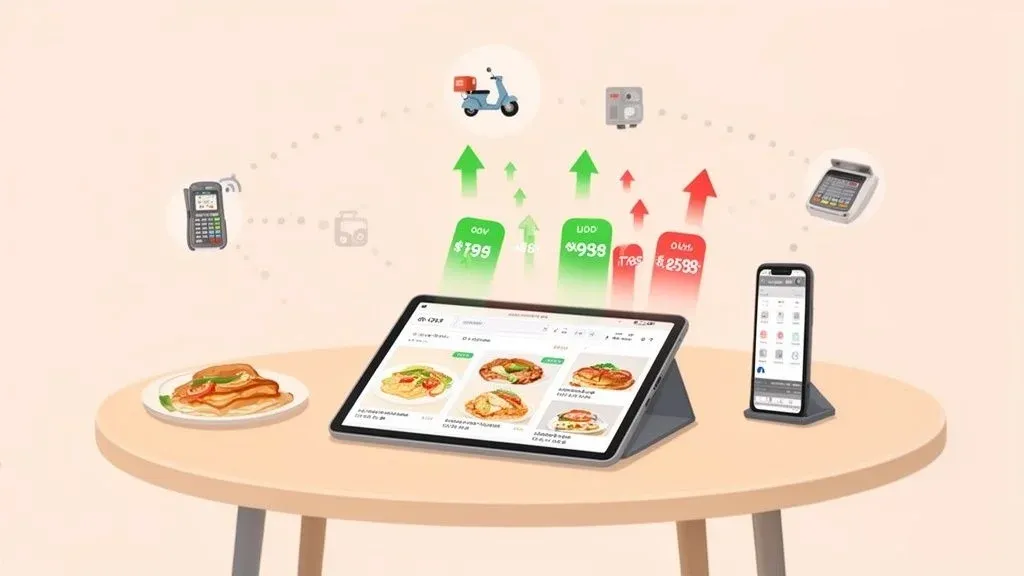
In today’s competitive restaurant market, static menus can limit your earning potential. Forward-thinking operators are now using dynamic pricing strategies, which simply means adjusting menu prices in real time based on factors like demand, inventory, and even the weather. This approach turns your menu from a fixed list into a powerful, flexible tool for growth. It’s all about selling the right item, to the right customer, at the right time, for the right price to maximize revenue and operational efficiency.
For restaurant owners, managers, and operators, mastering these strategies is essential for profitability. It’s about making your Point of Sale (POS) system work smarter, not just harder.
Why it matters: By integrating dynamic pricing with your restaurant’s POS and delivery platforms, you can automate price changes. This reduces costly manual entry errors and frees up valuable staff time, boosting productivity. For example, a system like Square or Clover, when connected with an aggregator like OrderOut, can seamlessly push different prices to various delivery apps according to your chosen strategy. This not only boosts your bottom line but also connects to a broader effort; to truly unlock your restaurant’s profit potential, consider exploring other proven ways to boost revenue and increase restaurant sales.
This article will break down 10 actionable dynamic pricing strategies. We will explain each concept in simple, non-technical language first before diving into the specifics, showing you how each strategy connects directly to restaurant efficiency, delivery optimization, and POS integration.
1. Time-Based Surge Pricing for Restaurant Delivery
Time-based surge pricing is a straightforward strategy: you adjust menu prices based on the time of day. This means you can set slightly higher prices during your busiest periods, like the lunch or dinner rush, and offer lower prices or special discounts during slower, off-peak hours.
This model, made popular by ride-sharing apps like Uber, helps balance customer flow. For a restaurant, this is crucial. It prevents your kitchen from getting overwhelmed during peak times while attracting budget-conscious diners during lulls, turning a quiet afternoon into a revenue opportunity.
Why it matters for restaurant operations: This strategy directly links pricing to your kitchen’s operational capacity. By smoothing out demand, you reduce staff stress, improve order accuracy, and maintain food quality during rushes. This leads to higher staff productivity and better customer reviews.
When to Use This Strategy
This method is most effective for restaurants with predictable peaks and valleys in daily traffic. If your POS data consistently shows a midday rush followed by a quiet afternoon, time-based pricing can help smooth out that demand curve. It’s also ideal for managing online orders from platforms like DoorDash and Uber Eats, where you can program price changes to go live automatically.
Actionable Implementation Steps
- Analyze Your Data: Use your POS system’s historical order data to identify your busiest and slowest hours. Look for consistent patterns over several weeks to confirm your peak and off-peak times.
- Start Small: Implement a slight price increase (e.g., 5-10%) on a few popular items during your absolute busiest hour. Monitor sales and customer feedback before expanding the strategy.
- Communicate Clearly: Transparency is key. Clearly state the time-based pricing on your digital menus and delivery app listings. For example, a menu item could read, “Spicy Tuna Roll: $15 (Peak Price: $16.50 from 6-8 PM).”
- Integrate and Automate: Use a tool like OrderOut to sync your POS (like Square or Clover) with all your delivery apps. This ensures that when you schedule a price change, it updates everywhere at once, preventing pricing errors and saving staff hours.
Key Takeaway: Time-based surge pricing isn’t just about raising prices; it’s a practical tool to shape demand, align it with your kitchen’s capacity, and improve both profitability and operational efficiency.
2. Inventory-Based Dynamic Pricing to Reduce Waste
Inventory-based dynamic pricing is a strategy where you adjust menu prices based on your current stock levels. Simply put, if you have too much of an ingredient that’s about to spoil, you can discount its menu item to sell it faster. Conversely, if an item is running low, you can slightly increase its price to slow sales and avoid running out.
This approach is common in grocery stores that discount items nearing their expiration date. For restaurants, it’s a powerful way to turn potential food waste into revenue, directly improving your bottom line.
Why it matters for restaurant efficiency: This strategy directly impacts your food costs and reduces waste. Automating this process means less time spent on manual inventory checks and fewer losses from spoilage. It turns a cost center (waste) into a revenue opportunity and improves staff productivity by automating pricing decisions.
When to Use This Strategy
This strategy is a great fit for restaurants dealing with perishable goods, like farm-to-table concepts or those with frequently changing specials. It’s also highly effective for any business that wants to automate cost control. If you find yourself consistently throwing out the same ingredients or running out of popular items too quickly, inventory-based pricing provides a direct solution.
Actionable Implementation Steps
- Integrate Your Systems: Your POS system and inventory management software must communicate in real time. This connection is essential for the strategy to work. A tool like OrderOut can ensure your inventory data from a POS like Clover or Square triggers the right price changes across all your ordering platforms.
- Set Inventory Thresholds: Define clear triggers for price adjustments. For example, when you have more than 30 portions of salmon left two hours before closing, a 15% discount could automatically apply. When you are down to your last five portions of steak, a 10% price increase could be triggered.
- Create Promotional Categories: Use high-inventory items to create “Chef’s Specials” or “Flash Sales.” Feature these prominently on your digital menus and delivery apps to attract attention and move products quickly.
- Monitor and Refine: Track your spoilage rates and sales data before and after implementing this strategy. Analyze the impact to see how much waste you’ve reduced and how revenue has been affected, then adjust your thresholds accordingly. You can see more dynamic pricing examples to get ideas for your own restaurant.
Key Takeaway: Inventory-based pricing turns your stockroom data into an active revenue management tool. It’s a proactive strategy to reduce food waste, protect margins on scarce items, and improve overall profitability.
3. Demand-Based Algorithmic Pricing with Food Tech
Demand-based algorithmic pricing uses smart technology (like machine learning) to predict demand and automatically adjust prices. This advanced strategy goes beyond simple time-based changes by analyzing complex patterns like weather, local events, day of the week, and historical sales trends to find the most profitable price for each menu item in real time.
Pioneered by airlines and e-commerce giants like Amazon, this method brings a high level of precision to restaurant pricing. For example, an algorithm could predict higher demand for cold beverages on a hot day or for shareable appetizers during a major televised sports game, adjusting prices accordingly without a manager needing to lift a finger.
Why it matters for POS integration: This is where modern food tech shines. The algorithm connects to your POS data and external data sources (like weather forecasts) to make automated, intelligent decisions. This level of automation significantly boosts revenue while reducing the manual workload for managers, freeing them up to focus on in-store operations.
When to Use This Strategy
This strategy is best for tech-forward restaurants with significant order volume and access to clean, historical sales data. It is particularly effective for multi-location chains or high-traffic single locations where small price adjustments can lead to substantial revenue gains. If you are already comfortable with data analysis and want to take your pricing strategy to the next level, an algorithmic approach is a logical step.
Actionable Implementation Steps
- Build Your Data Foundation: The algorithm is only as good as the data it’s fed. Start by ensuring your historical POS data from systems like Square or Clover is clean and organized. This data is the baseline for the algorithm’s predictions.
- Partner with a Tech Provider: Developing a proprietary algorithm is complex. Partner with a restaurant technology provider that offers AI-driven pricing tools. They can help integrate the system with your existing POS and delivery platforms.
- A/B Test Your Recommendations: Before a full rollout, test the algorithm’s suggestions. Apply the AI-recommended prices to a small subset of menu items and compare their performance against a control group with standard pricing. Monitor the results closely.
- Display Prices Clearly: Use digital menu board software to show real-time price changes. Transparency helps maintain customer trust and keeps your in-store and online pricing perfectly synced.
Key Takeaway: Algorithmic pricing automates profit optimization by using data to make countless micro-adjustments that a human manager could never execute manually, turning factors like weather and local events into direct revenue opportunities.
4. Delivery Channel-Specific Pricing and POS Integration
Delivery channel-specific pricing involves setting different prices for the same menu items on different delivery platforms, like DoorDash, Uber Eats, and Grubhub. The goal is to offset the commission fees each platform charges, which can range from 15% to over 30%. By adjusting prices on each channel, you can protect your profit margins.
This is a core strategy for any modern restaurant using third-party delivery. For instance, a burger priced at $12 for dine-in might be listed at $14 on a platform with a 20% commission and $15 on one with a 30% commission. This ensures the restaurant’s net revenue remains consistent no matter where the order comes from.
Why it matters for delivery and POS integration: Manually managing different menus for each delivery app is a nightmare. It leads to errors, inconsistent branding, and wasted time. Integrating your POS with a tool like OrderOut allows you to manage all delivery menus from one central dashboard. This saves countless hours of staff time, eliminates costly pricing errors, and ensures your profitability is protected on every single order.
When to Use This Strategy
This strategy is essential for any restaurant using multiple third-party delivery services. If you are struggling to absorb high commission fees, channel-specific pricing provides a direct way to offset those costs. It is particularly effective for operators who want to maintain competitive dine-in pricing while still participating in the expansive delivery marketplace.
Actionable Implementation Steps
- Calculate Your Costs: Determine the exact commission, marketing, and transaction fees for each delivery platform. Create a simple spreadsheet to map these costs for each menu item to find your break-even point and desired profit margin.
- Start with Key Items: Instead of changing your entire menu, test a price markup on 2-3 of your most popular items on your highest-commission platform. Monitor order volume and sales data to see the impact.
- Centralize Price Management: Use a POS integration tool to manage all your delivery menus from a single dashboard. A service like OrderOut connects with POS systems like Square or Clover, letting you update prices across all channels at once and avoiding manual errors.
- Stay Informed: Platform commission structures can change. Keep up-to-date with detailed comparisons between services like Uber Eats vs. DoorDash vs. Grubhub to make informed decisions.
Key Takeaway: Channel-specific pricing isn’t about overcharging delivery customers; it’s a practical business strategy that creates a sustainable financial model for your restaurant to thrive on every platform by aligning prices with their associated costs.
5. Customer Segmentation & Loyalty-Based Pricing
Customer segmentation and loyalty-based pricing means offering different prices or exclusive deals to different groups of customers. For example, your most frequent and loyal customers could receive special discounts, while new or infrequent patrons see standard menu prices. This strategy uses customer data to reward loyalty and encourage repeat business.
This approach is famously used by companies like Starbucks with its rewards program. It shifts the focus from a one-size-fits-all menu to a personalized system that nurtures your most valuable customers, directly boosting retention and lifetime value.
Why it matters for restaurant operations: This strategy increases customer lifetime value (CLV), a key metric for sustainable growth. By integrating a loyalty program with your POS, you can automate rewards and track customer behavior without extra work for your staff. This boosts efficiency and helps you build a loyal community that generates predictable revenue.
When to Use This Strategy
This strategy is highly effective for restaurants with a strong base of repeat customers and a way to track them, either through a POS customer relationship management (CRM) feature or a third-party loyalty program. It’s ideal for establishments wanting to increase customer lifetime value and build a community around their brand.
Actionable Implementation Steps
- Identify Your VIPs: Use your POS customer data to identify the top 20% of customers who drive 80% of your revenue. These are your prime candidates for a loyalty program.
- Create Clear Tiers: Design a simple loyalty program with transparent benefits. For example: Bronze (5% off after 5 visits), Silver (10% off after 15 visits), and Gold (exclusive menu items and 15% off always).
- Personalize Your Offers: Go beyond generic discounts. Use customer order history to send personalized offers via email or SMS, such as a discount on their favorite dish or a special offer during their birthday month.
- Integrate and Automate: Manually tracking loyalty is inefficient. Use a tool that integrates your POS, like Square or Clover, with your delivery and loyalty programs to automate discount application and data tracking. This ensures a smooth experience for both customers and staff.
Key Takeaway: Loyalty-based pricing transforms your pricing model into a powerful retention tool. By rewarding your best customers, you not only increase their spending but also turn them into brand advocates who bring in new business.
6. Bundle & Combo Pricing Strategy
A bundle and combo pricing strategy involves grouping multiple menu items together and selling them as a single package for a set price, like a “lunch special” with a sandwich, fries, and a drink. This approach encourages customers to spend more by making them feel they are getting a good deal.
Mastered by fast-food giants like McDonald’s, this model increases the average order size and simplifies the ordering process. It’s a powerful way to guide customer choices and increase the overall value of each transaction.
Why it matters for efficiency and POS integration: Combos speed up the ordering process, both for customers and for staff entering orders into the POS. When integrated properly, one button press for a combo is faster and less error-prone than keying in three separate items. This improves order accuracy and staff productivity, especially during peak hours.
When to Use This Strategy
This method is ideal for restaurants that want to increase the average ticket size and move specific inventory. It works exceptionally well for quick-service restaurants (QSRs), fast-casual spots, and pizza delivery businesses. If your POS data shows certain items are frequently ordered together, creating an official bundle can formalize that behavior and boost sales.
Actionable Implementation Steps
- Identify Natural Pairings: Analyze your POS data from systems like Square or Clover to see which items customers naturally buy together. Look for a popular main dish that pairs well with a high-margin side or drink.
- Price for Perceived Value: The bundle price should feel like a deal. Aim for a price that is 15-20% cheaper than purchasing the items individually to make the value proposition clear and compelling.
- Feature Bundles Prominently: Make your combos impossible to miss. Place them at the top of your digital menus and on the first screen of delivery apps like DoorDash. Use creative names like “The Weekday Warrior Lunch” or “Family Feast” to increase appeal.
- Track and Adjust: Use your POS to monitor the sales performance of each bundle. If a combo is underperforming, don’t be afraid to swap out an item or adjust the price. Refreshing your bundles quarterly keeps the menu exciting.
Key Takeaway: Bundle pricing is a psychological tool that increases average order value by guiding customer choice, simplifying their decision-making, and making them feel they’ve secured a great deal.
7. Weather & Contextual Event-Based Pricing
This strategy involves adjusting your menu prices based on external factors like weather, local sports games, concerts, or holidays. For example, you could automatically apply a “Rainy Day Delivery” special or slightly increase prices on shareable appetizers during a big game.
This model, used by delivery platforms like DoorDash during storms, allows your restaurant to capitalize on predictable, event-driven demand surges. Instead of a fixed menu, your pricing responds intelligently to the world outside your doors.
Why it matters for restaurant operations: This strategy helps you manage sudden rushes driven by external events. Automating these price changes via POS integration means your team isn’t caught off guard. For example, a pre-scheduled price surge for a nearby concert can help temper order volume, preventing the kitchen from getting overwhelmed and ensuring that food quality and service speed remain high.
When to Use This Strategy
This strategy is perfect for restaurants in areas with variable weather or a busy local event calendar, such as those near stadiums, concert venues, or convention centers. If a sudden downpour always leads to a flood of delivery orders that strains your kitchen, event-based pricing can help manage demand and maximize profit.
Actionable Implementation Steps
- Identify Key External Triggers: Analyze your sales data against local event calendars and historical weather patterns. Pinpoint which events (e.g., big games, festivals, bad weather) consistently drive a significant increase in orders.
- Define Your Pricing Rules: Set clear, pre-scheduled rules for price adjustments. For example, implement a 10% price increase on appetizers during the two hours before a major sporting event.
- Communicate with Transparency: Avoid surprising customers. If you’re adjusting prices for an event, add a simple note to your digital menu: “Special Event Pricing in Effect.” For weather, frame it around service: “A small fee helps us support our drivers during severe weather.”
- Automate with POS and Delivery Apps: Manually tracking events is impractical. Use an integration tool that connects your POS, like Square or Clover, to your delivery platforms. This allows you to schedule event-based price changes in advance so they update automatically across all channels.
Key Takeaway: Contextual pricing allows your restaurant to proactively respond to demand generated by weather and local events, turning external factors into predictable revenue opportunities.
8. Competitive Positioning & Market-Based Pricing
Competitive positioning, or market-based pricing, is a strategy where you set your menu prices in relation to your local competitors. Instead of just looking at your own costs, you benchmark your prices against other restaurants to secure your desired market position—whether as a premium, mid-range, or value-focused option.
This approach is common among quick-service restaurants. For example, a local burger joint might adjust its prices to stay slightly more expensive than a fast-food chain but cheaper than a high-end gastropub. This helps anchor its value proposition in the customer’s mind.
Why it matters for delivery and POS integration: In the crowded online marketplace of apps like Uber Eats, customers can compare you to competitors in seconds. Your pricing is a key differentiator. Using a POS-integrated tool to monitor competitor pricing and quickly adjust your own ensures you remain competitive without sacrificing margins. This agility is impossible to achieve with manual updates.
When to Use This Strategy
This strategy is vital for restaurants in highly competitive areas. If customers on DoorDash see five similar pizza places, your pricing becomes a critical factor. It’s also effective for new restaurants trying to establish a foothold or for established brands defending their market share.
Actionable Implementation Steps
- Define Your Position: First, decide where you want to stand. Are you the affordable go-to, the quality mid-range choice, or the premium special-occasion spot? This decision will guide your pricing. A thorough competitive pricing analysis is essential here.
- Conduct Regular Audits: At least weekly, audit the prices of your top 3-5 local competitors on major delivery apps. Create a simple spreadsheet to track their pricing for comparable menu items and identify trends.
- Price Based on Value, Not Just Matching: Don’t just copy competitor prices. If your ingredients are higher quality or your portions are larger, your price should reflect that superior value. Use competitor data as a benchmark, not a rulebook.
- Automate Price Adjustments: Manually updating prices across multiple platforms is slow and prone to errors. Use an integration tool to connect your POS system, like Square or Clover, with your delivery apps. This ensures that when you decide to make a market-based price adjustment, it’s updated everywhere instantly and accurately.
Key Takeaway: Market-based pricing is about strategic positioning, not just price-matching. Use competitive data to inform your pricing, but ensure your final price reflects your unique value proposition and supports your operational costs.
9. Surge Capacity & Kitchen Load-Based Pricing for Restaurant Operations
This strategy adjusts menu prices in real-time based on how busy your kitchen is. When the kitchen is overwhelmed and ticket times are long, prices can automatically increase slightly to slow down the flow of new orders. When the kitchen is quiet, prices can decrease to attract more business.
This model, popularized by high-volume chains like Domino’s, protects your restaurant’s reputation. Instead of pausing orders on DoorDash and losing all potential revenue, you can simply moderate demand, maintain food quality, and keep orders flowing at a manageable pace.
Why it matters for kitchen efficiency: This directly prevents kitchen staff burnout and protects service quality. By automatically throttling demand, you avoid long wait times and negative reviews. This leads to higher staff morale, reduced order errors, and a more consistent customer experience, all while capturing extra revenue during peak times.
When to Use This Strategy
This method is ideal for high-volume operations, especially ghost kitchens or restaurants with a significant delivery and takeout business. If your kitchen frequently hits a “red zone” where order quality or speed is at risk, this strategy provides an automated way to ease the pressure without turning off your revenue stream entirely.
Actionable Implementation Steps
- Integrate Systems: Connect your POS with your Kitchen Display System (KDS) to get a live feed of your order queue and average ticket times. This data is the foundation for automating pricing decisions.
- Define Your Thresholds: Establish clear capacity rules. For example, when your KDS shows more than 20 pending tickets, you might trigger a 10% price increase on your most popular menu items until the queue clears.
- Start with Manual Overrides: Before fully automating, give your kitchen manager the ability to manually trigger a “surge” price during an unexpected rush. This helps you test the impact and refine your thresholds.
- Automate for Consistency: Use an integration tool to sync your KDS and POS with delivery platforms. A platform like OrderOut can connect your Square or Clover POS to your delivery apps, allowing triggered price changes to update everywhere instantly, ensuring accuracy and reducing manual workload.
Key Takeaway: Kitchen load-based pricing is a protective measure that turns operational stress into a revenue opportunity. It allows you to balance demand with your real-time capacity, protecting food quality and staff from burnout.
10. Psychological & Perceived Value Pricing
Psychological pricing is a strategy that uses pricing psychology to influence how customers perceive the value of your menu items. It’s less about data and more about human behavior. Simple techniques like charm pricing (ending a price in .99 instead of .00), price anchoring, and strategic menu design can make prices seem lower and deals seem better.
For example, by showing a higher “original price” crossed out next to a “sale price” on DoorDash, you create a price “anchor” that makes the current price look like a great deal. This simple framing can guide customer choices and boost revenue without any real change in your costs.
Why it matters for restaurant owners: This is one of the easiest and most cost-effective strategies to implement. The changes are often small but can have a significant impact on average order value and profitability. It’s a low-risk, high-reward way to optimize your menu for sales.
When to Use This Strategy
This strategy is universally applicable and highly effective for nearly any restaurant type. It is particularly powerful for restaurants looking to increase average order value without devaluing their brand with constant discounts. It’s also ideal for highlighting premium items or creating a perception of affordability on your entire menu.
Actionable Implementation Steps
- Implement Charm Pricing: End your prices with .99 or .95. The brain perceives $19.99 as significantly cheaper than $20.00. Apply this consistently across your menu.
- Create Price Anchors: Place a high-priced “decoy” item at the top of a menu category. This makes all other items below it seem more reasonably priced in comparison. On delivery apps, you can show a “regular price” crossed out next to a “special price.”
- Frame Discounts Smartly: For small purchases, use dollar-off discounts (e.g., “$2 off”), which feel more tangible. For larger orders, use percentage-off discounts (e.g., “20% off”), as the calculated savings appear greater.
- Use Descriptive Language: The words you use can increase perceived value. “Grandma’s secret recipe slow-cooked BBQ ribs” sounds more appealing than just “BBQ Ribs.”
- A/B Test Your Changes: Roll out new psychological pricing on a few items and track their performance for 2-4 weeks using your POS data from systems like Square or Clover. Compare sales velocity and profitability before applying the changes more broadly.
Key Takeaway: Psychological pricing shapes customer perception to increase profitability. It’s not about tricking customers; it’s about presenting your offerings in a way that highlights their value and makes purchasing decisions easier and more satisfying.
10-Point Dynamic Pricing Comparison
Strategy Implementation Complexity 🔄 Resource Requirements ⚡ Expected Outcomes 📊 Ideal Use Cases 💡 Key Advantages ⭐ Time-Based Surge Pricing Moderate — schedule-based POS changes; multi-channel adds complexity Moderate — POS integration, analytics, staff communication Higher peak revenue; smoother order flow and improved turnover Restaurants with predictable rushes (lunch/dinner QSRs, casual dining) Increases peak revenue and shifts demand to off-peak Inventory-Based Dynamic Pricing High — needs real-time inventory-POS integration and thresholds High — inventory management software, staff training, integrations Reduced food waste; improved margins on perishables Perishable-heavy operations (grocers, farm-to-table, bakeries) Minimizes spoilage and moves excess stock efficiently Demand-Based Algorithmic Pricing Very high — ML models, complex integrations and maintenance Very high — data scientists, historical data, advanced tooling Optimized revenue and price elasticity; scalable multi-location gains Data-rich multi-location groups, premium restaurants, tech-forward chains Maximizes revenue through automated, data-driven optimization Delivery Channel-Specific Pricing High — separate menus/prices per platform; sync risks Moderate–High — centralized pricing tools, frequent monitoring Improved channel-specific profitability; tailored volume per app Restaurants on multiple delivery platforms and ghost kitchens Offsets platform commissions and optimizes per-channel margins Customer Segmentation & Loyalty-Based Pricing High — customer ID across POS and delivery apps is complex High — CRM/loyalty tech, POS customer data hygiene Higher retention and lifetime value; repeat order uplift Brands focused on repeat business and loyalty programs Increases CLV and drives repeat purchases with targeted rewards Bundle & Combo Pricing Strategy Low–Moderate — POS bundle setup and menu placement Low — creative menu design, simple POS configuration Increased average order value and simplified choices QSRs, family meals, promotions and cross-sell campaigns Boosts AOV and moves complementary/low-margin items Weather & Contextual Event-Based Pricing Moderate — integrates weather/events APIs with POS triggers Moderate — external data feeds and monitoring Captures event-driven demand spikes; higher short-term revenue Locations with strong weather/event-driven demand (stadiums, cities) Capitalizes on predictable external demand surges Competitive Positioning & Market-Based Pricing Moderate — continuous competitor monitoring and updates Moderate — market intel tools, regular audits Maintains market share and perceived value positioning Highly competitive local markets and price-sensitive categories Keeps pricing aligned with local competitor landscape Surge Capacity & Kitchen Load-Based Pricing High — real-time KDS/POS and delivery partner data required High — KDS integration, monitoring, staff coordination Preserves food quality; reduces delays and complaints High-volume kitchens needing demand pacing (QSRs, cloud kitchens) Protects service quality by managing incoming demand dynamically Psychological & Perceived Value Pricing Low — menu design and framing changes; A/B testing advised Low — design updates, minor testing resources Improved conversion and perceived value without cost changes Broad applicability across all channels and cuisines Low-cost, high-impact uplift via presentation and price framing
Your Next Step: From Strategy to Action
We’ve explored a powerful roster of ten distinct dynamic pricing strategies, from simple time-based adjustments to more advanced kitchen capacity-based models. The clear takeaway is this: a static menu is a missed opportunity. Your restaurant has a rich toolkit available to improve profitability and operational efficiency.
The common thread weaving through every strategy is data. Your restaurant already produces a wealth of information every day through your POS system. The key is to connect that data to action. By understanding your own sales patterns, kitchen capacity, and customer behaviors, you can select the one or two strategies that promise the most immediate impact.
From Insight to Implementation
Choosing the right approach is the first step. The second, and arguably most important, is execution. This is where modern food tech—specifically your POS system and its ability to integrate with third-party platforms—becomes the central nervous system of your pricing model. Manually updating prices across multiple delivery channels like DoorDash and Uber Eats during a busy service is not just impractical; it’s a recipe for errors, lost revenue, and staff frustration.
Effective implementation hinges on automation. When your POS system, such as Clover or Square, can seamlessly communicate with your delivery apps, your chosen dynamic pricing strategies come to life. A sudden downpour can automatically trigger a “Rainy Day Special,” or your system can adjust menu prices during the dinner rush without a manager touching a single tablet.
Your Actionable Plan for Adopting Dynamic Pricing
Embarking on this path doesn’t require a massive overhaul. It requires a focused, incremental approach. Here is a simple, three-step plan to get started:
-
Identify Your Biggest Opportunity: Dive into your POS sales reports. Where is the low-hanging fruit? Is it a consistently slow period on Tuesday afternoons that could benefit from time-based discounts? Is it food waste from a specific ingredient that could be reduced with inventory-based pricing? Pinpoint one specific, measurable problem to solve.
-
Select a Single Strategy: Match your identified opportunity with one of the strategies in this article. If you want to move excess inventory, start with Inventory-Based Dynamic Pricing. If your goal is to manage kitchen bottlenecks during peak hours, then Surge Capacity & Kitchen Load-Based Pricing offers a direct solution.
-
Connect Your Systems: This is the critical final piece. A tool that integrates your POS with your online ordering and delivery platforms is essential. This connection automates the price changes you’ve planned, ensuring they are pushed out accurately and instantly across every channel. This eliminates manual data entry, prevents costly order errors, and frees up your staff to focus on what they do best: creating great food and serving guests.
By starting small and proving the concept with one successful strategy, you build the confidence and operational foundation to explore more advanced models. The ultimate goal is to create an intelligent pricing structure that adapts to the market, maximizes revenue, and improves your bottom line. The tools are here. Your next step is to put them into action.
Ready to automate your menu and pricing updates across all delivery platforms? OrderOut bridges the gap between your POS system and apps like DoorDash and Uber Eats, making the implementation of dynamic pricing strategies simple and error-free. Start your free onboarding in just a few clicks at https://dashboard.orderout.co.