
10 Dynamic Pricing Examples to Boost Your Restaurant's Revenue
· Thibault Le Conte
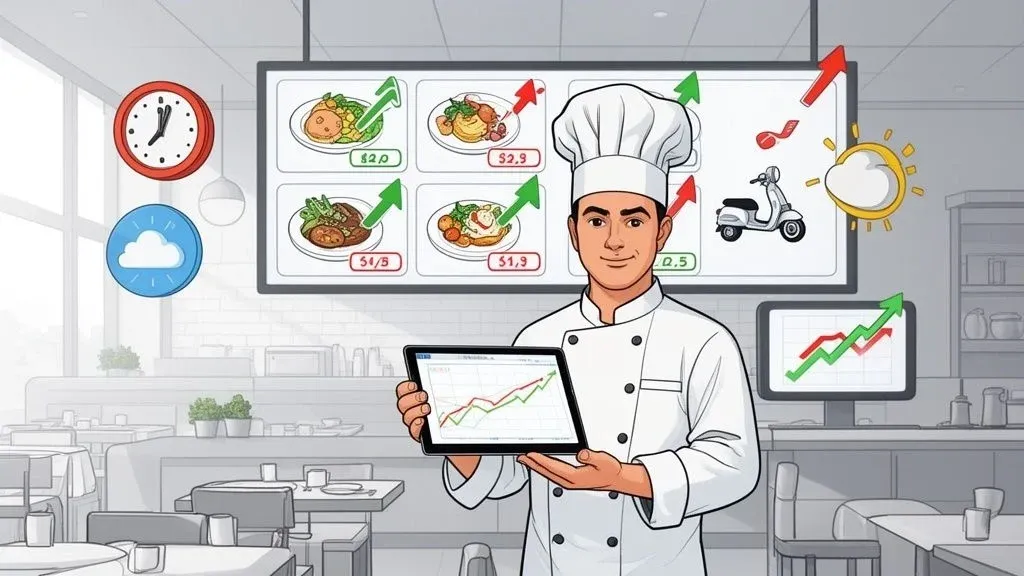
Imagine your menu prices could automatically adjust to demand—raising them slightly during the Friday dinner rush and lowering them to attract customers on a slow Tuesday afternoon. That’s the core idea behind dynamic pricing.
In simple terms, it means changing your prices based on real-time factors like how busy you are, the weather, or even your current inventory. For a restaurant owner, this strategy transforms your static menu into a powerful tool for boosting sales and improving kitchen efficiency.
Why it matters for your restaurant: When you connect a dynamic pricing strategy to your Point of Sale (POS) system, like Square or Clover, and your delivery apps, you can automate these price changes. This saves your staff valuable time, reduces the chance of manual entry errors, and helps you make smarter, data-driven decisions that increase restaurant revenue and boost profits.
This article breaks down 10 powerful dynamic pricing examples, explaining how each tactic works and why it matters for your restaurant’s efficiency. Let’s dive into the models that can turn your menu into your most powerful asset.
1. Peak Hours Surge Pricing for Restaurant Delivery
What it is: This is when you temporarily increase menu prices on delivery apps during your busiest times, like the weekend dinner rush. It’s the same concept ride-sharing apps like Uber use when demand is high.
Why it matters for your restaurant: During a rush, your kitchen can get overwhelmed, leading to mistakes and longer wait times. A small, temporary price increase helps manage the flood of orders, protecting your staff from burnout and ensuring a better customer experience. At the same time, it maximizes your revenue when demand is highest. By integrating this with food tech tools that connect to your POS, these price changes happen automatically, so your team doesn’t have to lift a finger. This directly improves restaurant operations by balancing workload and profit. For a real-world example, delivery platforms like Uber Eats and DoorDash automatically apply surge pricing in busy areas on Friday and Saturday nights to manage demand.
Actionable Takeaways for Restaurant Operations
- When to Use It: Implement during predictable peak times, like the 12-2 PM lunch rush or 6-8 PM weekend dinner service.
- How to Start: Begin with a small 5-10% price increase on your most popular delivery items to test customer reaction.
- POS Integration Benefit: Use sales reports from your Square or Clover system to identify your exact peak hours and days, taking the guesswork out of your strategy. This boosts staff productivity by automating a task that would otherwise be manual.
2. Item-Specific Profitability-Based Pricing and Food Tech
What it is: Instead of changing all prices, this strategy involves adjusting the price of individual menu items based on their ingredient costs and how long they take to prepare. You might slightly lower the price of a high-margin, easy-to-make dish to sell more of it, while increasing the price of a complex dish with expensive ingredients.
Why it matters for your restaurant: This tactic directly protects your profit margins. If the cost of avocados suddenly spikes, a POS integration can automatically increase the price of guacamole and avocado toast, ensuring you don’t lose money. This saves you the time and hassle of manually recalculating costs and updating menus across all your delivery platforms. It also reduces food waste by discouraging orders of items with low stock or volatile costs, making your restaurant operations more efficient. For example, a steakhouse using this strategy through their Square system might automatically adjust steak prices based on daily supplier costs.
Actionable Takeaways for POS Integration
- When to Use It: Perfect for restaurants with varied ingredient costs (e.g., seafood vs. pasta) or when you want to guide customers toward your most profitable dishes.
- How to Start: First, calculate your food cost percentage for every item. Then, use your POS data from Square or Clover to identify which high-profit items are underselling and adjust their prices down slightly.
- Cost/Time Savings: Automating this process saves hours of weekly administrative work and prevents margin erosion from fluctuating supplier prices.
3. Weather-Based Demand Pricing for Restaurant Delivery
What it is: This is when you automatically adjust your delivery menu prices based on the weather. On a rainy or snowy day, more people order in, creating a surge in demand.
Why it matters for your restaurant: By slightly increasing prices during bad weather, you can capitalize on this predictable surge in delivery orders. This extra revenue helps cover the added stress on your kitchen and delivery drivers. Modern food tech can connect weather forecast APIs directly to your menu management system, making these changes seamless. This improves restaurant efficiency by helping you anticipate and manage rushes without overwhelming your staff. A real-world example is a pizza shop that automatically adds a “severe weather” surcharge to delivery orders during a snowstorm, managed through their Clover POS.
Actionable Takeaways for Food Tech Implementation
- When to Use It: Use during weather events like rain, snow, or extreme heat that your sales data shows lead to a spike in delivery orders.
- How to Start: Before changing menu prices, try adding a small, automated delivery surcharge during specific weather conditions to see how customers respond.
- POS Integration Benefit: Analyze your order history in Square or Clover against past weather data. This will help you find clear patterns, allowing you to set up automated rules that trigger price changes, increasing revenue without manual effort.
4. Competitor-Based Pricing for a Competitive Edge
What it is: This strategy involves using software to monitor the prices of your direct competitors on delivery apps and automatically adjusting your own prices to stay competitive.
Why it matters for your restaurant: In a crowded market, customers often compare prices. This ensures you’re never accidentally overpriced or, just as importantly, underpriced. Automating this through your POS system allows you to react instantly to a competitor’s promotion, helping you protect your market share without manually checking their menus every day. This saves a huge amount of time and reduces the risk of human error. For example, if a nearby burger joint on DoorDash launches a 20% discount, your system could automatically match it on your own burger combo to stay competitive.
Actionable Takeaways for Restaurant Operations
- When to Use It: Best for restaurants in highly competitive areas where customers are likely to compare prices on apps like DoorDash or Uber Eats, especially for common items like pizza or burgers.
- How to Start: Don’t try to track everyone. Identify your top 3-5 direct competitors and focus on monitoring their prices for your 10 best-selling items.
- POS Integration Benefit: Set pricing rules in your system with a “floor price” to ensure you never sell an item for less than its cost. This automation protects your profit margins while allowing you to react quickly to the market. Analyzing how each delivery app’s strategy differs can also provide valuable competitive insights.
5. Inventory-Based Flash Pricing to Reduce Food Waste
What it is: This is when you offer timed discounts on items that you have too much of or that are nearing their expiration date. It’s a “flash sale” designed to sell specific items quickly.
Why it matters for your restaurant: This strategy turns potential food waste directly into revenue. Instead of throwing out unsold pastries at the end of the day, an automated flash sale can help you sell them at a small discount. By connecting your inventory system to your POS, these discounts can be triggered automatically when stock levels for a certain ingredient are too high. This is a practical way of reducing food waste in restaurants, which directly cuts costs and improves your bottom line. A bakery, for instance, could use its Square for Restaurants system to automatically apply a 30% discount on all croissants from 4 PM until closing.
Actionable Takeaways for POS Integration
- When to Use It: Perfect for businesses with perishable items like bakeries, sushi restaurants, or cafes with daily specials.
- How to Start: Identify 1-2 items that frequently contribute to waste. Set up a recurring “happy hour” style promotion for those items during your slowest time of day.
- Cost/Time Savings: Integrating with your Square or Clover POS inventory module allows you to set automatic triggers. For example, when there are more than 10 portions of the daily soup left at 7 PM, a 25% discount is automatically applied online, saving staff time and recovering food costs.
6. Customer Segment-Based Pricing to Boost Loyalty
What it is: This strategy involves offering different prices or special deals to different groups of customers. For example, a new customer might get a 15% discount on their first order, while a loyal regular gets exclusive access to a new menu item.
Why it matters for your restaurant: This makes your customers feel valued and encourages repeat business. Instead of offering a generic discount to everyone, you can provide targeted offers that are more effective. Your POS system can track customer order history and automatically apply the correct discount, which reduces errors at checkout and makes your loyalty program seamless. This boosts staff productivity, as they don’t have to manually look up customer rewards. A coffee shop using Clover, for example, could create a VIP segment for customers who visit more than 10 times a month, offering them a permanent 10% discount. This begins with good audience segmentation.
Actionable Takeaways for Restaurant Operations
- When to Use It: Best for restaurants that want to build a strong loyalty program and have enough order history to identify different customer groups.
- How to Start: Begin with a simple program. Offer a 10% discount to any customer who has ordered more than five times in the past two months.
- POS Integration Benefit: Use your Square or Clover customer relationship management (CRM) features to automatically tag customers into groups (e.g., “New,” “Loyal,” “High-Spender”) and apply promotions without any manual work.
7. Time-Block Meal Pricing Strategy (Dayparting)
What it is: This is a straightforward strategy where you set different prices for different times of the day, such as breakfast, lunch, and dinner. It’s often called “dayparting.”
Why it matters for your restaurant: It allows you to match your prices to customer expectations and demand throughout the day. You can offer lower-priced lunch specials to attract midday crowds and have higher prices for your more extensive dinner menu. A POS system can automate this process, automatically switching from the lunch menu to the dinner menu at a set time. This eliminates the chance of an employee accidentally charging the wrong price, reducing errors and saving time. A cafe might use this strategy by offering a coffee and pastry combo for a lower price before 11 AM to drive morning traffic.
Actionable Takeaways for POS Integration
- When to Use It: Ideal for any restaurant with distinct meal services (breakfast, lunch, dinner) and different levels of demand during those times.
- How to Start: Analyze your sales data in Square or Clover to find your slowest period (e.g., 2-4 PM). Create a small, discounted “afternoon snack” menu that is only available during those hours to drive traffic.
- Staff Productivity Benefit: Automating menu changes saves your staff from having to manually switch menus or remember different prices, freeing them up to focus on customer service.
8. Delivery Distance and Zone-Based Pricing
What it is: This is when you adjust your prices or set different delivery fees based on how far away the customer is. An order going two miles away might have a standard price, while an order going five miles away could have a small surcharge.
Why it matters for your restaurant: Long-distance deliveries cost you more in driver time and fees. This strategy ensures that every delivery order remains profitable, no matter where it’s going. Many delivery platforms like DoorDash allow for zone-based pricing, and integrating this with your POS ensures that the correct pricing is applied automatically based on the customer’s address. This protects your margins and makes your delivery operations more financially sustainable without creating extra work for your team.
Actionable Takeaways for Restaurant Delivery
- When to Use It: Essential for restaurants with a large delivery radius that covers different neighborhoods with varying delivery times.
- How to Start: Instead of changing menu prices, begin by setting higher minimum order values for deliveries to farther zones. For example, a $15 minimum for orders within 2 miles, and a $25 minimum for orders beyond that.
- POS Integration Benefit: Your Square or Clover system can integrate with delivery platforms to automatically calculate and apply these fees, eliminating manual calculations and potential errors.
9. Promotional Dynamic Pricing and BOGO Strategy
What it is: This involves using technology to automatically schedule and apply promotions like “Buy-One-Get-One” (BOGO) or “20% off all appetizers on Tuesdays.”
Why it matters for your restaurant: This strategy drives sales during your slow periods and creates excitement for customers. By setting up these promotions in your POS system ahead of time, they will automatically turn on and off at the scheduled times. This is far more efficient than relying on staff to remember the “daily special,” which reduces cashier errors and ensures every eligible customer gets the discount. For a real-world example, national pizza chains like Domino’s use this to drive volume on typically slow weeknights by offering automated BOGO deals through their app and POS system.
Actionable Takeaways for POS Integration
- When to Use It: Use this to increase traffic on your slowest days, clear out extra inventory, or attract new customers with an irresistible offer.
- How to Start: Look at your sales data to find your slowest day of the week. Create a simple, recurring offer for that day, like “Half-Priced Desserts on Wednesdays,” and program it into your POS. For more inspiration, check out these restaurant promotion ideas.
- Cost/Time Savings: Scheduling promotions in your Square or Clover POS saves manager time and reduces lost revenue from incorrectly applied discounts.
10. Subscription and Pre-Order Pricing Optimization
What it is: This strategy offers customers a discount for committing to future orders. This could be a weekly lunch subscription or a small discount for placing a large catering order 24 hours in advance.
Why it matters for your restaurant: Subscriptions and pre-orders create a predictable and steady stream of revenue. Knowing your orders in advance makes it much easier to manage inventory and staff schedules, which dramatically improves your restaurant’s efficiency and reduces food waste. Integrating a pre-order system with your POS ensures that these orders are seamlessly added to your kitchen’s workflow. This proactive model helps you lock in revenue and build a loyal customer base. Meal-kit services are a great example of this model in action.
Actionable Takeaways for Restaurant Operations
- When to Use It: Perfect for restaurants with a strong base of regular customers, especially those serving lunch to nearby offices or family-style meals.
- How to Start: Offer a simple “Weekly Lunch Box” subscription. Customers pay upfront for five lunches and get a 15% discount.
- Staff Productivity Benefit: Pre-orders allow your kitchen to prep during slower periods, which balances the workload and reduces stress during peak rushes. Your POS data from Square or Clover can help you identify which items are most popular and would be perfect for a subscription bundle.
10-Point Dynamic Pricing Comparison
Strategy Implementation Complexity 🔄 Resource & Integration ⚡ Expected Outcomes 📊⭐ Ideal Use Cases 💡 Key Advantages ⭐ Peak Hours Surge Pricing High — real-time POS & API sync 🔄🔄🔄 High — continuous monitoring, dev & ops ⚡⚡⚡ Revenue +15–25%; fewer late deliveries 📊 ⭐⭐⭐⭐ High-volume urban restaurants with predictable lunch/dinner peaks Maximizes peak revenue; balances kitchen load Item-Specific Profitability-Based Pricing High — granular cost mapping & rules 🔄🔄🔄 High — ingredient-cost integration, staff training ⚡⚡⚡ Higher per-order margins; reduced prep bottlenecks 📊 ⭐⭐⭐⭐ Menus with varied ingredient costs; chains optimizing margins Optimizes item margins; drives profitable item mix Weather-Based Demand Pricing Medium — weather API + geolocation triggers 🔄🔄 Medium — API integration & analytics ⚡⚡ Incremental revenue on bad-weather days; better forecasting 📊 ⭐⭐ Regions where rain/snow strongly lift delivery demand Captures short-term weather-driven demand surges Competitor-Based Dynamic Pricing High — real-time monitoring + thresholds 🔄🔄🔄 High — pricing intelligence tools & alerts ⚡⚡⚡ Maintains competitiveness; risk of margin erosion 📊 ⭐⭐ Highly competitive markets tracking peer pricing Rapid market response; finds competitive price points Inventory-Based Flash Pricing Medium — inventory triggers & expiry checks 🔄🔄 Medium — accurate inventory tracking, POS sync ⚡⚡ Reduces waste 10–20%; drives incremental late sales 📊 ⭐⭐⭐ Bakeries, seafood, perishable-heavy kitchens Minimizes spoilage; increases turnover during slow periods Customer Segment-Based Pricing High — segmentation, privacy & tiering rules 🔄🔄🔄 High — customer data mgmt + platform support ⚡⚡⚡ Higher LTV & retention when executed carefully 📊 ⭐⭐⭐ Restaurants with loyalty programs and rich customer data Extracts more value from high-willingness customers Time-Block Meal Pricing Strategy Medium — daypart definitions & schedules 🔄🔄 Low–Medium — POS scheduling, fewer real-time hooks ⚡⚡ Balances demand across dayparts; peak revenue uplift 📊 ⭐⭐⭐ Businesses with clear meal patterns (breakfast/lunch/dinner) Simpler to manage; aligns staffing with pricing Delivery Distance & Zone-Based Pricing High — geofencing + platform coordination 🔄🔄🔄 Medium–High — zone mapping, analytics, POS rules ⚡⚡⚡ Better delivery margins; fewer uneconomic orders 📊 ⭐⭐⭐ Multi-zone operations or wide delivery radii Aligns price with delivery cost; protects margins Promotional Dynamic Pricing & BOGO Low–Medium — promo calendar & rule setup 🔄🔄 Medium — tracking, couponing, platform sync ⚡⚡ Order volume +20–40% during promos; acquisition gains 📊 ⭐⭐⭐ Slow periods, inventory clearing, customer acquisition pushes Drives traffic & AOV; measurable promotional lift Subscription & Pre-Order Pricing Optimization High — subscription system + scheduling 🔄🔄🔄 High — customer mgmt, billing, POS integration ⚡⚡⚡ LTV ↑ 3–5x; predictable cash flow & demand forecasts 📊 ⭐⭐⭐⭐ Meal-prep, corporate lunch programs, repeat-customer bases Improves retention, forecasting, and upfront cash flow
Your Next Step: Putting Dynamic Pricing into Action
We’ve covered 10 real-world dynamic pricing examples that you can use to make your restaurant more profitable and efficient. The key takeaway is that you don’t need to do everything at once. Start with one strategy that solves your biggest challenge, whether it’s managing the dinner rush or reducing food waste.
The most important lesson is that modern pricing requires modern tools. Manually updating prices across Uber Eats, DoorDash, and your own website during a busy service is inefficient and leads to mistakes. This is why POS integration is essential.
When your pricing rules are automated through a system connected to your Clover or Square POS, you save time, reduce errors, and empower your staff to focus on what matters most: making great food and keeping customers happy.
Ready to start? Here’s a simple plan:
- Pick One Strategy: Choose the tactic from this list that best fits your restaurant. If Tuesdays are always slow, start with a promotional strategy.
- Use Your Data: Look at your POS sales reports to set a baseline and make informed decisions.
- Automate It: Use technology to implement the strategy so it runs seamlessly in the background.
By working smarter, not harder, you can build a more resilient and profitable restaurant.
Ready to automate your delivery channels and build the foundation for a smarter pricing strategy? OrderOut integrates your delivery apps directly into your POS system, eliminating manual order entry and creating the seamless operational backbone you need to implement dynamic pricing effectively.