
Boost Sales With High-Performing Drive Thru Menus
· Thibault Le Conte
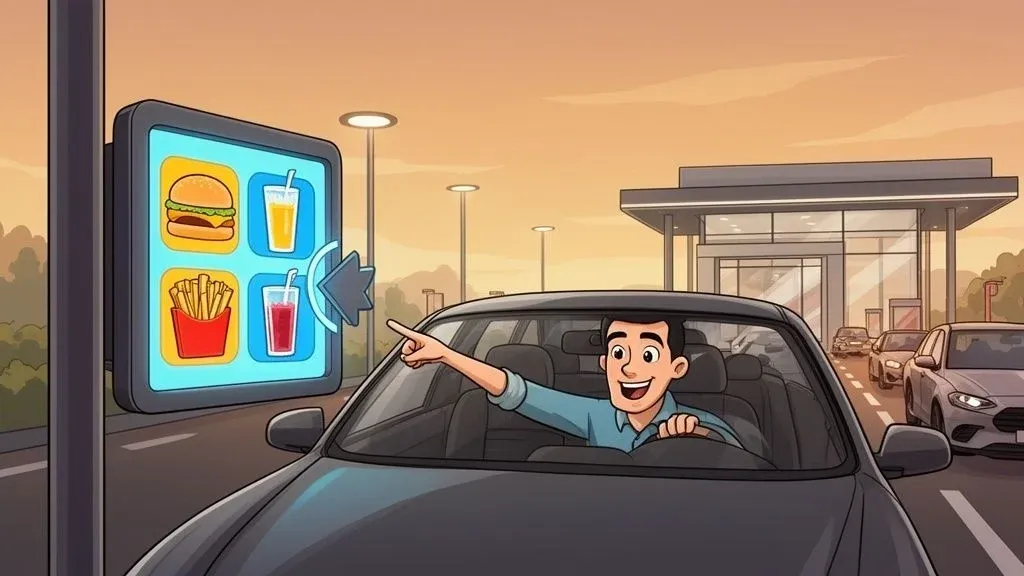
Your drive-thru menu isn’t just a list of food. It’s the command center for your entire quick-service operation. Simply put, a well-designed menu directly impacts how fast cars move, how much customers spend, and what they think of your brand. Think of it as a powerful business tool that can save you time and reduce errors, not just a sign.
The Blueprint For A Modern Drive Thru Menu
For most of your customers, the drive-thru menu is the first thing they interact with. A smart design isn’t just about looking good; it’s about creating an experience that boosts speed and ticket sizes. It’s your silent salesperson, guiding choices and keeping the line moving, which is critical for restaurant efficiency.
This guide provides actionable steps, not just theory. We’ll explore menu engineering and psychology to show how specific design choices can directly lift profits. We’ll also cover the crucial decision between static and digital menu boards and explain why integrating your menu with your restaurant POS system is a game-changer for operations.

Why Modern Drive Thru Menus Matter for Restaurant Operations
The drive-thru is a powerhouse for quick-service restaurants (QSRs), accounting for a huge portion of sales. Drive-thru channels are projected to make up 65% of all fast-food sales globally by 2025. Even with the rise of food delivery, this shows the channel’s lasting importance. A modern menu system is what allows you to handle this volume without operations grinding to a halt.
Why It Matters: A modern menu is an integrated one. When your menu technology connects directly to your POS system, every order—from the drive-thru, delivery apps like Uber Eats, and the front counter—flows into a single, manageable queue. This eliminates the chaos of managing multiple order streams, reduces staff stress, and gets food to customers faster.
The Role of Food Tech and POS Integration
This integration is the secret to efficiency. When all your food tech works together, you eliminate the friction that slows you down and costs you money. For example, connecting your delivery apps directly to your Clover or Square POS system means no one has to manually punch in orders from a tablet anymore.
This single change delivers huge benefits for restaurant delivery and operations:
- Fewer Errors: You eliminate typos and miscommunications that lead to remakes, which saves money on wasted food and keeps customers happy.
- More Productive Staff: Your team can focus on making food and serving guests instead of being tablet jockeys, increasing staff productivity.
- Faster Throughput: A smoother kitchen workflow means faster service for everyone, whether they’re in a car or waiting for a DoorDash driver. This directly impacts your revenue during peak hours.
Getting the basics of a great QSR experience right starts with a connected system. Your drive-thru menu must be part of an ecosystem that supports your entire operation, driving both speed and revenue.
Designing Menus For Speed And Clarity
Every second a customer spends squinting at your menu adds to your drive-thru time. A cluttered or confusing menu doesn’t just annoy people; it actively slows down your entire operation. The goal is simple: make it incredibly easy for someone to decide what they want and say it out loud. This reduces hesitation, which is the root cause of long decision times, order mistakes, and a bottleneck that kills your throughput.
Technically, this is about reducing cognitive load—the mental effort required to make a choice. A driver is already multitasking, so the last thing they need is a menu that reads like a novel.

Guiding Customer Eyes With Visual Hierarchy
Visual hierarchy simply means using design to tell customers where to look first. You create a clear path for their eyes, steering them from your best-sellers to easy-to-understand combos. This isn’t about trickery; it’s about making the ordering process smoother and faster for everyone.
Think of your menu as a map with a direct route:
- Strategic Placement: The “Golden Triangle” is a classic design principle where eyes naturally land first: top-center, top-right, and top-left. Place your highest-margin items or most popular combos in this prime real estate.
- Bold Fonts and Colors: Use bigger, bolder fonts for main categories and featured items. A pop of color can instantly highlight a special, making it jump off the board.
- High-Quality Images: A mouth-watering photo of your signature burger will always outsell a block of text. Use images sparingly for your star items to avoid a cluttered look.
For a deeper dive, check out these menu board design ideas. A smart layout is the first step toward a faster line and better restaurant operations.
Less Is More: The Power Of A Simplified Menu
It might seem counterintuitive, but offering fewer choices often leads to more sales and quicker service. When customers see too many options, they experience “analysis paralysis.” They freeze up, overwhelmed, and take longer to decide. By carefully curating your drive-thru menu, you cut through that noise. For example, instead of listing every side dish, bundle them into combo meals. The choice becomes simpler (“Combo #1 or #2?”), and you often increase the average ticket price.
Why It Matters: A lean menu is an operational strategy. Fewer items mean less inventory to track, reduced food waste, and faster training for new kitchen staff. That simplicity allows your team to focus on quality and speed, directly impacting your bottom line through time savings and error reduction.
Connecting Menu Design to Restaurant Efficiency
Every design choice should support your operational goals. A clean, scannable menu directly cuts down order time—the most important metric for any drive-thru. Shorter order times mean more cars served per hour, boosting revenue during critical rush periods. This also boosts staff productivity, as clear orders reduce back-and-forth communication at the speaker, minimizing errors that cause chaos in the kitchen.
Imagine the lunch rush: a well-designed menu lets a customer spot a combo and order it in seconds. The order instantly appears in the kitchen via your Square POS, and the crew can prepare it immediately. The entire flow is smooth, efficient, and less prone to costly mistakes. For more on this, explore the core elements of a great restaurant menu.
Practical Next Step: Go look at your menu right now. Are your most profitable, easiest-to-make items in the top spots where eyes land first? If not, making that one change can start nudging customers toward faster, better decisions today, improving your restaurant’s efficiency almost immediately.
Digital Menus and AI: Your Best Salesperson
Think of your drive-thru menu as more than just a list; it can be your best salesperson. This is where digital menu boards completely change the game for restaurant operations. Imagine a menu that automatically flips to breakfast at 6 a.m. and switches to lunch on schedule. On a hot day, it features high-margin iced coffees. When you run low on an ingredient, the corresponding item instantly disappears, preventing customer frustration and saving your crew from headaches.
This dynamic capability is the first major win of going digital. It saves your team immense time, stops people from ordering unavailable items, and ensures you’re always showing customers exactly what they want. It’s the foundation for a smarter, more profitable drive-thru.
Using AI for Smarter Upselling in Food Tech
Now, let’s take it a step further with Artificial Intelligence (AI). AI isn’t a far-off concept; it’s a practical sales tool that major chains use right now to increase average check sizes. Essentially, AI-powered systems can analyze an order as it’s being placed and suggest a relevant, perfectly timed add-on.
Here’s a simple example: a customer orders a spicy chicken sandwich. The AI knows that a cooling lemonade is a popular and profitable pairing. The system can then prompt your order taker to ask, “Would you like to add a Mango Lemonade to that?” It feels like helpful service, not a forced upsell, leading to more successful sales and happier customers.
Your POS Integration is the Brains Behind the Operation
The real power is unlocked when you connect this food tech directly to your Point of Sale (POS) system. This POS integration turns every transaction into valuable data, giving you a clear picture of what’s working.
Why It Matters: A digital menu without POS integration is like flying blind. Connecting it allows you to see which AI suggestions are successful, which specials are popular, and how different layouts affect sales. For example, by using a system like Square, you can pull a report showing that your AI’s suggestion to add bacon to burgers boosted the average ticket by 8% during dinner. That’s a solid, actionable insight. Making decisions based on hard restaurant menu data always beats guesswork.
Better Customer Experience Through Precision
This technology directly improves the customer experience. AI-powered drive-thrus are making a real difference in order accuracy and food quality. In fact, a recent 2025 study found that restaurants using AI for ordering hit 99% satisfaction with the main item’s temperature, a few points higher than traditional locations. You can dive deeper into how this tech is shaping QSR operations in the full report.
This precision is huge because taste and temperature are make-or-break for customers. When you get the order perfect and suggest something they’ll enjoy, you’re not just increasing the check—you’re building loyalty. It also means less food waste and fewer costly remakes, a direct win for your bottom line.
Practical Next Step: Review your current upselling script. Is it generic? Start small. Identify your top three best-selling entrees and the single best high-margin add-on for each. Training your staff to make these specific, relevant suggestions is your first move toward a smarter upselling process that boosts restaurant efficiency.
POS Integration For A Seamless Operation
A great drive-thru menu is a start, but it’s ineffective if it creates chaos for your kitchen. For a truly smooth operation, you must connect what the customer sees with what happens in the back-of-house. The key principle is simple: your drive-thru, in-store POS, and delivery apps must all speak the same language. Without that connection, you get operational chaos.
Imagine this common scene: a line of cars is wrapped around the building while a staff member frantically types an Uber Eats order from a tablet into the main POS terminal. Every second spent on that manual entry is another second a drive-thru customer waits—and a prime opportunity for a costly typo. This manual double-entry is a massive drain on your restaurant’s efficiency, slowing service and causing errors.
The Power of Automated Order Flow and POS Integration
The solution is a unified system where orders from all channels—drive-thru, delivery, and dine-in—flow automatically into your kitchen’s workflow. POS integration platforms act as the central nervous system for your restaurant, connecting every ordering point to your POS. This means an order placed on DoorDash can instantly appear on your kitchen display, formatted just like an order from the drive-thru. No manual work needed. Your staff simply sees the next ticket in the queue.
This process, shown below, highlights how food tech can analyze an order and intelligently suggest add-ons—something only possible with a connected system.

Automation doesn’t just pass along information; it can actively improve the order by spotting sales opportunities in real-time, boosting your restaurant’s revenue.
Unlocking Key Benefits for Restaurant Operations
Integrating your ordering channels delivers immediate, measurable benefits for your restaurant operations.
- Drastic Error Reduction: Eliminating manual re-entry slashes the typos that lead to wrong orders. This means less wasted food and fewer comped meals, saving you significant cost.
- Significant Time Savings: Your team reclaims valuable time once spent juggling tablets. This time can be redirected to faster food production and better customer service.
- Increased Staff Productivity: A less chaotic environment leads to a happier, more focused team. Staff can concentrate on their main roles instead of acting as data-entry clerks, improving overall throughput.
These operational boosts are vital. As the latest industry reports show, the global fast-food market is valued at USD 1.65 trillion, and success hinges on efficiency and adapting to customer ordering habits.
Centralized Menu Management: The Single Source of Truth
Another huge benefit of POS integration is centralized menu management. Instead of logging into multiple dashboards for your POS, DoorDash, and Uber Eats just to update a price, you can do it once, from one place.
Why It Matters for Food Tech: When you change a price or mark an item as sold out, a platform like OrderOut pushes that update to all connected platforms simultaneously. This guarantees consistency, prevents customers from ordering unavailable items, and saves managers countless hours of administrative work—a major time-saving advantage.
This level of control is essential for modern restaurant operations. For a deeper look, our guide on integrated POS systems breaks down the mechanics. A system like a Clover POS becomes exponentially more powerful when it acts as the central hub for all your menu and order data.
Clear Takeaway: Stop treating your drive-thru, delivery apps, and in-house dining as separate businesses. Integrating them into a single, seamless workflow through your POS is the most direct path to cutting errors, saving labor costs, and building a more resilient and profitable restaurant.
How To Test And Measure Your Menu’s Performance
A high-performing drive-thru menu is the result of continuous testing and measuring. Creating the menu is just step one. The real work begins when you analyze how customers use it and how it impacts your kitchen’s rhythm. The good news? Your restaurant is already producing all the data you need. The trick is knowing what to look for and how to use it to make decisions that boost your restaurant’s efficiency and bottom line.
Defining Your Key Performance Metrics
Before you can improve, you need to know what to measure. These metrics are the vital signs of your drive-thru’s health.
Here are the three most important numbers to track first:
- Average Order Value (AOV): This is the average amount each customer spends per order. A rising AOV is a clear sign your upselling and menu design are working.
- Throughput: This is about speed—how many cars can you serve per hour? Higher throughput is critical for capitalizing on peak lunch and dinner rushes.
- Order Accuracy: This tracks the percentage of orders that are correct the first time. Nailing this reduces food waste and keeps customers happy.
These numbers give you an unbiased look at your restaurant operations. To dive deeper, check out our guide on how to calculate average revenue.
Using Your POS as a Measurement Tool
Your POS system is a treasure chest of data. It’s more than a cash register; it’s an analytical tool that shows how your menu performs and connects to your other food tech.
Let’s say you redesigned your menu to promote combo meals. How do you know if it worked? Pull a sales report from your Clover system to compare your AOV before and after the change. A 5% increase in AOV is hard proof that your new design is encouraging bigger orders.
This is where POS integration truly shines. For instance, if a specific combo is selling well but your throughput drops during the lunch rush, your POS data can connect those dots. The item might be popular, but if it’s complex for the kitchen to assemble, it could be slowing everything down and costing you more than it’s earning.
A great menu isn’t just about what sells—it’s about what sells efficiently. Your POS data reveals the full story, linking sales performance directly to your kitchen’s capacity.
Simple A/B Testing for Digital Menus
With digital menu boards, you can use A/B testing. It sounds technical, but it’s simple: you show two different versions of something to see which one performs better. For example, you could run two different promotional images for a new milkshake. One week, display a picture of the milkshake alone. The next week, show it next to a burger and fries. At the end of the test, check your Square POS data to see which image actually sold more milkshakes. No more guesswork—you’ll know exactly which visual cue drives sales.
Practical Next Step: Pick one metric to focus on this week: Average Order Value. Pull a report from your POS for the last 30 days to get your baseline. Then, train your team to consistently suggest one specific, high-margin add-on. After a week, pull the report again. This simple experiment will show you the real-world impact of a small, focused change on your restaurant’s efficiency.
So, What’s Your Next Move?
We’ve covered everything from menu design to tech integration. A high-performing drive-thru menu is a blend of smart design, the right food tech, and a smooth operational workflow supported by POS integration. You’ve seen how clear design can speed up order times and how digital menus can create powerful upselling opportunities. But the real magic happens when you connect all the dots, linking your menu directly to your POS and delivery apps to eliminate operational headaches for good.
Here’s your immediate action item: take a hard look at your current menu. Pick one thing. Is the layout confusing? Are you missing a chance to upsell a popular combo? Find one weak spot and commit to making one small, testable change this week.
Remember, small fixes are just the start. The real win comes from a unified system where your drive-thru, delivery, and in-house orders all communicate seamlessly. That’s how you build a truly high-performing, efficient restaurant operation.
Tired of juggling tablets and the costly errors that come with manual entry? It’s time to bring your drive-thru, restaurant delivery, and dine-in orders into one streamlined system.
Get started with your free OrderOut onboarding in just a few clicks and see what a truly connected operation feels like.
Got Questions? We’ve Got Answers
When optimizing a drive-thru, operators often have a few key questions about restaurant operations and food tech. Let’s tackle the big ones.
How Many Items Should I Actually Put on My Drive-Thru Menu?
There isn’t one magic number, but the rule to live by is “less is more.” A packed menu board causes “analysis paralysis,” which kills your line speed. Customers freeze, get confused, and slow everything down. The best approach is to showcase your winners—the top-sellers and high-margin items.
A solid benchmark is 7-10 main entrees, a similar number of sides, and a tight list of your most popular drinks. Don’t forget combos. Bundling meals simplifies the choice and often bumps up your average ticket size. The goal is a quick, painless decision that improves restaurant efficiency.
Are Digital Drive-Thru Menus Really Worth the Money?
For most QSRs today, the answer is a resounding yes. While the upfront cost is higher than a static board, the return on investment is significant. Digital menus allow for dynamic pricing, automatic dayparting (switching from breakfast to lunch menus), and instant promotions—things you can’t do with a printed sign. This flexibility saves time and money.
Even better, they enable data-driven upselling. When you connect them to your POS system, like Square, you get hard data on what’s working. They become a powerful tool for driving sales and improving restaurant operations, not just a static sign.
How Does POS Integration Actually Help My Drive-Thru?
Think of POS integration as the central nervous system of your restaurant operation. It stops the chaos of juggling multiple order sources, from the car in your lane to the delivery driver at your door. Without it, your staff is tied to a tablet, manually punching in Uber Eats or DoorDash orders into your main POS. It’s slow, inefficient, and a recipe for mistakes that cost you money.
An integration service is the bridge. It automatically injects every online and delivery order straight into your Clover POS and kitchen printer. Every order, regardless of its source, lands in one clean queue.
The result? Your team is less stressed, you reduce costly errors, and every customer gets their food faster and more accurately. This directly improves staff productivity and your bottom line.
Ready to stop wasting time on manual order entry and unify your restaurant operations? At OrderOut, we connect all your delivery apps directly to your POS system. Start onboarding for free in just a few clicks.