
Your Guide to a DoorDash Business Sign Up for Restaurants
· Thibault Le Conte
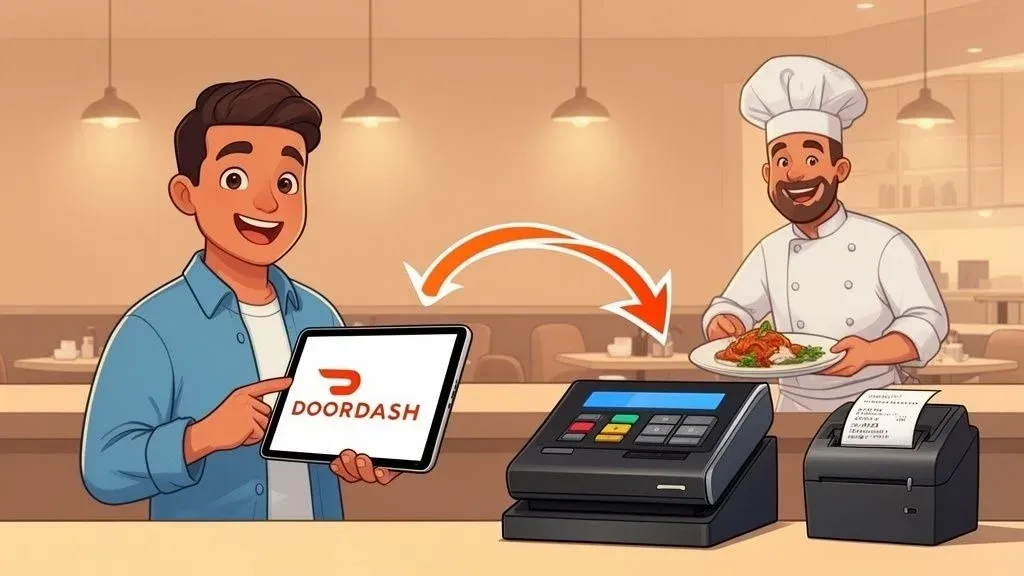
Signing up for a DoorDash business account is more than just checking a box on your marketing plan. It’s one of the most significant moves you can make to grow your restaurant, putting your menu in front of the largest delivery audience in the country.
This isn’t just about adding another delivery app; it’s about tapping directly into a massive, built-in customer base that is actively searching for their next meal.
Why Partnering with DoorDash Is a Game Changer
As a restaurant owner, you’re always weighing strategic decisions. Choosing a delivery partner is a big one, and going with the market leader has some serious advantages. When you sign your restaurant up with DoorDash, you’re not just getting a listing—you’re getting immediate exposure to a huge pool of hungry customers.
The numbers really speak for themselves. As of early 2024, DoorDash held about 66% of the U.S. food delivery market. Its closest competitor, Uber Eats, was way behind at around 23%. This isn’t a small lead; it’s total market dominance.
In just one year, DoorDash processed a staggering 2.6 billion orders. That’s the kind of volume flowing through the platform that your restaurant can become a part of.
Before diving into the sign-up process, it’s helpful to see a quick snapshot of what a DoorDash partnership really means for your daily operations.
DoorDash Business Sign Up at a Glance
Benefit Why It Matters for Your Restaurant Instant Market Access Gain immediate visibility to millions of local customers actively looking to order food. Increased Order Volume Tap into DoorDash’s massive user base to drive incremental sales beyond your walk-in traffic. Brand Exposure Your restaurant gets featured on the most popular food delivery app, building brand awareness. Marketing Tools Access built-in promotional tools like sponsored listings and special offers to attract new customers. Operational Challenges Be prepared for a surge in orders that can overwhelm staff and kitchens without the right systems in place.
This table lays out the potential rewards and the key challenge—turning all that new business into sustainable profit without burning out your team.
From High Volume to Higher Profits
Getting a flood of new orders is great, but it can quickly turn into chaos if you’re not prepared. How do you manage the constant stream of delivery tickets without disrupting your kitchen flow or neglecting your in-house diners?
This is where many restaurants hit a wall. Every time a DoorDash order pings on that separate tablet, it kicks off a manual, error-prone process. A team member has to:
- Hear the alert over the noise of a busy kitchen.
- Stop what they’re doing and walk over to the tablet.
- Manually punch the entire order into your Point of Sale (POS) system.
- Hope they didn’t make a typo while re-entering the details.
This manual data entry is a productivity killer. It’s slow, it invites mistakes, and it distracts your staff from what they should be doing: taking care of customers. One simple mistake can lead to a wrong order, a bad review, and a customer you’ll never see again. Imagine that happening dozens of times a day—the costs add up fast.
The Critical Role of POS Integration in Restaurant Operations
The real secret to making DoorDash work for you is connecting it directly to your restaurant’s brain: the POS system. Instead of managing a separate tablet, POS integration makes DoorDash orders flow automatically into your existing workflow.
When a customer orders on the app, the ticket instantly appears in your POS and prints in the kitchen, just like an order taken by a server.
This automation is what makes a DoorDash partnership truly profitable. It turns high order volume from a source of stress into a smooth, efficient revenue stream that doesn’t add chaos to your kitchen.
Think about a bustling cafe using Clover or a local pizzeria running on Square. With an integration tool, every DoorDash order shows up on their kitchen display screen (KDS) instantly. No more staff acting as a go-between, which means faster ticket times and happier employees.
The takeaway is simple: signing up for DoorDash gets you in the game. But to actually win, you need the right tech to handle the volume efficiently.
Wondering how DoorDash compares to the competition? Check out our in-depth comparison of DoorDash, Uber Eats, and Grubhub.
Gathering Everything You Need Before You Start
Before you even think about opening the DoorDash business sign up page, let’s talk prep. A little groundwork now can save you a massive headache later. Think of it like a chef’s mise en place—having everything chopped, measured, and ready to go before the dinner rush hits. Taking just ten minutes to pull your documents together now will make the whole process a breeze.
This isn’t just about paperwork. It’s about making a few key decisions that will set your restaurant up for success right from your very first delivery order. Getting these ducks in a row helps DoorDash verify your business faster, which means you get approved and start making money sooner.
The Essential Documents for Your Application
DoorDash needs to verify that you’re a legitimate business and know where to send your money. This isn’t just red tape; it’s how they protect everyone on the platform and ensure your payouts land in the right account.
Here’s exactly what to have on hand:
- Business License: This is the big one. It proves you’re legally allowed to operate a food business in your location.
- Employer Identification Number (EIN): DoorDash needs your federal EIN for tax purposes. If you’re running as a sole proprietor, you can often use your Social Security Number instead.
- Bank Account Information: You’ll need your bank’s routing and account numbers. This is where your earnings will be deposited, so double-check it for typos. A simple mistake here can delay payments by weeks.
- Valid Photo ID: A driver’s license or other government-issued photo ID is required for the business owner to confirm their identity.
My advice? Scan these documents and save them in a dedicated folder on your computer. It makes the upload process painless and seriously cuts down on the chances of hitting a snag.
Fine-Tuning Your Restaurant Operations for Delivery
Paperwork aside, the restaurants that really crush it on DoorDash think strategically about their delivery operations before going live. This is what separates the pros from the rookies. Just throwing your entire dine-in menu online is a classic mistake that often leads to bad reviews and a chaotic kitchen.
You have to consider the journey your food takes from your kitchen to a customer’s couch. A dish that’s a showstopper in your dining room might not survive a 20-minute car ride.
For instance, if you run a busy pizzeria using a Square POS, think about how that crispy crust holds up inside a cardboard box. You might offer a slightly thicker crust for delivery orders or include reheating instructions. That kind of foresight is what prevents soggy pizza and disappointed customers.
The goal is to translate your in-house experience to an at-home one. This means curating a menu that not only sells well but travels well, ensuring the quality you’re known for is what arrives at the customer’s door.
Crafting a Menu That Sells and Travels
Your delivery menu should be treated as its own unique product, optimized for a completely different dining experience.
Here’s how to prep your menu for the DoorDash spotlight:
- Curate Your Best Travelers: Go through your menu and be honest. Identify the items that maintain their texture and temperature. Hearty pastas, sandwiches, and rice bowls are usually safe bets. You might want to hold back on delicate fried foods that lose their crunch.
- Invest in High-Quality Photos: On DoorDash, people eat with their eyes first. Great photos can boost your sales by up to 30%. You don’t need a professional studio; a modern smartphone and some good natural light can work wonders.
- Set Your Delivery Hours: Be realistic. Don’t promise delivery until 2 a.m. if your kitchen is already breaking down by 10 p.m. It’s better to start with your peak hours and expand later once you’ve nailed the workflow.
Preparing your documents and your operational strategy is the single most effective way to guarantee a smooth and successful DoorDash launch. It prevents frustrating delays and builds a foundation for a profitable partnership. With all this ready, you’re prepared to dive into the sign-up portal itself.
Ready to start streamlining your delivery orders? Sign up for free at the OrderOut dashboard and see how automation can transform your kitchen.
Let’s Get You Signed Up on DoorDash
Alright, you’ve got your paperwork and a game plan. Now it’s time to actually dive into the DoorDash business sign up portal. The online application is pretty straightforward, but I’ll walk you through it so you know exactly what’s coming. Think of this as me looking over your shoulder, pointing out the important bits and translating any confusing jargon.
This whole process is really just about introducing your restaurant to DoorDash—telling them who you are, what you cook, and how you want to work together. It’s less about filling out forms and more about building your digital storefront.
First Things First: Your Account and Business Profile
The initial part of the sign-up is all about verifying who you are. You’ll start by creating an account with your email and a password, simple enough. Then, you’ll plug in the foundational details about your restaurant, using the info you gathered earlier. This means your restaurant’s legal name, address, phone number, and your EIN.
I can’t stress this enough: double-check everything here. A simple typo in your address could send Dashers to the wrong side of town, and an incorrect EIN will definitely hold up the verification process. This is your digital handshake with DoorDash, so make it a firm and accurate one.
Building a Menu That Actually Sells
Next up is the most important part of your profile: your menu. This is what turns your restaurant from just a name on a list into a place people are excited to order from. Just uploading a basic spreadsheet won’t cut it. You need to craft a menu that makes people hungry.
- Write Mouth-Watering Descriptions: Don’t just list ingredients. Paint a picture! Instead of “Chicken Sandwich,” go for something like, “Our Signature Grilled Chicken Sandwich with a Zesty Chipotle Aioli, Crisp Lettuce, and Vine-Ripened Tomato on a Toasted Brioche Bun.” See the difference?
- Keep It Organized: Group your items into logical categories like “Starters,” “Main Courses,” “Desserts,” and “Drinks.” This helps customers find what they want quickly, so they don’t get frustrated and bounce.
- Photos, Photos, Photos: This is non-negotiable. Attach those fantastic photos you took for every single item. An entrée with a great picture is way more likely to be ordered than one without.
For instance, if your cafe runs on a Clover POS, you can easily export your menu to get started. But don’t stop there. Take the extra 30 minutes to go into the DoorDash portal, jazz up those descriptions, and upload your best food photography. It’s a small time investment that pays off big time.
Choosing Your DoorDash Partnership Plan
One of the biggest decisions you’ll make during the DoorDash business sign up is which partnership plan to choose. This directly affects your commission rate, how visible you are on the app, and, of course, your bottom line. DoorDash usually lays out three main options.
Plan Commission Rate Key Features & Who It’s For Basic Lowest (e.g., 15%) You handle delivery or pay a flat fee per order. Best if you already have your own delivery drivers. Plus Mid-Range (e.g., 25%) Includes Dashers, a bigger delivery zone, and access to loyal DashPass customers. The go-to for most restaurants. Premier Highest (e.g., 30%) All the perks of Plus, plus the largest delivery radius and a growth guarantee. For restaurants aiming for maximum reach.
Heads up: Commission rates are just examples and can change based on your location and specific agreement.
Picking the right plan isn’t about going for the cheapest one; it’s a strategic move.
Take a hard look at your profit margins. If you have high food costs, a 30% commission might feel steep. But, if that Premier plan’s access to high-value DashPass customers brings in enough new business, it could easily be worth it. You can always start with one plan and adjust later as you see how things go.
From my experience, the Plus plan is the sweet spot for many independent restaurants. It gets you onto DoorDash’s delivery network and in front of their best customers (DashPass subscribers) for a balanced commission. It gives you the tools you need to grow without the highest fee.
If your restaurant uses a POS like Square, the final piece of the puzzle is integrating it with your new DoorDash account. Once your menu is dialed in and your plan is selected, orders can flow right to your kitchen printer. No more manually punching in tablets—just a smooth, seamless operation.
By taking your time with each of these steps, you’re not just signing up; you’re setting yourself up for a profitable partnership.
Now that you’re almost live, the next move is to connect this new sales channel to your daily operations. To ditch manual entry and slash errors from day one, you can get started for free by visiting the OrderOut dashboard.
Integrating DoorDash with Your Restaurant POS System
So, you got approved after your DoorDash business sign up. That’s great news! The orders are about to start flowing in. But here’s where the real work begins, and without the right setup, that exciting new revenue can quickly turn your kitchen into a chaotic mess.
This is where we tackle the biggest headache I see restaurants face when they add third-party delivery: the dreaded manual order entry. Let’s break down the hidden costs of juggling that extra DoorDash tablet and how you can get rid of that bottleneck for good.
The True Cost of Manual Order Entry
On the surface, having a staff member punch orders from a tablet into your point of sale (POS) seems manageable. But when things get busy, those “small” tasks pile up and create real problems that chip away at your profits and damage your reputation.
Picture a busy Friday night. The DoorDash tablet dings. A server has to drop what they’re doing, walk over to the tablet, read the order, and then re-type every single item and modifier into the main POS. It’s not just slow; it’s a recipe for disaster.
Here’s what that actually looks like in the real world:
- Costly Order Errors: A simple typo—turning “no onions” into “extra onions”—means a remade dish, wasted ingredients, and a direct hit to your bottom line. These mistakes add up. I’ve seen some restaurants with error rates as high as 15% on orders they punch in by hand.
- Slower Ticket Times: Every second your team spends on manual entry is a second the kitchen isn’t firing that order. This doesn’t just delay the delivery; it slows down the whole line, affecting your in-house diners, too.
- Staff Frustration and Burnout: You hired your team to cook great food and provide amazing service, not to be data-entry clerks. Making them juggle tablets is a fast track to frustration, inefficiency, and, ultimately, higher staff turnover.
This is the kind of simple, streamlined process you should be aiming for when setting up your DoorDash business account.
The image shows the four main sign-up stages, but the most crucial part for your daily operations happens right after you’re approved—making sure those orders get to your kitchen without a hitch.
The Solution: Food Tech and POS Integration
The answer to this operational nightmare is POS integration. It’s all about connecting DoorDash directly to your restaurant’s central nervous system. When you do this, online orders flow automatically into your existing workflow. No more tablets, no more manual entry.
Imagine a customer places an order on the DoorDash app. An integration tool like OrderOut instantly catches it and pushes it straight to your POS. The ticket prints in your kitchen or pops up on your KDS just like any other order. It’s seamless.
This kind of automation is a game-changer for restaurant operations. It virtually eliminates human error, frees up your staff to focus on guests, and makes sure every order is accurate and fast. This is how you make your DoorDash partnership genuinely profitable and scalable.
How to Connect DoorDash to Your POS
Getting this set up is way easier than you might think, especially if you’re using a popular system like Square or Clover. These POS platforms have their own app marketplaces—just like the app store on your phone—where you can find tools to expand what your system can do.
For example, a busy cafe using Clover can just head to the Clover App Market and search for an integration partner. In a few clicks, they can link their DoorDash account. From that point on, every delivery order appears right in their Clover system. The process is pretty much the same for restaurants on Square.
This is what you can expect to see in the Square App Marketplace when you look for an integration tool.
To see just how straightforward it is, you can check out a detailed guide on how to integrate DoorDash with a Square POS system.
The benefits start rolling in immediately:
- Massive Error Reduction: Automation can cut order errors by over 95%, saving you serious money on wasted food and customer comps.
- Increased Staff Productivity: Your team can handle a much higher volume of orders without getting overwhelmed, which boosts morale and service quality.
- Faster Service: By eliminating manual entry, you can shave precious minutes off every delivery order, leading to happier customers and better reviews.
Taking a little time to set up POS integration right after your DoorDash business sign up builds a foundation for efficient, profitable growth. Honestly, it’s the single most important thing you can do to make sure your move into delivery is a long-term win.
Taking Your Restaurant to the Next Level After Your DoorDash Sign Up
Getting your restaurant live on DoorDash is a huge step. But here’s the thing—completing your DoorDash business sign up is really just the starting line. Now the real fun begins: turning that new online storefront into a serious, consistent source of revenue.
Just being on the app isn’t going to cut it. From my experience, the restaurants that truly crush it on DoorDash are the ones that treat it like an active part of their business from day one. It’s time to stop thinking like you’re just fulfilling orders and start thinking like an e-commerce pro. Your mission is to fine-tune every piece of your listing to grab attention, encourage bigger tickets, and keep people coming back.
Build a Delivery-Friendly Menu
This is non-negotiable: your dine-in menu is not your delivery menu. Some food just doesn’t travel well, and a soggy, lukewarm meal is a one-way ticket to a one-star review. You absolutely have to curate a menu that’s built for the road.
Stick to dishes that can take a 20-minute trip and still taste great. Think hearty grain bowls, burritos, and well-packaged sandwiches. For anything a bit more delicate, get creative! Can you pack a crispy topping separately? That tiny adjustment in your kitchen workflow can make a world of difference for the person on the other end.
The meal that arrives at a customer’s door is a direct reflection of your brand. A menu optimized for delivery ensures the quality you’re so proud of in your kitchen actually survives the journey.
Use Promotions to Win Over High-Value Customers
DoorDash gives you a whole suite of marketing tools right inside the portal. Using them strategically is what separates the top performers from everyone else. This isn’t just about slapping discounts on everything; it’s about targeting the right customers.
- Get on DashPass: This is a must. DashPass subscribers are the power users of the platform. They order more often, spend more per order, and are incredibly loyal. Making your restaurant DashPass-eligible puts you directly in front of this premium audience.
- Hook Them with First-Order Discounts: Offering a percentage off a customer’s first order is a proven way to get them to choose you over a competitor they already know. Look at it as a small investment to acquire a customer for life.
- Boost Visibility with Sponsored Listings: When you need an extra push, sponsored listings put your restaurant right at the top of the search results. I recommend using this during your peak hours or when you’re trying to promote a new menu item to get the biggest bang for your buck.
Looking for more ways to make your restaurant pop? Check out these actionable tips for getting more orders on DoorDash.
Master Your Reviews and Analytics
Your online reputation is everything. After every order, customers get a prompt to leave a review. You need to be actively monitoring and responding to them—both the good and the bad. It shows you care about the customer experience and are committed to getting it right.
Beyond the reviews, the DoorDash Merchant Portal is a goldmine of data. Get in there and see what’s working. You can instantly spot:
- Your best-selling delivery items.
- Your busiest times and days of the week.
- Key customer demographics and their ordering habits.
This isn’t just data for data’s sake; it’s intel. If a particular dish is flying off the shelves, feature it at the top of your menu. If Tuesdays are slow, maybe that’s the day to run a special promotion.
The platform’s impact on business stability is pretty impressive. A DoorDash report showed that 93% of local restaurants on the platform one year were still operating twelve months later. With new spots joining at a rate of over 18% year-over-year, it’s clear that having a solid delivery game plan is key to growth.
Don’t forget that a strong online presence outside of DoorDash is just as crucial. Investing in a professional restaurant web design solidifies your brand’s credibility and gives you another way to connect with your community. By actively managing your menu, promotions, and data, you’ll turn your DoorDash partnership from a simple listing into a powerful growth machine.
So You’re on DoorDash—Now What?
Getting your restaurant listed on DoorDash is a fantastic first step. You’ve opened a new door to reach more customers and bring in more revenue. But the real work begins after you’re signed up.
To truly succeed and see sustainable growth, you need to build an operation that can handle the new order volume without creating chaos in the kitchen. For many restaurant owners, this means looking for efficient and inexpensive ways to scale your e-commerce small business and making this new partnership as smooth as possible.
The secret? Integrating DoorDash directly with your POS system. This single move gets rid of the manual order entry that’s a breeding ground for mistakes and slowdowns. As we’ve covered in our guide to on-demand delivery, this integration is what turns delivery tech from a headache into a powerful tool for your business.
The shift from punching in orders by hand to a fully automated system is where you’ll find real profitability. Your team can stop juggling tablets and start focusing on what they do best: cooking great food and taking care of customers. That’s how you turn higher order volume into higher profits, not just higher stress.
This simple change transforms delivery from a necessary evil into a streamlined, highly profitable part of your business.
Ready to automate your orders and get back to what you love? Get started for free in just a few clicks at https://dashboard.orderout.co.
Got Questions About Signing Up with DoorDash?
Even with a clear guide, you probably still have a few questions swirling around. I get it. Restaurant owners I talk to usually have the same concerns about what this all costs, how long it takes, and what the day-to-day reality of adding DoorDash will look like. Let’s dig into the most common ones.
How Much Does It Really Cost to Sign Up?
Good news first: there’s generally no big upfront fee just to get your restaurant listed. Instead, DoorDash works on a commission model, taking a percentage of every order that comes through their platform.
They offer a few different partnership plans—usually called Basic, Plus, and Premier. Depending on which you choose, you can expect commission rates to fall somewhere between 15% and 30%. The plan you pick impacts how visible your restaurant is, the size of your delivery radius, and whether you get access to their premium DashPass customers.
You absolutely have to bake these commission fees into your delivery menu pricing. If you don’t, you could easily find yourself losing money on every order.
How Long Does the Sign-Up Process Take?
The timeline can vary quite a bit, from just a few days to a couple of weeks. The single biggest variable? How prepared you are.
If you have all your documents ready to go—business license, EIN, banking info, the works—you can probably knock out the online application in less than an hour. From there, it’s a matter of how quickly DoorDash reviews your info and how fast you can get your menu built out and approved in their system.
The bottom line is that being organized is your best friend here. Having everything on hand before you start is the quickest path to getting approved and seeing those orders roll in.
Do I Have to Use Their Tablet?
DoorDash will send you a tablet to manage orders, but I’m going to be blunt: making your staff manually punch those orders into your POS is a huge operational mistake. It’s a recipe for errors and a major time sink.
This is exactly where integration technology saves the day. A good integration partner sends DoorDash orders straight to your POS and kitchen printers, cutting the tablet out of the equation entirely. For restaurants using popular systems like Clover or Square, this kind of automation is a game-changer. It wipes out a massive source of errors, speeds up ticket times, and gives your staff hours back every single shift.
Can I Just Use My Regular Dine-In Menu?
You can, but you really, really shouldn’t. A profitable delivery business is built on a menu that’s designed to travel well. Some of your best-selling dishes in the dining room might not survive a 20-minute trip to a customer’s couch.
A much smarter strategy looks like this:
- Pick Winners: Choose items that hold their texture and temperature. Think about what will still be delicious after a short car ride.
- Price it Right: Rework your pricing to cover DoorDash’s commission and the extra cost of quality packaging.
- Get Great Photos: On a delivery app, people eat with their eyes first. High-quality photos are not optional; they are essential for driving sales.
And if you run into any snags after you go live, it helps to know who to call. You can get more details on how to get in touch with DoorDash support for merchants. Answering these questions now helps you launch with confidence and build a delivery operation that’s efficient from day one.
By integrating DoorDash directly with your POS system, you get rid of the manual work that causes so many headaches and mistakes. OrderOut can turn delivery from a chaotic chore into a smooth, profitable revenue stream for your restaurant.
Ready to automate your orders and get back to focusing on the food? Start onboarding for Free in just a few clicks.