
A Restaurant Owner's Guide to Digital Menu Boards Software
· Thibault Le Conte
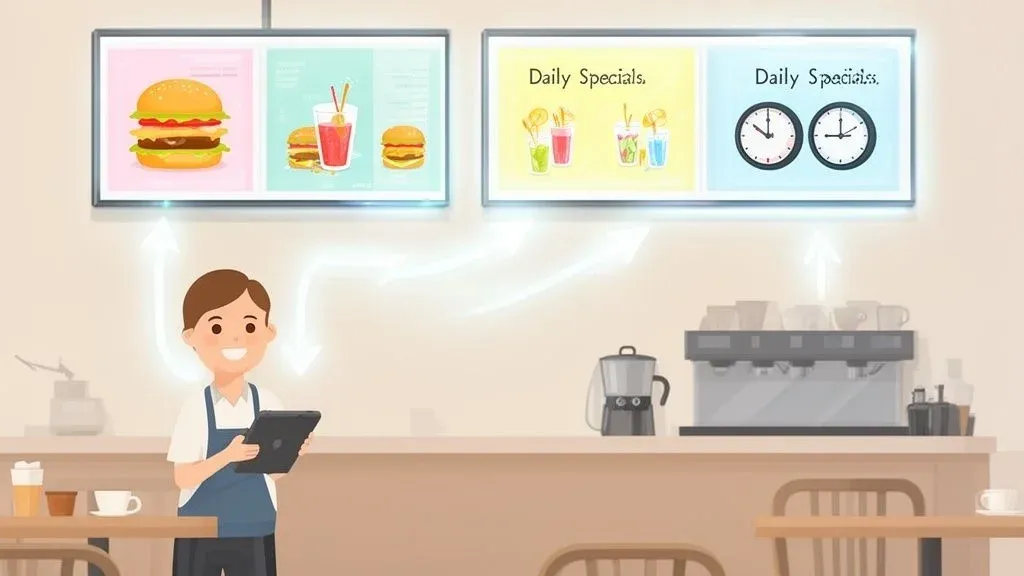
Think of digital menu boards software as the command center for your restaurant’s screens. In simple terms, it’s the program that lets you control what appears on your menu displays. It’s what allows you to change prices, add a new special for lunch, or showcase a mouth-watering video of your newest dessert—all from a laptop or phone. This software is what turns a simple screen into a dynamic, automated tool that helps you run a smarter restaurant.
What Is Digital Menu Boards Software And Why It Matters for Restaurant Operations
For any busy restaurant operator, this technology solves some of the most persistent headaches. It eliminates the cost and hassle of reprinting paper menus for a small price change. It saves your staff from manually swapping out breakfast and lunch signs every day. Most importantly, it ensures you never miss a chance to promote a high-margin special. Understanding modern restaurant menu hosting is the first step to unlocking this potential.
From a technical standpoint, digital menu board software is a cloud-based platform that lets you build, manage, and schedule content across all your screens from a single dashboard. This gives you total control over your in-store messaging from anywhere, at any time.
Moving Beyond Static Signs
The leap from a printed menu to a digital one is like upgrading from a manual cash register to a modern POS system. They both handle transactions, but one opens up a new world of efficiency, data, and control. Digital menus bring that same kind of upgrade to how you communicate with your customers.
Here’s a quick comparison to show you what this means for your restaurant.
Static Vs Digital Menu Boards A Quick Comparison
Feature Static Menus Digital Menu Boards Updating Content Requires reprinting; slow and costly. Instant updates from any device. Dayparting Manual process of swapping physical menus. Automated scheduling for breakfast, lunch, dinner. Promotions Limited to fixed text and images. Dynamic videos, animations, and scheduled specials. Error Correction Reprinting is the only fix for a typo. Correct mistakes in seconds with a few clicks. Multi-Location Inconsistent and requires shipping materials. Central control for instant, chain-wide consistency. Upfront Cost Low per-unit printing cost. Higher initial investment in screens and software. Long-Term Cost Ongoing, recurring printing expenses add up. Reduces printing costs to nearly zero.
As you can see, the flexibility of digital boards is a game-changer for day-to-day operations.
With traditional menus, every price change or sold-out item means wasted time and money on printing or manual fixes. Digital menu board software eliminates that waste entirely.
- Instant Updates: The kitchen just ran out of salmon? A few clicks and it’s off the menu. This prevents disappointed customers and saves your staff from having awkward conversations.
- Dayparting Automation: You can program the software to automatically switch from your breakfast menu to your lunch specials at 11 AM sharp, without anyone needing to lift a finger. This boosts staff productivity.
- Centralized Control: If you run multiple locations, you can push a holiday promotion to every single screen at once, guaranteeing brand consistency and cutting down on hours of administrative work.
Tying It All to Restaurant Efficiency and POS Integration
This level of control directly impacts your bottom line by improving restaurant operations. All the time your manager currently spends taping over old prices or explaining menu changes can be redirected toward leading the team and improving guest satisfaction. This is a clear time-saving benefit.
One of the biggest wins here is the huge reduction in human error. When pricing is managed from one central place and synced everywhere, you avoid costly mistakes that happen when an employee forgets to update a single printed menu.
For a real-world example, imagine a coffee shop using a POS like Square. When they update the price of a latte in their POS system, POS integration can ensure that change is automatically reflected on the digital menu board. This direct link between your food tech and your physical displays is what creates a truly efficient operation, saving time and preventing pricing errors.
Your Practical Next Step: Digital menu boards software isn’t just about looking modern. It’s a powerful operational tool that cuts costs, reduces errors, and gives you the agility to adapt to the fast-paced demands of running a food business.
Boosting Your Restaurant’s Bottom Line and Efficiency
Switching to digital menu board software isn’t just an aesthetic upgrade; it’s a practical strategy for growing revenue and streamlining your restaurant operations. This technology is designed to drive sales, reduce operational headaches, and create a better experience for every guest.
The most immediate benefit is smarter upselling. In simple terms, you can show customers exactly what you want them to buy, right when they’re deciding. You can display a video of a sizzling burger at lunchtime or suggest a high-margin dessert right after. These visual prompts are incredibly effective at increasing the average check size.
Driving Sales With Dynamic Content and Food Tech
This is where digital menus truly excel. Unlike a static poster that customers eventually ignore, digital screens grab attention with motion and vibrant images. More importantly, they can be adapted on the fly to fit the time of day, the weather, or even your current inventory levels.
From a technical standpoint, you can schedule your screens to promote iced coffee on a hot day or a hearty soup special when it’s cold. This timely, relevant promotion feels less like an ad and more like a helpful suggestion, making it easier for customers to say “yes.” This is a key advantage of modern food tech.
The numbers don’t lie. Quick-service restaurants that adopt digital menu boards often report a sales lift of 30% or more. They also see a 35% reduction in how long customers feel they’re waiting and 15% better order accuracy in the drive-thru.
This becomes even more powerful with POS integration. For example, a restaurant using an aggregator to sync DoorDash with its Square POS can use real-time sales data to automatically suggest add-ons. If burgers are selling fast, the system can promote a combo meal. This sync ensures you’re maximizing every order while reducing the stockout issues and costly mistakes that come with manual systems.
Slashing Operational Costs And Improving Staff Productivity
Beyond making more money, digital menu software saves you a significant amount. The most obvious saving is on printing costs. Gone are the days of paying for expensive rush jobs just to update a price or launch a special. This is a direct cost saving.
This also has a huge positive impact on your staff productivity. Instead of spending time swapping paper menus or scribbling price changes, your team can focus on what they do best: cooking and serving customers. That’s a direct investment in a better guest experience and more efficient restaurant operations.
Managing all menus from one dashboard also drastically reduces human error. Pushing an update to every screen at once eliminates the risk of mismatched prices, which builds customer trust and prevents you from losing money on pricing slip-ups. To see how this fits into the bigger picture, it’s worth exploring these game-changing digital marketing strategies for your restaurant.
Enhancing The Guest Experience
Finally, a happier guest is a crucial piece of the puzzle. Digital menus can make lines feel shorter simply by giving customers something engaging to look at. In a QSR setting, showing order numbers on the screen keeps everyone informed and reduces the “Is my order ready yet?” chaos. It turns a potentially frustrating wait into a smooth, positive interaction.
For example, a cafe with a Clover POS can sync order statuses directly to the board, making the pickup process transparent and stress-free. This simple POS integration greatly improves the customer flow and experience.
Your Practical Next Step: Take a hard look at your current menu management. Calculate what you spend on printing each year and estimate the hours your staff spend on manual updates. This will highlight the immediate cost and time savings you stand to gain from a dynamic digital system. A great place to start streamlining is with your order management. You can begin onboarding for Free in just a few clicks at https://dashboard.orderout.co.
What To Look For In Digital Menu Board Software
When you’re choosing a digital menu board software, it’s easy to be distracted by flashy graphics. But the real value is in the features that make your restaurant run more smoothly and profitably. This is your must-have checklist.
First, the heart of any system is its Content Management System (CMS). In simple terms, this is your control panel. If it’s confusing, you’ve just created a new problem for yourself. Look for a system that is intuitive, where you can easily drag and drop images, edit text, and change prices without needing a technical manual.
Cloud-Based Control and Smart Scheduling for Restaurant Operations
For any busy restaurant, a cloud-based system is essential. This is what lets you log in from anywhere—your office, your home, or even on vacation—and push an update to all your screens at once. It’s the key to maintaining brand consistency and staying agile.
Technically, cloud deployment is where the industry is heading. It’s expected to grab 62% of the deployment market share by 2025. For restaurant chains, this means real-time command over menus from a central hub, ensuring what customers see on the boards aligns with what’s happening in the kitchen and on delivery apps like Uber Eats. To dive deeper, you can discover more insights on digital signage trends to see how fast this food tech is growing.
Another must-have feature is smart scheduling, often called ‘dayparting’. This lets you program your menus to change automatically throughout the day, which directly improves your restaurant operations.
- Breakfast to Lunch: Automatically switch from coffee and bacon to burgers and fries at 11 AM. No manual work required.
- Happy Hour: Schedule your drink and appetizer specials to appear at 4 PM and disappear at 6 PM, all on their own.
- Weekend Deals: Set your brunch menu to run every Saturday and Sunday without you lifting a finger.
This “set it and forget it” approach saves significant time, freeing up your managers to focus on guests and staff.
Easy Design and Critical POS Integration
Most restaurant owners aren’t graphic designers. Your software shouldn’t force you to be one. A solid library of professional templates is crucial. The best software comes with ready-to-go layouts that you can quickly customize with your logo, photos, and menu items, ensuring your menu looks great and is easy for customers to read.
Finally, and most importantly, prioritize software with strong POS integration capabilities. This is what connects your digital menus to your other essential food tech, like your POS system, to create a seamless, automated operation.
For example, when your menu software is integrated with your Clover POS, and you 86 an item, it can instantly disappear from the digital menu boards. This simple sync prevents the awkward moment when a customer orders something you’ve just run out of, reducing errors and improving staff productivity. For more ideas, check out the best apps for restaurant managers.
Your Practical Next Step: When evaluating software options, always ask for a live demo. Try to add a new menu item, change a price, and set up a scheduled menu. If it seems confusing when the salesperson is showing you, it will be frustrating during a busy lunch rush. Ensure the system is built for a restaurant operator, not a tech expert. Ready to get started? You can begin onboarding for Free at https://dashboard.orderout.co.
The Power of POS Integration For Your Digital Menus
Let’s discuss the key to making your digital menus truly intelligent: POS integration. Simply put, this means connecting your menu boards directly to your Point of Sale (POS) system. This creates a single source of truth for your entire menu, which eliminates a massive amount of guesswork, manual work, and costly mistakes for your restaurant.
Think of it this way: your POS knows exactly what’s in your inventory right now. When you run out of an ingredient, that information should instantly update on every menu your customer sees. POS integration makes that happen automatically, saving your staff time and preventing customer frustration.
How POS Integration Improves Restaurant Operations
In a nutshell, when your POS and digital menus are connected, you only have to make a change in one place. It’s that simple. This is a huge win for restaurant operations.
For a real-world example, imagine your kitchen just ran out of avocados. Instead of having a staff member run out to manually mark “sold out” on a printed sign, your manager simply 86s “guacamole” in the POS. Instantly, the integrated digital menu board software receives that signal and automatically hides the guacamole from every screen. This small automated step prevents a customer from ordering something you don’t have, which reduces friction at the counter and frees your team from a repetitive, error-prone task.
A Real-World Example with Square and Restaurant Delivery
This becomes even more powerful when you include your online and restaurant delivery orders. A delivery management tool acts as the critical bridge, pulling all your orders from apps like DoorDash and Uber Eats directly into your POS.
Here’s how it works:
- A customer orders your last specialty burger through the DoorDash app.
- A delivery aggregator immediately pushes that order straight into your Square POS.
- Your Square POS automatically adjusts the inventory, sees the burger is now sold out, and marks it as unavailable.
- Because your digital menu software is synced to your POS, it instantly removes the burger from all in-store displays.
This entire sequence happens in seconds, with zero manual input. You’ve created a perfect loop where your in-store availability is always synced with online sales. This stops you from overselling and slashes order errors, directly impacting cost savings and staff productivity. To go deeper on this, check out our guide on the benefits of POS software integration.
The diagram below shows the core software features that make these powerful connections possible.
As you can see, a central Content Management System (CMS), smart scheduling, and flexible templates are the building blocks for managing your menus this effectively.
The Impact on Your Bottom Line
This isn’t just about convenience; it’s about profitability. By automating menu updates across all channels—in-store, drive-thru, and delivery apps—you nearly eliminate the risk of human error. No more selling an item you’re out of. No more manually punching in online orders. This system saves time and reduces costly mistakes.
This unified system creates a single source of truth for your menu. What customers see is always what they can get. That consistency builds trust and makes every part of your operation, from the front counter to the back of the house, run smoother.
For instance, a busy cafe using a Clover POS can operate with confidence, knowing that if a rush of online orders for cold brew depletes their stock, the in-store digital menu will update on its own. This proactive inventory management saves time, reduces waste, and lets your team focus on serving happy customers.
Choosing and Implementing the Right Software
Picking the right digital menu board software is a strategic decision that directly impacts your restaurant’s efficiency and customer perception. Here’s a practical roadmap to help you make a smart choice and ensure a smooth launch.
First, get a clear picture of your specific needs. Are you a single-location coffee shop or a multi-unit QSR chain? How comfortable is your staff with new technology? Answering these questions first helps you avoid options that are either too complex or not powerful enough for your restaurant operations.
Evaluating Vendors and Planning Your Content
Once you have a shortlist of vendors, it’s time to dig deeper. Ask about customer support, training, and hardware compatibility. Remember, you’re not just buying software; you’re entering a partnership that should help you grow.
With the technical side sorted, you can focus on your content strategy. A digital menu board is a powerful marketing canvas. In plain terms, you can use it to tell your brand’s story, show off great customer reviews, or promote high-profit items.
This strategic value is why the market is booming. From a technical perspective, the global digital menu board market was valued at USD 1.2 billion in 2024 and is expected to skyrocket to USD 3.5 billion by 2033. This growth is driven by the food and beverage industry, where quick-service restaurants make up over 75% of users, and cloud-based systems have captured a massive 62% market share. To see the full picture, you can read the full research about the digital menu market.
Ensuring a Smooth and Phased Rollout for Your Food Tech
A well-planned implementation is crucial for getting your team on board and seeing a quick return on investment. Don’t try to launch everything at once. Instead, use a phased rollout. This is an actionable insight that will save you headaches.
Start with one or two screens in a less critical area. This creates a low-pressure environment to test content, get feedback, and train staff without disrupting daily restaurant operations. This minimizes risk and ensures a smoother transition.
This step-by-step approach lets you fix any technical bugs and fine-tune your content before deploying the system across your entire restaurant. This ensures your new food tech boosts efficiency from day one.
For example, you could connect your first screen to your Clover POS just to test the inventory sync. Once your staff sees it automatically 86 an item, they’ll instantly understand its value in preventing order errors and unhappy customers. For more ideas, check out this guide to the best restaurant POS systems list.
Your Practical Next Step: Get clear on your requirements by answering these three questions: How many locations do I need to manage? What is my budget per screen? And which POS system—like Square—is a must-have for POS integration? Having these answers will make your conversations with vendors far more productive.
Ready to streamline your operations? You can get started onboarding for Free in just a few clicks at https://dashboard.orderout.co.
Taking the Next Step Toward a Smarter Restaurant
Switching to digital menu board software is a smart, practical investment in your restaurant’s future. It’s a tool that directly impacts your sales, simplifies daily tasks for your staff, and improves the guest experience. It is a key piece of efficient, modern restaurant operations.
The most important first step is connecting your digital menus to your POS system. This creates a single source of truth for your menu and is the foundation for a more automated and efficient restaurant, saving time and reducing errors.
Building a Unified Tech Stack with POS Integration and Restaurant Delivery
Now, let’s take it a step further. When you add a restaurant delivery management solution like OrderOut into the mix, you build a connected system that truly works for you. This POS integration is what cuts down on costly errors, reduces manual work for your staff, and ultimately makes your restaurant more profitable. Your entire operation runs smoother, whether an order is placed at the counter or comes from an app like DoorDash.
A unified system means what customers see on your menu is always what’s actually available. This consistency builds trust and makes everything, from the front counter to the kitchen, run like a well-oiled machine.
For a real-world example, imagine a busy cafe using a Clover POS. A wave of Uber Eats orders depletes their breakfast burritos. Instead of chaos, the system automatically 86s the item on the in-store digital menu. This prevents a disappointed walk-in customer and saves the staff from a stressful situation, highlighting clear time savings and error reduction.
Your Practical Takeaway
The best place to start is by getting your orders under control. A solid delivery and order management system is the foundation you need. Once you connect your POS—whether it’s Square or another system—to your delivery apps, you’ve laid the groundwork for keeping all your menus perfectly in sync.
It’s time to get your restaurant delivery operations sorted out. This is the backbone you need to build a more efficient and profitable future.
You can get started for free in just a few clicks right here: https://dashboard.orderout.co.
Got Questions About Digital Menu Boards? We’ve Got Answers.
Adopting new restaurant tech always brings up questions. Here are clear, non-technical answers to some of the most common ones from restaurant owners considering the switch to digital menus.
What’s The Real Cost Of The Software?
Most digital menu software is subscription-based, usually a monthly fee per screen. But to see the full picture, you also need to factor in the hardware (commercial-grade screens and media players) and any one-time installation costs.
While there’s an upfront investment, think about the cost savings. You eliminate recurring printing costs completely. More importantly, the ability to run dynamic promotions and upsell specials right on the screen often leads to a sales lift that pays for the system, directly impacting your profitability.
Can I Just Use A Regular TV from Best Buy?
Technically, yes, but it’s a bad idea. Using a consumer TV is like using a regular car for food delivery—it wasn’t built for the job and will likely fail.
Commercial-grade screens are a smarter investment for restaurant operations. They are built to be on for 16 to 24 hours a day without burning out. They are also much brighter, so your menu is easy to read even in a sunny room. Finally, they are more durable and built to handle the heat and grease of a restaurant environment.
How Hard Is It To Change What’s On The Screen?
This is the best part. Modern digital menu software is designed for restaurant operators, not tech experts. You don’t need an IT person to change a price.
Today’s systems are cloud-based with simple, intuitive dashboards. You can use drag-and-drop editors and pre-made templates to update an item, tweak a price, or launch a new special in minutes from your laptop or phone. This ease of use is a major time-saving benefit.
The real power is putting control in your hands. If a supplier shorts you on an ingredient, you can 86 that menu item in seconds, preventing customer disappointment and keeping your operations running smoothly.
How Does This Software Talk To My POS System?
Connecting your menu software to your POS—known as POS integration—is key to automating your restaurant, and it’s usually done through an app in your POS provider’s marketplace. This creates a single source of truth for your menu, which is crucial for efficiency.
This is especially critical for managing restaurant delivery orders. For example, you can find OrderOut on the Clover App Market and the Square App Marketplace. Integrating a tool like this pulls all your online and third-party delivery orders directly into your POS. This ensures every order, whether from Uber Eats or a walk-in customer, is tracked in one system, keeping your inventory and digital menus perfectly in sync and improving staff productivity.
OrderOut helps you build that unified system by seamlessly integrating all your third-party delivery apps with your existing POS. Get your orders under control and pave the way for a smarter, more efficient restaurant. Start onboarding for free in just a few clicks.