
Mastering Delivery On Demand for Modern Restaurants
· Thibault Le Conte
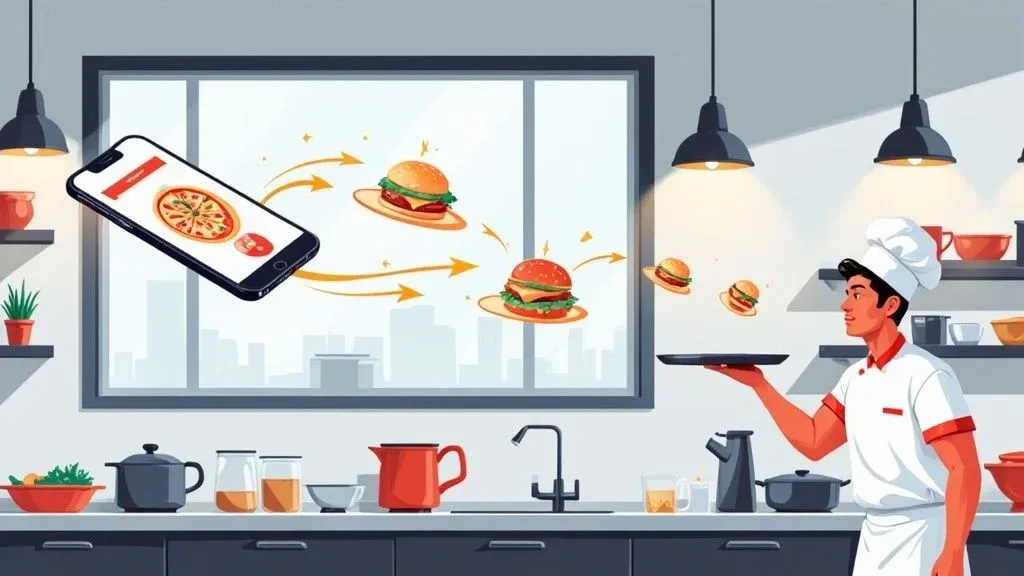
At its heart, delivery on demand is a simple concept: customers get what they want, when they want it, with a few taps on their phone. For restaurants, this means tapping into a network of local couriers to deliver food almost instantly. While the idea is straightforward, mastering it is the key to unlocking significant growth, and it all comes down to making it an efficient, automated part of your daily operations.
Why Delivery On Demand Is Reshaping The Restaurant Industry

Not long ago, a restaurant’s customer base was limited by its physical location. Delivery on demand changed all that, turning every neighborhood within a few miles into a potential market. This isn’t just a trend; it’s a fundamental shift in customer expectations. Diners now demand convenience, and platforms like DoorDash and Uber Eats have made instant gratification the new standard.
This matters for your restaurant’s bottom line because you’re no longer just competing with the eatery next door; you’re competing with every option on a customer’s smartphone. Integrating this blend of food tech and logistics is essential for survival and growth, opening up a vital revenue stream that directly impacts your profitability.
The New Standard for Customer Convenience
What’s driving this movement? Simple, frictionless access. Customers can browse your menu, place an order, and track its journey to their door in real-time. If your restaurant isn’t offering this level of convenience, you’re invisible to a massive segment of potential diners. For a restaurant operator, this is about meeting customers where they are.
The benefits are clear and actionable:
- Expanded Customer Base: Reach new demographics and neighborhoods that would never have visited your physical location, increasing your overall market share.
- Increased Order Volume: On-demand apps capture impulse buys and late-night cravings, driving incremental sales that boost your daily revenue.
- Data-Driven Insights: Platforms provide valuable data on popular items and peak ordering times, allowing you to optimize your menu and staffing for maximum efficiency.
From Manual Chaos to Operational Efficiency
However, diving into delivery without the right systems can create chaos. Juggling multiple tablets, manually punching orders into your Point of Sale (POS) system, and coordinating with drivers is a recipe for costly errors, staff burnout, and shrinking profit margins. Every missed order, incorrect item, or delayed delivery damages your reputation and your bottom line.
The challenge isn’t just offering delivery. It’s integrating it seamlessly into your daily restaurant operations. A manual process is a temporary fix that leads to significant financial leaks and operational headaches.
This is where smart delivery on demand strategy becomes crucial for restaurant efficiency. To be profitable, delivery must be automated. By connecting third-party delivery services directly to your kitchen’s workflow through POS integration, you transform a frantic, error-prone task into a streamlined revenue engine. This is a critical step in mastering off-premise dining and ensuring every customer gets exactly what they ordered, boosting both staff productivity and customer satisfaction.
How On-Demand Delivery Actually Works With Your POS System
The technology behind delivery on demand might seem complex, but it’s really about creating a smooth, automated path for orders to travel from the customer’s phone directly to your kitchen printer.
Let’s start with the non-technical explanation. Think of it like an automated relay race. The customer’s order is the baton, and it gets passed flawlessly from their phone to your kitchen without anyone having to manually intervene. In the old, manual way, a tablet beeps, a busy staff member has to stop what they’re doing, and they re-type every single item into your POS system. It’s slow, inefficient, and prone to human error.
With an integrated system, the order flows silently and instantly from the delivery app into your POS. A ticket prints in the kitchen with 100% accuracy, just like an order taken in-house. This automation saves time, reduces errors, and lets your staff focus on food quality. For example, a restaurant using Clover for their POS can have an Uber Eats order appear on their kitchen line instantly, without any manual work. This is a game-changer for restaurant efficiency.
The Technical Magic of POS Integration
So, how does this seamless connection technically happen? The magic is an Application Programming Interface, or API.
In simple terms, an API is a translator. Delivery apps like DoorDash and your POS system, whether it’s Clover or Square, speak different digital languages. An integration partner uses these APIs to translate the order from the delivery app into a language your POS understands instantly.
This automated “conversation” is what enables seamless restaurant operations. It ensures every detail, from special requests like “no onions” to the customer’s address, is transmitted perfectly. For a deeper technical dive, you can explore our guide on what POS software integration entails.
Why Automation Is No Longer Optional
Eliminating manual order entry is one of the most impactful changes a restaurant can make to its delivery operations. The benefits directly affect your bottom line by saving time, reducing costs, and improving staff productivity.
Here’s why automated POS integration matters for your restaurant:
- Slash Order Errors: Automation achieves near-perfect order accuracy. This means less wasted food, fewer costly refunds, and better customer reviews—all of which directly protect your profit margins.
- Free Up Your Staff: Instead of acting as data-entry clerks, your team can focus on value-added tasks: preparing high-quality food, assisting in-house guests, and ensuring order accuracy before delivery. This boosts staff productivity.
- Speed Up Your Kitchen: Orders reach the kitchen line the moment they’re placed. Shaving minutes off ticket times results in faster deliveries and happier customers who are more likely to reorder, increasing customer lifetime value.
- End the Tablet Chaos: Consolidating all orders into a single system eliminates the stress and clutter of managing multiple tablets. This simplifies training and reduces chaos during peak hours.
As you connect these systems, it’s also smart to keep data security top of mind, especially when it comes to understanding critical security vulnerabilities and data breaches that can affect payment information.
To really see the difference, let’s compare the two workflows side-by-side.
Manual Order Entry Vs Automated POS Integration
The table below paints a clear picture of just how much changes when you let technology handle the heavy lifting. One path is filled with friction and risk, while the other is built for speed and reliability.
Operational Task Manual Process (Without Integration) Automated Process (With Integration) Order Reception Staff must monitor multiple tablets for new order alerts. Orders from all platforms appear directly in the POS system. Order Entry An employee manually re-types every item and modifier. Zero manual entry. The order is injected into the POS instantly. Error Potential High. Typos, missed items, and incorrect modifiers are common. Extremely low. Accuracy is near 100%, mirroring the customer’s order. Kitchen Workflow Delayed. Orders wait until a staff member is free to enter them. Instant. The kitchen ticket prints the moment the order is placed. Staff Focus Divided between service, prep, and tedious data entry. Focused on food quality, speed, and customer service. Reporting Fragmented. Sales data is spread across different platforms. Centralized. All sales are tracked in one place for easy analysis.
Seeing it laid out like this, the choice becomes obvious. Manual entry isn’t just inefficient; it’s a constant drain on your resources and a barrier to growth.
Ultimately, integrating your delivery platforms with your POS system is about reclaiming control. It transforms a reactive, chaotic process into a proactive, streamlined operation that builds a more resilient and profitable business.
This direct line of communication between your food tech tools is the foundation for scaling your delivery business successfully.
Your Next Step: Manual order entry is a hidden operational cost that slowly drains your resources. Automating the connection between your delivery apps and POS is a direct investment in efficiency, accuracy, and staff productivity.
Ready to see how seamless integration can transform your operations? Get started in a few clicks by visiting the OrderOut dashboard and begin your free onboarding process today.
The Real Business Impact of Efficient Delivery Operations
Getting delivery right goes way beyond just a quick bump in sales. When you truly master delivery on demand, you’re actually rewiring the financial and operational DNA of your restaurant. Seamless integration between your POS and delivery apps isn’t just a nice-to-have gadget; it’s a powerhouse for efficiency that hits your bottom line, hard. It’s what lets you turn delivery from a frantic, reactive mess into a smooth, predictable, and seriously profitable part of your business.
This kind of efficiency means you can reach a much bigger market without the massive cost of adding more tables or leasing more space. Suddenly, you can handle the lunch rush for an entire office park or capture dinner orders from a whole new neighborhood, all without bringing your in-house operations to a grinding halt. You’re turning what could be a huge bottleneck into an automated stream of revenue.
This simple flow chart shows exactly how an order gets from the customer’s phone to your kitchen printer without anyone lifting a finger.

As you can see, the process boils down to three clean steps—Order, Integrate, Print. This gets rid of the messy, error-prone manual entry that kills a kitchen’s momentum.
Boosting Revenue While Cutting Costs
The real magic of efficient restaurant delivery is how it grows your sales and slashes your operational waste at the same time. Think about it: every single order that flows directly into your POS is an order that doesn’t require a staff member to stop what they’re doing, squint at a tablet, and manually punch in the details. This isn’t just about saving a few seconds; it’s a powerful way to stop mistakes before they happen.
We see it all the time—manual entry is one of the biggest sources of order errors. One little mistake, like a missed “no onions” modifier or a typo in the address, sets off a costly chain reaction:
- Wasted Food: The wrong dish ends up in the trash.
- Wasted Labor: Your cooks have to drop everything to remake the order.
- Refunds and Credits: You lose the money from the original sale and often have to give a discount to make things right.
- Reputational Damage: A hangry, frustrated customer isn’t likely to order again and might just leave a nasty review.
By automating the order entry process, you’re essentially wiping out an entire category of expensive operational headaches. This move directly protects your profit margins and improves the customer experience, which is how you turn first-time buyers into regulars.
Optimizing Staff Productivity and Morale
Your team is the heart and soul of your restaurant, and their time is one of your most precious assets. An integrated system actually respects that. Instead of spending their shift juggling a chaotic chorus of beeping tablets, your staff can finally focus on the things that actually matter.
For instance, a local burger joint that integrates its Square POS can handle a sudden flood of Uber Eats orders without pulling a server off the floor. The orders just pop up in the kitchen queue like any other ticket. This lets the team stay focused on food quality and getting orders out the door fast. To learn more about getting your kitchen into a better rhythm, check out our guide on effective restaurant operations management.
This smarter workflow has a few huge benefits:
- Increased Throughput: The kitchen can pump out more orders without getting buried, which directly increases how much money you can make during your busiest times.
- Reduced Stress: A calm, organized kitchen is a happy kitchen. This leads to better morale and lower staff turnover.
- Better Service: When your team isn’t bogged down with administrative chores, they can give better, more attentive service to everyone—both in-house and at home.
At the end of the day, solid POS integration with platforms like Clover or Square reshapes your whole operation from the inside out. It’s the practical, nitty-gritty step that turns the big promise of delivery on demand into a real, profitable, and sustainable part of your restaurant’s future.
Choosing Your Technology Partner for Seamless POS Integration
Think of your integration technology as the most dependable employee you’ll ever hire. It’s the partner working silently in the background, making sure your entire delivery-on-demand operation just works. The whole point is to find a solution that finally ends “tablet hell” and funnels every single third-party order into one clean workflow your team already uses every day.
This choice is a big one. The right partner is like a master key, unlocking efficiency across all your delivery apps. The wrong one? It’s a recipe for technical glitches, missed orders, and a team that’s constantly stressed out. You need a provider that doesn’t just connect your apps but actually makes your entire restaurant run better, from the front counter straight to the kitchen line.
Key Criteria for Evaluating an Integration Partner
Not all integration software is built the same. To make a smart decision, you need to focus on a few non-negotiable features that will make or break your daily workflow and, ultimately, your bottom line.
- Proven Reliability and Uptime: Your delivery integration has to be as reliable as your oven. Don’t be afraid to ask potential partners for their uptime stats. A system that crashes during a Friday night dinner rush is a serious liability.
- Direct POS Compatibility: This is the big one. You have to confirm that the partner offers a deep, native integration with the POS system you’re actually using. Whether it’s a popular platform like Clover or Square, the connection needs to be seamless, not some clunky workaround.
- Automatic Menu Synchronization: Manually updating your menu on DoorDash, then Uber Eats, then Grubhub is a soul-crushing time-waster. A great partner lets you manage one single menu in your POS, and it will automatically push any updates—like price changes or 86’d items—to all your delivery apps in real time.
Choosing the right partner is less about flashy bells and whistles and more about rock-solid stability. A reliable integration that just works, day in and day out, will save you more time and money than any other single factor.
The Bigger Picture: Food Tech and Scalability
Your business is going to grow, and your technology needs to be ready to grow with it. A good partner can scale right alongside you, making it easy to add new delivery apps or even open new locations without creating a technical nightmare. Thinking ahead like this ensures you won’t have to rip everything out and start over in a year or two. For a deeper dive, check out our complete guide on selecting the best POS system integrators for your restaurant.
And don’t forget the foundation of it all. To run a smooth delivery operation, you need solid infrastructure. Looking into robust internet and phone bundles for small businesses is a smart move to ensure your service is always fast and reliable, so you never miss an order because of a weak connection.
The opportunity here is massive. The global on-demand delivery market is exploding, estimated at around USD 183.2 billion in 2024 and projected to hit nearly USD 899.4 billion by 2033. That’s an enormous and fast-growing customer base you can tap into with an efficient, scalable system. You can find more details in the on-demand delivery market report.
Your Practical Next Step: Before you sign anything, always ask for a demo. See the software in action with your own eyes. Ask tough questions about how it handles real-world situations, like complex order modifiers or last-minute cancellations. This one simple step can save you from major headaches down the road and help you find a partner who truly gets the restaurant business.
Your Step-By-Step Restaurant Implementation Plan
Making the switch to an automated delivery on demand system can feel like a massive undertaking, but when you break it down, it’s a surprisingly straightforward process. Think of this as your roadmap, guiding you from the daily chaos of juggling tablets to the calm of a fully integrated, efficient workflow.
The goal here isn’t just to plug in new technology. It’s about building a stronger, smarter, and more profitable operation from the ground up. This plan will demystify the entire setup, showing you how to get up and running smoothly and see a real impact almost immediately.

Step 1: Evaluate Your Current Tech Stack
First things first, let’s take a quick look under the hood. What technology are you already working with? What’s your POS system? Are you running a modern cloud-based platform like Clover or Square, or is it an older, more traditional setup? Understanding your existing food tech is the absolute foundation for a successful integration.
The main question you need to answer is whether your POS can “talk” to other software. Most modern systems are built for this, but it’s crucial to confirm. This simple check ensures you pick an integration partner that’s fully compatible with your gear, saving you a world of technical headaches down the road. For a deeper dive, check out our guide on point of sale system integration.
Step 2: Select Your Integration Partner
Once you know what you’re working with, it’s time to choose the right partner to bridge the gap between your delivery apps and your POS. Use the criteria we talked about earlier as your guide—zero in on reliability, direct POS compatibility, and smart features like automatic menu syncing.
Honestly, you should think of this decision like hiring a key member of your team. The right partner will offer solid support and a system that just works, humming along quietly in the background while saving you time and eliminating costly mistakes.
Step 3: Connect Your Platforms and Optimize Your Menu
This is where the real magic happens. After you’ve chosen your partner, you’ll connect your delivery accounts (like DoorDash and Uber Eats) and your POS through their platform. This is usually as simple as authorizing the connection with a few clicks.
With everything connected, your next focus is your online menu. This is your digital storefront, so make it count.
- Use High-Quality Photos: Mouth-watering pictures can seriously boost order sizes.
- Write Clear Descriptions: Don’t just list ingredients; make every item sound as incredible as it tastes.
- Organize Logically: Group items into intuitive categories so customers can find what they want without getting frustrated.
A well-optimized menu doesn’t just drive more sales—it also cuts down on customer confusion and order mistakes. The on-demand food delivery market is absolutely exploding, with revenues expected to jump from USD 156.75 billion in 2024 to USD 173.57 billion in 2025. A sharp-looking menu is your ticket to grabbing a bigger piece of that pie. You can discover more insights about these food delivery statistics to see just how big the opportunity is.
Step 4: Train Your Team on the New Workflow
Any new system is only as effective as the people using it. The good news? This new workflow is worlds simpler than the old one. The most important thing to teach your staff is to trust the system. Orders will now pop up directly in the POS and print automatically to the kitchen. No more manual entry.
The new motto for your team is simple: “Stop watching the tablets.” This one change frees them up from being data-entry clerks so they can focus on what they do best—making amazing food and making sure every order is packed perfectly.
Step 5: Go Live and Run a Test Order
Before flipping the switch for good, run a test order yourself. Go onto DoorDash or Uber Eats, place an order from your own restaurant, and watch it travel through the entire system. See it appear on the app, hit your POS, and print out at the kitchen printer.
This simple test is your safety net. It lets you catch any small glitches—like a menu modifier that isn’t showing up right—before a real customer does. Once you’ve confirmed everything is working like a well-oiled machine, you’re ready to go live and start enjoying the benefits of a fully automated restaurant delivery system.
Your Practical Next Step: This implementation isn’t an overwhelming technical project; it’s a clear, manageable process. The journey from manual chaos to automated efficiency begins with one simple step: evaluating your current tech. From there, each step flows logically, quickly leading to a smoother, more profitable operation.
Ready to streamline your delivery and boost your bottom line? You can start onboarding for free in just a few clicks at the OrderOut dashboard.
Ready to Unlock Your Restaurant’s Delivery Potential?
Let’s face it: delivery on demand isn’t just a nice-to-have anymore. For any modern restaurant looking to thrive, it’s a fundamental part of the business. When you finally connect your POS system directly with your delivery apps, you’re not just adding a new tool—you’re opening the door to a whole new level of efficiency.
Think about what that really means: more revenue flowing in, a calmer and more organized kitchen, a dramatic drop in costly order errors, and ultimately, happier customers who keep coming back.
The way forward is pretty clear. The days of tablet chaos and staff members wasting valuable time manually punching in orders are numbered. It’s time to take that crucial step toward a smarter, more profitable operation. This is more than just a tech upgrade; it’s about rethinking your workflow to make every single order count and every employee’s job easier.
Ready to stop the madness and get your time back? You can start with OrderOut in just a few clicks to see firsthand what a difference true automation makes.
Common Questions We Hear About On-Demand Delivery
If you’re thinking about bringing integrated, on-demand delivery into your restaurant, you’ve probably got a few questions. Let’s tackle some of the most common ones we hear from owners just like you.
What’s the Real Cost of POS Integration?
Most integration services, including ours, run on a straightforward subscription model. While there’s a monthly fee, it’s crucial to weigh that against the hidden costs you’re already paying. Think about the staff hours spent punching in orders manually and, more importantly, the cost of fixing mistakes.
A single bungled order per day—a missed topping, the wrong side dish—can easily add up to more in lost food and refunds over a month than the subscription itself. This isn’t just an expense; it’s an investment that plugs profit leaks and gives you back valuable time.
Will This Actually Work with My POS System?
This is a big one, but the good news is that modern integration platforms are designed to be widely compatible. The top solutions connect seamlessly with the biggest names in the POS world, including those you’ll find in the Clover App Market and the Square App Marketplace.
The best first step is always to check the provider’s compatibility list. You’ll want to confirm they support your specific POS hardware and software version to guarantee a headache-free setup.
How Long Does It Take to Get Everything Set Up?
You might be surprised. Getting started is usually a quick process. Once you sign up, you just need to connect your delivery accounts—like Uber Eats or DoorDash—and link them to your POS. For most restaurants, this takes less than an hour.
We see it all the time: a restaurant owner can sign up in the morning and be watching their first delivery on demand order print automatically at the kitchen station that same afternoon.
The quick turnaround means you don’t have to wait weeks or months to see a difference. You can start cutting down on errors and freeing up your staff almost immediately.
Ready to stop juggling tablets and start simplifying your delivery operations? Get started with OrderOut for free in just a few clicks at https://dashboard.orderout.co.