
A Restaurant Owner's Guide to the Clover API Docs
· Thibault Le Conte
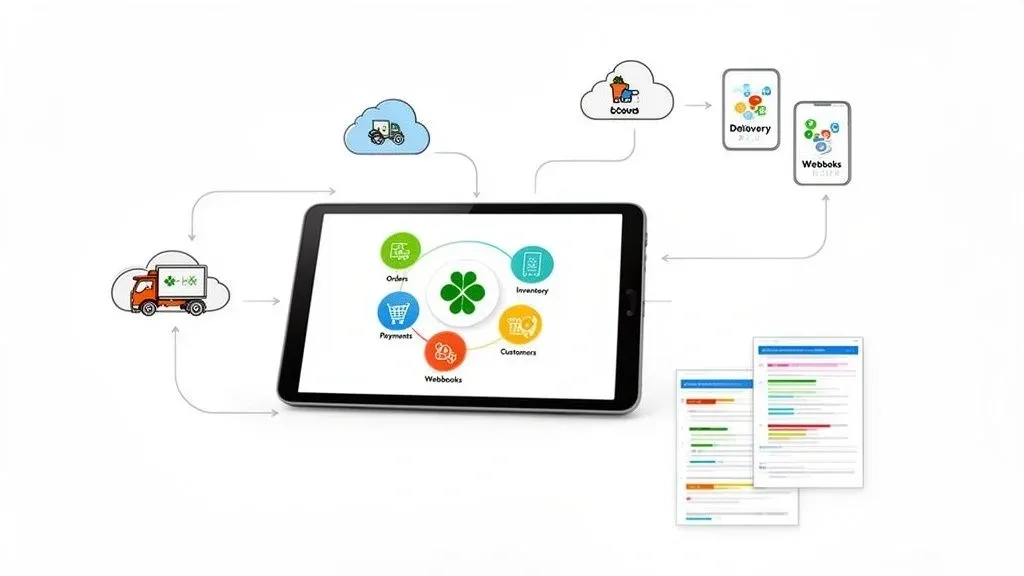
Think of the Clover API docs as the official instruction manual for making your Clover Point of Sale (POS) system talk to other software, like your delivery apps. In simple terms, an API (Application Programming Interface) is a secure, digital bridge that allows different programs to communicate and swap information automatically. For a restaurant, this means an order from Uber Eats can appear directly on your kitchen printer without anyone lifting a finger.
Understanding The Clover API Docs And Why They Matter for Restaurant Operations

For anyone running a restaurant, you don’t need to be a developer to understand why this matters. The Clover API docs are the blueprint that allows powerful, time-saving connections to be built for your business. This is what makes true automation possible between your POS and third-party services like DoorDash, unlocking huge improvements in your restaurant’s day-to-day efficiency.
The Power Of POS Integration in Food Tech
Let’s be real: without a proper POS integration, your staff is stuck manually punching in every order from Uber Eats or DoorDash into the POS. This is slow, tedious work and a breeding ground for expensive mistakes. One wrong order means wasted food, an unhappy customer, and lost money. The Clover API provides a direct link to stop that from happening.
When used correctly, the API automates the entire order-entry process, delivering an immediate impact on your restaurant operations.
- Drastic Error Reduction: Orders fly from the delivery app straight to your kitchen printers, completely eliminating the risk of human error.
- Increased Staff Productivity: Your team can finally put down the tablets and focus on what they do best—taking care of the guests in your restaurant.
- Significant Time Savings: Automating order entry frees up countless hours of staff time every week, which translates directly to lower labor costs.
A real-world example is how an order placed on a platform like DoorDash can show up on your Clover kitchen display in seconds, thanks to a solid POS integration. No one has to touch a thing. That level of automation is the foundation of any modern, efficient restaurant.
This guide will break down the Clover API docs from a restaurant owner’s perspective. We’ll show you how they’re used to build the connections that streamline restaurant delivery, boost your efficiency, and ultimately, improve your bottom line.
Your Practical Next Step to Automation
Understanding what the Clover API can do is the first step toward running a smoother, more profitable restaurant. The goal is to get all your systems talking to each other seamlessly, and the API is the tool that makes it all happen.
Ready to see how it works for your business? Start onboarding for Free in a few clicks.
Navigating The Clover Developer Portal for Better Restaurant Delivery
Before connecting any new tech to your POS, you need to know where to find the right tools. The Clover Developer Portal is that place—it’s the command center for everything related to integrating third-party apps with your system. Think of it as the project headquarters where developers get the keys and blueprints before connecting your systems.
While it’s built for developers, getting familiar with its layout is a smart move for any restaurant operator who wants to understand how their food tech stack fits together. This portal is where you’ll find the clover api docs, manage your apps, and generate the credentials needed for any integration.
Sandbox Versus Production Environments
Inside the portal, Clover provides two separate environments. For a restaurant owner, understanding the role of each is critical for keeping your live operations running smoothly.
-
Sandbox Environment (The Test Kitchen): This is a private playground for testing. It’s like a test kitchen where a developer can experiment with a new integration without any risk to your actual business. They can use sample data to ensure everything works perfectly before it ever touches real customer orders or sales data.
-
Production Environment (The Live Restaurant): This is the real deal. It’s the live environment tied directly to your restaurant’s active POS system. Every action here is final—orders are processed, payments are captured, and inventory levels change.
Why it matters: Starting in the Sandbox is non-negotiable for preventing chaos. Imagine a buggy integration flooding your kitchen with hundreds of phantom DoorDash orders during a Friday dinner rush. The Sandbox is there to ensure that nightmare scenario never happens, saving you significant time, money, and stress.
Demystifying API Lingo for POS Integration
As you explore the portal, you’ll run into technical jargon. Don’t let it intimidate you; the core concepts are straightforward. At its heart, an API is just a messenger that handles requests and delivers responses between different software systems.
Technically speaking, when a delivery app needs your menu, it sends a request to a specific “endpoint”—a unique web address for that piece of data. The API then fetches that information and sends it back in a structured format called JSON, which is a neatly organized list that’s easy for computers to understand.
A real-world example of this in action is when an order from a platform like Square comes in through the API. It arrives perfectly structured, ensuring every single modifier and special instruction is recorded accurately. This methodical exchange of information is what makes a seamless POS integration possible, reducing errors and saving staff time.
Grasping these fundamentals makes it easier to see how these tools power automation in your restaurant. The next step is getting the secure credentials—your API keys—that authorize these systems to talk to each other.
Understanding Clover API Authentication for Secure POS Integration
When connecting your restaurant’s digital systems, protecting sales and customer data is priority one. In simple terms, this means making sure only authorized apps can talk to your POS. The Clover API uses a specific security process called OAuth 2.0 to keep your information safe.
Think of it like giving a valet a key that only starts the car, not one that opens the trunk and glove box. OAuth 2.0 works the same way. Technically, it gives third-party apps a temporary, limited-access pass—known as an access token—instead of your master login credentials.
This means an application connecting to your Clover POS system can only do what you’ve allowed it to, like push a new delivery order. It can’t access sales reports or employee details. For a busy restaurant, this provides the automation you need without unnecessary security risks.
How Access Tokens Secure Your Restaurant Operations
When a platform like OrderOut connects to your Clover system, it never asks for your direct login details. Instead, it completes an OAuth 2.0 “handshake” with Clover’s servers to get a secure access token.
This token is a special key, valid for a limited time and for specific tasks. It authorizes each API request, like when a new Uber Eats order needs to be sent directly to your kitchen printer.
Why it matters: This secure handshake is a cornerstone of modern food tech. Take an integration with a platform like Square, for example. The connection is authenticated using OAuth 2.0, which guarantees that every single order landing in the POS is legitimate and that the entire communication channel is encrypted. This reduces errors and protects your revenue.
This token-based approach is fundamental to minimizing risk. For a deeper dive into the principles behind secure API interactions, a broader guide on payment gateway API integration can provide more context.
The Impact on Restaurant Efficiency and Security
Using a robust authentication method like OAuth 2.0 has a real impact on your daily operations. A secure integration is a reliable one, and reliability is everything during a busy dinner rush.
This kind of security has paid off. A recent Clover API review credited stronger OAuth 2.0 enforcement with preventing 99.9% of potential breaches. For restaurants, this stability allowed automated integrations to process over 1,000 orders per hour during peak times, avoiding the 12% error spikes often seen with less secure methods. You can read more about these updates in this Clover changelog summary.
By ensuring every connection is properly authorized, you dramatically reduce the risk of data leaks and operational hiccups. This protects your business, your customers, and your reputation, all while making your restaurant delivery workflow run like clockwork.
The bottom line is clear: authentication is the bedrock of a solid, profitable POS integration. Start onboarding for Free in a few clicks.
Key Clover API Endpoints For Restaurant Operations

The Clover API docs are extensive, but for a restaurant, you only need to focus on a handful of functions—called endpoints—to manage daily operations. These endpoints are the digital connections that let your POS system handle orders, track inventory, process payments, and manage customer data automatically.
Think of each API endpoint group as a different station in your kitchen. The Orders API is your expo line, calling out new tickets. The Inventory API is your walk-in, keeping a constant count. When these stations talk to each other seamlessly, your whole operation runs smoother, reduces costly errors, and becomes more profitable.
Essential Clover API Endpoints for Restaurants
API Endpoint Group Primary Function Restaurant Use Case Example Orders API Create, retrieve, update, and manage order data. A new order from DoorDash is automatically created and fired to the kitchen display system (KDS). Inventory API Manage items, modifiers, categories, and stock counts. When you 86 the salmon in Clover, it’s instantly removed from your Uber Eats menu to prevent new orders. Payments API Process transactions, manage refunds, and handle payment details. A customer places an order on your website, and the payment is processed and logged directly in your Clover reports. Customers API Create and manage customer profiles and view their order history. A regular customer calls, and you can pull up their past orders to provide faster, more personalized service.
Let’s dig into what makes each of these so critical for a modern restaurant.
Orders API Endpoints For Seamless Restaurant Delivery
The Orders API is the workhorse of any restaurant delivery integration. This is how a new order from a platform like DoorDash appears on your Clover kitchen display system (KDS) without anyone pressing a button.
Technically, this set of endpoints is responsible for creating, updating, and retrieving all order information. A correct integration actively listens for new orders and uses this API to inject them directly into your kitchen workflow.
Why it matters: Manually punching in a complex order with five modifications during the dinner rush is a recipe for disaster. The Orders API ensures every detail, from “extra sauce” to “no onions,” is transmitted with 100% accuracy. This directly reduces food waste, saves staff time, and leads to happier customers.
Inventory API Endpoints For Real-Time Menu Management
The Inventory API is your command center for keeping menus synced everywhere. These endpoints let you manage items, categories, and modifiers right from your POS. When you 86 an item in Clover, a well-built integration uses this API to instantly pull it from your menu on Uber Eats, Grubhub, and any other service.
This real-time sync prevents customers from ordering things you don’t have—a major source of frustration and bad reviews. It also cuts down on manual work, as your staff no longer has to update menus on multiple tablets. You can see how different POS platforms stack up on these kinds of features in our restaurant POS system comparison.
Payments API Endpoints For Centralized Transactions
While third-party delivery orders are pre-paid, the Payments API is essential for integrations with your own website or custom ordering app. These endpoints let you process transactions and issue refunds directly through your Clover system.
This means every dollar, whether from an in-house guest or an online order, is funneled into one central hub. It dramatically simplifies accounting and end-of-day reports. A perfect real-world example is when an order placed via an integrated platform, like one offered by Square, has its payment securely handled by the API and tied directly to the order in your POS.
Customers API Endpoints For Building Loyalty
Finally, the Customers API helps you understand your guests. These endpoints let you create and manage customer profiles, linking them to their order history. While most third-party apps hide customer data, this API is incredibly valuable for orders coming through your own direct channels.
By capturing this information, you can build loyalty programs, send targeted marketing campaigns, and offer more personal service. This direct line to your customer base is a powerful tool for driving repeat business.
Your Practical Next Step
Understanding these four core API groups is the key to unlocking serious automation for your restaurant. When your orders, inventory, and payments are connected, you create a system that slashes manual work, minimizes expensive errors, and frees your team to focus on great food and hospitality. Start onboarding for Free in a few clicks.
Mastering Clover Data Types for a Flawless POS Integration
To avoid expensive mistakes, your digital systems need to speak the same language. In the world of APIs, this “language” is defined by data types. Think of it this way: if your delivery app sends a price as text like “$10.99” when your POS expects a number like “1099” (in cents), that order will fail.
The Clover API docs specify these formats precisely so that every piece of information is interpreted correctly. For a busy restaurant, this precision is the difference between a smooth operation and a kitchen drowning in incorrect tickets.
Why Data Types Are Critical in Restaurant Operations
Getting data types right has a direct impact on your restaurant’s efficiency and bottom line. Correctly formatted data helps you avoid bugs that cause serious operational headaches.
- Preventing Duplicate Orders: Using a unique identifier (UUID) for every order is non-negotiable. This stops a single DoorDash ticket from accidentally firing into your kitchen twice, saving you from wasting food, confusing staff, and processing unnecessary refunds.
- Ensuring Accurate Timestamps: Correctly formatted Timestamps track an order’s lifecycle—when it was placed, prepped, and picked up. This data is gold for measuring kitchen throughput and resolving disputes with delivery drivers.
- Guaranteeing Pricing Accuracy: When prices are sent in a specific Integer format (like cents), there’s no ambiguity. This prevents a $15.00 meal from being mistakenly rung up as $1.50, protecting your revenue.
Why it matters: Strict adherence to data types is what makes your POS integration with platforms like Square just work. Every detail, from a customer’s “no onions” request to the delivery address, lands exactly where it should, making your entire delivery operation more reliable and profitable.
The Core Data Types in the Clover API
The official Clover API docs outline the core data types that are the building blocks of every API request. According to Clover, standardizing on these formats has helped developers slash integration bugs by an average of 28%.
For restaurants using a service like OrderOut, this precision allows us to sync DoorDash tickets with 99.7% accuracy, preventing daily losses from duplicate or failed orders. You can dive deeper into why structured information is so vital in our guide on managing restaurant menu data.
Mastering these formats ensures every instruction passed from a delivery app to your kitchen is perfectly understood. This consistency reduces errors, removes guesswork for your staff, and ultimately leads to happier customers and a healthier bottom line.
Ready for a flawless integration? Start onboarding for Free in a few clicks.
How To Connect Clover With Delivery Apps for Maximum Efficiency
Understanding the theory behind the Clover API is one thing, but putting it into practice is what truly streamlines your restaurant operations. When you connect your Clover POS to platforms like DoorDash or Uber Eats, you eliminate manual order entry and get rid of that “tablet farm” on your counter.
The process is designed to ensure every single order is processed correctly from the moment a customer places it. The flowchart below breaks down this data flow, showing how unique identifiers (UUIDs) are key to maintaining accuracy.

It’s a simple but powerful sequence: Order, UUID, Accurate. This is the foundation of a reliable POS integration that stamps out expensive duplicate orders and keeps your data clean.
The Automated POS Integration Workflow
Instead of building a custom integration from scratch, most restaurants use a specialized platform like OrderOut to do the heavy lifting. These services manage the entire connection, saving you significant development time and money.
Here’s a look at what happens behind the scenes:
- Secure Authentication: The first step is to establish a secure, authorized connection to your Clover POS using the OAuth 2.0 protocol.
- Fetching New Orders: The integration constantly polls your delivery services for new orders. The moment an order comes through on a platform like DoorDash, the system grabs all the key details.
- Creating Orders in Clover: Using the Orders API, the platform instantly injects the new order directly into your Clover system, mapping every detail perfectly.
- Real-Time Inventory Updates: As soon as the order is accepted, the integration uses the Inventory API to automatically deduct sold items from your stock counts, keeping your menus in sync.
For more details, check out our guide on connecting DoorDash with your Clover POS.
Why Automation Beats Manual Entry Every Time
For any restaurant owner, the “why” behind this food tech comes down to efficiency and profitability. Partnering with a proven integration service delivers immediate, concrete benefits.
A platform like OrderOut automates this entire workflow, pulling all your third-party orders into one unified dashboard. This consolidation means no more juggling multiple tablets or reconciling different reports.
Why it matters: The biggest win here is the drastic reduction in staff training and stress. Instead of teaching every new hire how to navigate four different delivery tablets, you just train them on one system—your Clover POS. This frees up your team to focus on what actually matters: giving your in-house guests great service, which directly impacts your bottom line.
Your Practical Next Step
Automating the link between your delivery apps and your Clover POS isn’t just a nice-to-have; it’s essential for a modern restaurant. It saves time, slashes costly errors, and makes your staff far more productive.
Ready to see it in action? Start onboarding for Free in a few clicks.
Handling Errors and Webhooks for Real-Time Updates in Restaurant Operations
A great POS integration isn’t just about what happens when things go right; it’s about how it recovers when they don’t. For a restaurant, this means handling API errors smoothly and getting instant updates the moment an order comes in. The Clover API docs provide tools for both.
First, let’s talk about errors. An API error is just a coded message that a request didn’t work. For a restaurant, that could mean a DoorDash order failed to enter your POS. Understanding these codes helps your integration partner fix problems quickly, preventing lost orders and protecting revenue.
Why Real-Time Updates Are a Game Changer for Restaurant Delivery
In a busy kitchen, periodically checking for new orders is too slow. That’s where webhooks come in. Instead of your system constantly asking the server, “Is there a new order yet?”, a webhook pushes the information to you instantly.
The moment an order is placed on a platform like Square, the webhook fires off a message directly to your integration. It’s the difference between checking your mailbox every five minutes and getting a text the second a package is delivered.
Why it matters: This real-time technology is essential for efficient restaurant delivery management. A webhook ensures an order from DoorDash arrives in your Clover system in seconds. This leads to:
- Reduced Delays: Orders hit your kitchen immediately, cutting down prep and delivery times.
- Lower System Load: Your integration isn’t wasting resources polling for updates.
- Improved Accuracy: Instant communication reduces the chance of missed orders during busy rushes.
Practical Steps for Reliable Communication
While implementing webhooks and error handling is technical, the results directly impact your restaurant’s bottom line. A well-built integration will automatically retry a failed request. If a webhook fails, the system should have a backup method to fetch the order, ensuring nothing falls through the cracks.
For a deeper look at managing orders from various platforms, our guide on multi-channel order management software offers valuable insights.
By combining smart error handling with instant notifications from webhooks, you get a resilient and efficient system. This approach minimizes downtime, prevents lost sales, and lets your kitchen focus on making fantastic food.
The most practical step is to use a system where this logic is already built for you. Start onboarding for Free in a few clicks.
Automate Your Restaurant With Clover and OrderOut
Diving into the Clover API docs shows what’s possible, but building and maintaining a custom integration is a massive undertaking. It’s not a one-and-done project. It requires constant updates, security checks, and troubleshooting—a full-time job most restaurant owners don’t have the time or resources for.
The real challenge isn’t just understanding the API; it’s the ongoing effort required to keep a custom system running smoothly. This is why a specialized, ready-made solution makes so much sense. Why build from scratch when you can plug into a platform designed for this exact purpose?
The Clear Path to Efficiency for Your Restaurant Operations
Think of OrderOut as your dedicated integration expert. We’ve already done the heavy lifting, using the full power of the Clover API to create a smooth, automated workflow for your restaurant. We manage all the technical details of connecting with delivery platforms like DoorDash and Uber Eats, pushing orders straight to your kitchen with 100% accuracy.
Why it matters: This connection immediately eliminates manual entry errors that lead to wasted food and lost money. You reclaim hours of labor, reduce staff stress, and improve your profit margins because every single order is handled correctly and efficiently.
By plugging into a proven tool, you bypass the development headaches and jump straight to the rewards. If you want to see how this can fit into your specific restaurant, you can explore our solutions at OrderOut.
Your Practical Next Step
The next step is to see the results firsthand. It only takes a few clicks to get your restaurant automated today.
Start onboarding for Free in a few clicks.
Clover API FAQ
Got questions about integrating with the Clover API? We’ve got answers. This section tackles the most common queries we hear from developers and restaurant owners about POS integration, security, and menu management.
Is It Secure To Connect Third-Party Apps To My Clover POS?
Yes, absolutely—as long as it’s handled correctly. The Clover API relies on OAuth 2.0, a robust security standard. It works by granting very specific, limited permissions to trusted applications.
Think of it like giving a valet a key that only starts the car, not one that opens the trunk. An integration might have permission to place new orders, but it won’t be able to access your sensitive business reports, keeping your core data protected.
Should I Build A Custom Integration Or Use A Service Like OrderOut?
Building a custom integration is a major undertaking. You’re signing up for constant maintenance, security monitoring, and adapting to API changes from both Clover and the delivery platforms. It demands a serious investment in time and technical expertise.
A specialized service like OrderOut is built and maintained by experts. It provides a reliable, secure, and more cost-effective way to connect your POS to platforms like DoorDash and Uber Eats without the development headaches.
Can The Clover API Help Manage My Menu Across Delivery Apps?
Definitely. This is one of the most powerful features of a good POS integration. Using the Inventory and Menu API endpoints, you can make your Clover POS the single source of truth for your entire menu.
Once integrated, any changes you make—updating a price, 86’ing a dish, or adding a special—are done once in Clover. Those updates then automatically sync across all your connected delivery apps. This saves significant time and prevents order errors on out-of-stock items.
Ready to eliminate manual entry errors and save hours of labor every day? With OrderOut, you can automate your entire workflow from delivery apps to your kitchen printer. Start onboarding for Free in a few clicks.