
Mastering Change Order Integration for Your Restaurant POS
· Thibault Le Conte
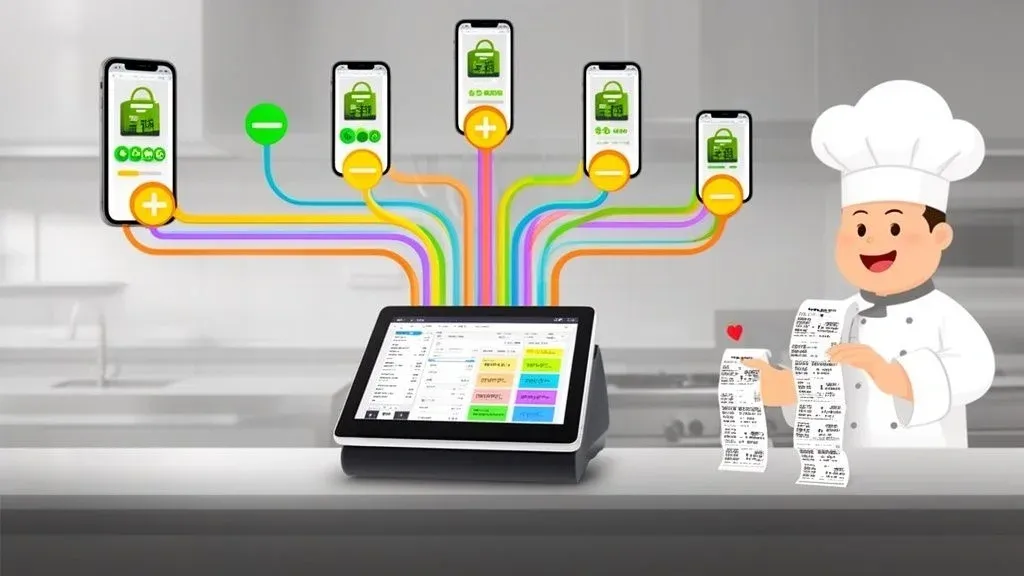
Imagine a flawless translator working between your delivery apps—like DoorDash or Uber Eats—and your restaurant’s Point of Sale (POS) system. In a nutshell, that’s what change order integration does. It’s the technology that automatically syncs every order and, crucially, any mid-stream changes directly into your kitchen’s workflow. No one has to touch a tablet.
This matters because it directly tackles one of the biggest headaches in modern restaurant operations: manual order entry. It saves your staff from juggling multiple tablets, eliminates costly human errors, and speeds up your entire delivery process, leading to happier customers and a healthier bottom line.
What Is Change Order Integration and Why It Matters for Restaurant Operations
In simple terms, change order integration is the technology that builds a seamless communication bridge between third-party ordering platforms (like Uber Eats or DoorDash) and your restaurant’s operational hub: the POS system. Think of it as the central nervous system for your digital orders. It ensures that every detail—from the initial order to last-minute customer requests—is captured accurately and instantly.
Technically, this is achieved through APIs (Application Programming Interfaces) that allow different software systems to talk to each other. When an order is placed or modified on a delivery app, the integration software immediately translates that information into a format your POS understands and sends it directly to your kitchen.
Without it, your staff is trapped in a frantic cycle of manual work. You know the drill: listening for the dreaded tablet chime, manually punching the order into the POS, running back to double-check a modification, and shouting changes to a busy kitchen line. This whole process is slow, stressful, and a breeding ground for expensive mistakes. A simple typo can snowball into a wrong order, a wasted meal, and an unhappy customer who might not come back. For a busy restaurant, this inefficiency costs significant time and money every single shift.
The True Cost of Manual Order Entry
In the high-pressure environment of a restaurant, manual entry isn’t just inefficient; it’s a direct hit to your profits. The boom in digital ordering has forced many restaurants to face this reality. Back in 2020, full-service restaurants saw a staggering 237% increase in digital orders, leaving managers practically drowning in a sea of tablet alerts.
A missed modification isn’t just a simple mistake; it’s a direct blow to your bottom line and your hard-earned reputation. Change order integration acts as your restaurant’s quality control, catching every detail before it becomes a problem.
Let’s look at how the day-to-day operations stack up with and without this technology.
Manual Order Entry vs Integrated System
The table below paints a clear picture of the operational differences. On one side, you have the chaotic, error-prone manual process. On the other, a smooth, automated workflow that lets your team focus on what they do best: creating great food and experiences.
Operational Task Manual Process (Without Integration) Automated Process (With Integration) New Order Arrival Staff hears a tablet alert, stops current task, and walks over to the tablet. Order is instantly received and injected into the POS system. Order Entry Manually re-keys the entire order into the POS, risking typos and errors. The integration automatically populates the order in the POS with 100% accuracy. Order Modification Staff must notice the update on the tablet, find the original ticket, and verbally communicate the change to the kitchen. The change is automatically pushed to the POS, and an updated ticket prints instantly in the kitchen. Reconciliation At the end of the night, managers spend hours manually matching tablet reports to POS sales. All sales data is perfectly synced, making end-of-day reporting a matter of a few clicks.
It’s pretty clear which system sets a restaurant up for success in the modern-day delivery landscape.
How Integration Creates Restaurant Efficiency
Ultimately, the goal of this food tech is to eliminate the chaos. When an order lands from a delivery app, the integration software immediately translates it and sends it straight to your POS. If a customer updates their order—say, swapping fries for a salad—the system automatically updates the ticket in your kitchen. No more crossed wires or confusion.
This automation directly benefits your business by:
- Slashing Errors: Automation removes the risk of human error from manual data entry, reducing food waste and refund requests.
- Saving Time: Your staff can focus on in-house guests and food preparation instead of babysitting tablets, boosting staff productivity.
- Boosting Kitchen Productivity: The kitchen receives clear, accurate tickets instantly, which speeds up prep times and gets food out the door faster.
For instance, a busy café using a Square POS system can automatically accept a modified Uber Eats order without anyone lifting a finger. The updated ticket simply prints in the kitchen with the correct changes, ensuring the customer gets exactly what they wanted. Similarly, restaurants on the Clover POS system can pull all their delivery channels into one unified, manageable workflow.
To really get a handle on how these systems anchor your entire operation, check out our guide on what a POS system is. In today’s market, this technology isn’t a luxury—it’s a fundamental tool for success.
The Real-World Benefits of a Seamless POS Integration
When we talk about change order integration, it’s easy to get lost in the tech talk. But what does it actually do for your restaurant? Think of it less as a software upgrade and more as a direct investment in your sanity and your bottom line. The impact shows up everywhere, from the front-of-house hustle to the back-of-house rhythm.
Automating how information flows between your delivery apps and your POS system gets rid of the little friction points that bleed money and burn out your team. This isn’t about piling on more tech; it’s about making your existing systems finally talk to each other. The result? Fewer mistakes, a faster crew, and a much healthier business.
Drastically Reduce Costly Order Errors
Every restaurant owner knows the sting of a messed-up order. It’s not just about the wasted food; it’s lost revenue and, worst of all, an unhappy customer who might not come back. The biggest culprit is almost always manual entry—a simple typo during a frantic rush means a burger goes out with cheese when it was ordered without.
A solid POS integration is like having the most meticulous employee on your team, one who never gets flustered. It doesn’t misread a ticket, never forgets a modifier, and perfectly records every single detail from the customer’s order. This directly leads to major cost savings and improved customer satisfaction.
- Pinpoint Accuracy: Orders appear in your kitchen exactly as the customer typed them. Human error is completely taken out of the equation.
- Happier Customers: Getting the order right the first time is the bedrock of good service. It’s what builds loyalty and turns a one-time order into a regular habit.
- Less Waste: When orders are accurate, you stop throwing away perfectly good food. That goes straight back into your profit margin.
Imagine a customer on DoorDash adds extra avocado to their sandwich. With an integrated system connected to your Square POS, that change pops up on the kitchen printer instantly. No one has to glance at the tablet, spot the change, and yell it down the line. The mistake is prevented before it even has a chance to happen, saving time and money.
Unlock Huge Time and Labor Savings
In a restaurant, time is money, and manually managing orders is a notorious time thief. Every minute your host spends punching delivery orders into the POS is a minute they aren’t seating guests. Every minute a manager spends cross-referencing tablets is a minute they aren’t coaching the team.
This is where change order integration pays for itself, and fast. By automating all that repetitive work, you get those hours back. Your team is freed up to focus on things that actually make you money—like providing great service to your in-house guests. This is critical, especially when you consider that a staggering 70% of restaurants are dealing with disconnected systems. With off-premise orders making up 67% of US restaurant revenue, automating that workflow is a massive, untapped opportunity for efficiency. You can dig deeper into the impact of restaurant tech on sales growth.
Boost Staff Productivity and Morale
Nothing burns out a good crew faster than chaos. A wall of screaming tablets, constant interruptions, and the stress of manually juggling orders create a frantic environment where mistakes are inevitable. It’s a recipe for high turnover.
An integrated system brings a sense of calm and control to the kitchen. When orders flow straight to the POS, your team can trust the tickets. They can finally get into a rhythm, even when you’re slammed.
This stability allows your cooks to focus on what they do best: making great food. A less-stressed team is a more productive team, pushing out orders faster and with greater accuracy. This boost in morale is one of the most powerful—and often overlooked—benefits of a truly integrated POS system. A smooth-running kitchen doesn’t just improve your delivery times; it makes the entire restaurant a better place to be for everyone.
Your Practical Next Step: Try this little experiment. During your next peak hour, time how long your staff spends just managing delivery tablets—punching in orders, checking for changes, and confirming them. That number is the direct labor cost you could save with automation. Ready to get that time back? You can start onboarding with OrderOut for Free in just a few clicks at https://dashboard.orderout.co.
How Restaurant Delivery Integration Works
Now that we’ve covered the what and why, let’s pull back the curtain on how this technology actually works—without getting bogged down in confusing tech speak. At its heart, change order integration relies on a few key digital tools that act as messengers and rule-keepers, making sure information flows perfectly between your delivery apps and your POS.
First, let’s talk about the big-picture tools. Think of an API (Application Programming Interface) as a dedicated, highly efficient digital translator. When a customer places an order on DoorDash, the API instantly grabs every detail and translates it into a language your restaurant’s POS system understands. It’s a secure, direct line of communication that connects two different pieces of software so they can talk to each other fluently.
The Key Components of Modern Food Tech
While APIs handle the initial delivery of information, another tool called a Webhook acts like a real-time alert system. Imagine a doorbell that rings inside your POS every time a customer changes an existing order. That “ring” is the webhook, instantly notifying your system that a modification just happened so it can be updated automatically.
This seamless communication is governed by a few critical concepts:
- Order-State Mapping: In simple terms, this makes sure everyone is on the same page. It translates the order status between platforms, ensuring that when an order is marked “Preparing” on the Uber Eats app, it shows up as “In Progress” on your kitchen display system (KDS). This keeps your team, the driver, and the customer all perfectly in sync.
- Idempotency: This is a crucial technical safeguard that prevents duplication. In simple terms, it makes sure that if the same order change is sent twice (maybe due to a quick network hiccup), your system only processes it once. This stops a “double order” of extra fries from appearing on the ticket, saving you from costly mistakes and food waste.
This flowchart breaks down the primary benefits this smoother process brings to your restaurant.
You can see the direct line from fewer errors to time saved, which ultimately drives more sales. It’s a clear illustration of how operational improvements hit your bottom line.
A Real-World Example in Action
Let’s see how this all comes together. A customer orders a pizza through a delivery app but initially forgets to request a gluten-free crust. The first order is sent via an API to your Clover POS system and prints in the kitchen.
A minute later, the customer realizes their mistake and updates the order in the app to a gluten-free crust.
Without integration, that change might get lost in the dinner rush. You’d end up with a wasted pizza and an unhappy customer. With proper integration, a webhook instantly alerts your POS. The system uses idempotency to make sure the “gluten-free” update is applied only once, and a new, corrected ticket prints out immediately.
This instant, automated fix is the magic of a well-built change order integration. It’s what shifts restaurant operations from reactive and chaotic to proactive and controlled. You can learn more about how this fits into a bigger picture by reading our guide on what an order management system is and how it helps.
Why This Technology Matters for Restaurant Operations
Understanding these mechanics empowers you as a restaurant owner. You no longer have to just take a software provider’s word for it; you can ask informed questions. When looking at different solutions, you can now ask about their approach to order-state mapping or how their system handles potential duplicate orders.
This knowledge helps you choose a solid system that truly supports your restaurant’s efficiency. By automating these complex interactions, the integration handles the tedious digital logistics, freeing up your staff to focus on what they do best: making great food and taking care of customers. This shift is fundamental to scaling your delivery business without adding chaos.
Your next step is to see how this technology can fit into your specific setup. Solutions like OrderOut are designed to handle these technical details for you, connecting directly with POS systems like Square to make getting started pretty straightforward.
Ready to stop juggling tablets and start managing a more efficient delivery operation? Get started for free by visiting the OrderOut dashboard and see how quickly you can bring this efficiency to your restaurant.
Your Checklist for Implementing POS Integration
So, you’ve decided to bring a change order integration into your restaurant. That’s a massive step toward streamlining your operations. But getting from decision to a smooth, successful launch requires a solid game plan. This checklist is your playbook—a practical guide to help you navigate the process, sidestep common headaches, and start seeing the benefits right away.
Think of it like rolling out a new, complex dish. You wouldn’t just wing it. You’d develop a recipe, test it meticulously, and train your staff until they have it down cold. The same logic applies here. A methodical approach ensures your tech investment actually pays off.
Step 1: Audit Your Current Tech Stack
Before you add anything new to the mix, you have to know exactly what you’re working with. This initial audit is crucial for preventing compatibility nightmares and finding a partner that fits right into your existing workflow. A little prep here will save you a world of pain later.
Get started by making a simple inventory of every piece of tech in your ordering process:
- POS System: What point-of-sale are you using? Jot down the name and version. Are you on a system like Clover or Square?
- Delivery Partners: List every single third-party service you work with, like DoorDash, Uber Eats, and Grubhub.
- Kitchen Display System (KDS): Document your KDS model and how it gets order information now.
- Printers: Note the models of your receipt and kitchen printers.
This list is your tech blueprint. Any integration solution worth its salt needs to connect with these pieces without a hitch.
Step 2: Define Your Goals and Metrics
Why are you really doing this? The answer can’t just be “to be more efficient.” You need to get specific. Setting clear, measurable goals is the only way to know if the integration is actually delivering value to your business.
Your goals should be concrete and tied to real-world outcomes. For instance:
- Cut down order entry mistakes by 40% in the first three months.
- Reduce time spent by staff managing tablets by 5 hours each week.
- Decrease food waste from incorrect orders by 15%.
- Improve average delivery prep time by 3 minutes during peak hours.
Having these numbers defined upfront transforms this from a tech project into a strategic business move. They become the yardstick you’ll use to measure your return on investment.
Step 3: Prepare Your Team and Run a Pilot Test
The most brilliant technology is useless if your team doesn’t know how to use it. Solid training isn’t optional; it’s essential for a smooth transition. Schedule dedicated sessions to walk your staff through the new workflow, showing them how orders will now pop up directly in the POS and how any changes will update automatically.
Before you go all-in, run a small pilot test. Start with just one delivery partner for a week or so. This controlled test run lets you:
- Find the Kinks: Work out any unexpected bugs in a low-stakes environment.
- Gather Feedback: Get real input from your staff on what’s working and what’s not.
- Build Confidence: Let your team get comfortable before the full launch.
This phased rollout keeps disruptions to a minimum and makes sure everyone is ready when you flip the switch for good. If you need more guidance on picking the right tools, you can learn more about different types of POS integration software and what to look for.
The last step is to keep a close eye on your performance against the goals you set. Watch your error rates, ticket times, and listen to staff feedback. A great change order integration shouldn’t just work—it should make life noticeably easier for your team and your bottom line stronger.
Ready to take control of your delivery operations? You can begin onboarding with OrderOut for Free in just a few clicks by visiting https://dashboard.orderout.co.
Navigating Common Food Tech Challenges
Even the slickest technology will eventually meet the beautiful chaos of a real-world restaurant. A solid change order integration is built for this reality, but knowing how to handle the inevitable hiccups is what keeps you in control.
When you’re prepared, these issues go from being stressful emergencies to minor, manageable blips on the radar. This is especially true during peak hours when every second counts. Whether you run out of a popular ingredient or the internet flickers, having a plan keeps your kitchen humming and your customers happy.
Managing Inventory and 86’d Items
One of the most common challenges in any kitchen is running out of an item—the classic “86.” In a manual setup, this kicks off a frantic scramble to pause the item on every single delivery platform, one tablet at a time. Miss one, and you’ll keep getting orders for something you can’t make. The result? Canceled orders and unhappy customers.
A quality POS integration completely eliminates this headache with menu synchronization.
- How it Works (Simply): When you mark an item as “out of stock” in your POS, the integration automatically tells all your connected delivery apps to make it unavailable. One click in your POS solves the problem everywhere, saving valuable time during a busy service.
- The Technical Side: This kicks off an API call from your POS to the integration platform. That platform then pushes an “item unavailable” status to the APIs of DoorDash, Uber Eats, and all the others.
Imagine you just sold the last piece of fresh salmon through your Square POS. You 86 it with a single tap. Instantly, the integration makes sure no one on any delivery app can order it, preventing order failures, saving staff time, and protecting your restaurant’s reputation.
Handling Internet Connectivity Issues
Your restaurant’s internet is the lifeline for all your digital orders. But what happens when it drops out for a minute or two? A well-designed integration has built-in safeguards to prevent data loss and a total operational standstill.
Think of your integration as a digital safety net. If the connection wobbles, it catches all the incoming orders instead of letting them fall through the cracks. The moment the line is stable again, it sends them straight to the kitchen.
This resilience is crucial. The system should be able to queue incoming orders locally and then push them through the moment the connection is restored. While a stable connection is always the goal, your tech needs to be smart enough to handle the occasional blip without causing a kitchen meltdown. For more persistent hardware problems, it helps to know your way around troubleshooting. If you’re fighting with printers, our detailed guide can help you resolve common printer connection issues.
Dealing with Complex Order Modifications
Sometimes, a customer’s request isn’t a simple swap. They might want to add multiple modifiers, remove several ingredients, and leave a detailed special note. Trying to enter these complex orders into the POS by hand is where costly mistakes happen all the time.
A superior integration is built to parse and map these intricate details with precision. It translates even the most complicated requests—“no onions, extra pickles, sauce on the side, cut in half”—into a clear, easy-to-read format for your kitchen staff. This ensures the order hits the KDS perfectly every time, just as if an in-house server had entered it themselves, drastically reducing errors and improving order accuracy.
In a busy restaurant, things don’t always go according to plan. Having a quick-reference guide for the most common integration hiccups can turn a potential crisis into a quick fix.
Common Integration Issues and Solutions
Challenge Potential Cause Actionable Solution 86’d item still appears online Sync Delay: There’s a slight lag between your POS and the delivery apps. Manual Override: The item was accidentally re-enabled on a delivery platform’s tablet. Check the integration dashboard for sync status. If the issue persists after a few minutes, log into the specific delivery app’s merchant portal to manually disable the item and then resync. Orders aren’t printing in the kitchen Network Glitch: The printer has lost its connection to the local network. POS Disconnect: The integration tablet or device lost its connection to the POS system. First, reboot the printer and router. Then, check the physical connections. Verify the integration software is running and properly connected to the POS in its settings. Incorrect modifiers on tickets Mapping Error: A new or updated modifier in the POS wasn’t mapped correctly to its equivalent on the delivery app. App-Side Change: A delivery platform updated its modifier options without notice. Review the menu mapping in your integration platform’s dashboard. Ensure every modifier from each app is linked to the correct item in your POS. Escalate to your integration provider if the issue is on their end. Duplicate orders appearing Connection Timeout: A customer’s app timed out during ordering and they resubmitted, but both orders went through when connectivity was restored. Implement idempotency checks if your system supports them. Manually void the duplicate in your POS and contact the customer or delivery platform support to confirm the cancellation and process any necessary refund.
Troubleshooting is part of the process, but the goal is to have a system that works for you, not one you have to constantly work around. The best change order integration anticipates these real-world challenges and handles them gracefully, letting your team stay focused on great food and service.
Putting It All Together for Smoother Operations
As we’ve walked through, change order integration is far more than just another tech add-on. It’s the central nervous system connecting your online orders to your kitchen, creating a more efficient, profitable, and less chaotic restaurant. When you automate how order changes flow from delivery apps straight to your POS, you take back control.
You’re not just cutting down on costly mistakes; you’re freeing up your team to do what they’re passionate about: crafting amazing food and taking care of guests. The path forward is clearer than ever. To keep the momentum going, think about other ways you can improve operational efficiency throughout your business.
Take Back Your Delivery Game
Ready to feel the difference firsthand? The next logical step is to explore a solution that was built from the ground up for restaurants like yours. A solid integration with your Clover or Square POS is the bedrock for sustainable growth.
The right technology doesn’t add complexity; it cuts right through it. When you connect your digital storefront directly to your kitchen, you create a single, reliable source of truth for every single order, no matter where it came from.
This isn’t about forcing your team to work harder—it’s about giving them the tools to work smarter. The savings from fewer errors, the boost in kitchen productivity, and the reduction in front-of-house stress all lead to a healthier bottom line and a much happier team.
Start making your delivery management seamless today. You can get started for free in just a few clicks and see for yourself how quickly your operations can change for the better.
Sign up now at the OrderOut dashboard.
Your Integration Questions, Answered
Jumping into new restaurant tech always comes with questions. When you’re looking at something like a change order integration, you want to know exactly what you’re getting into before you flip the switch. It’s a big move for your operations, so let’s walk through the most common questions we hear from restaurant owners.
We’ll cover everything from getting started to what happens when things don’t go as planned, so you can feel confident about your decision.
How Long Does Setup Actually Take?
This is probably the biggest question on every operator’s mind. You can’t afford a ton of downtime. The good news is, for most restaurants using a popular POS like Clover or Square, you can be up and running in under an hour.
Getting set up is usually a four-step dance:
- Sign up for the integration platform.
- Log in and connect your delivery accounts, like DoorDash and Uber Eats.
- Securely link your POS system with a few clicks.
- Map your online menu items to the ones in your POS.
That last step, menu mapping, is often the most time-consuming part. But any good service will have tools and a support team ready to help you breeze through it. You won’t need to hire a developer or get bogged down in technical weeds.
Will This Work With My POS System?
Compatibility is a deal-breaker, plain and simple. Most top-tier integration providers focus on connecting with the most popular POS systems out there. They build dedicated, pre-approved connectors for major platforms to ensure everything talks to each other smoothly. The first thing you should do is check their website or ask their team if they officially support your specific POS.
Think of a platform like OrderOut as a universal adapter. They’ve already done the hard work of building secure, stable bridges to the most common POS systems. This turns a potentially complex IT project into a simple plug-and-play experience.
A great sign of reliability is when the integration is listed on an official app marketplace, like those for Clover and Square. That means the POS company has already given it a thumbs-up, so you know it’s built to work correctly and securely.
What Happens If an Order Fails to Go Through?
Technology isn’t perfect. A spotty internet connection or a brief hiccup with a delivery app’s API can happen. A well-designed integration platform is built for exactly these moments.
If an order ever fails to push to your POS, you won’t be left in the dark. The system should immediately send you an alert via email, text, or through a dashboard. You’ll get all the order details right away so nothing gets lost. This gives you a chance to manually punch in the order while the support team figures out what went wrong, ensuring your customer never knows there was an issue. This safety net is what separates a professional-grade tool from the rest.
Ready to stop juggling tablets and start streamlining your restaurant operations? OrderOut makes change order integration simple, connecting your delivery apps directly to your POS to save time, reduce errors, and boost productivity. Start onboarding for Free in just a few clicks.