
Best Restaurant POS Systems to Boost Your Business
· Thibault Le Conte
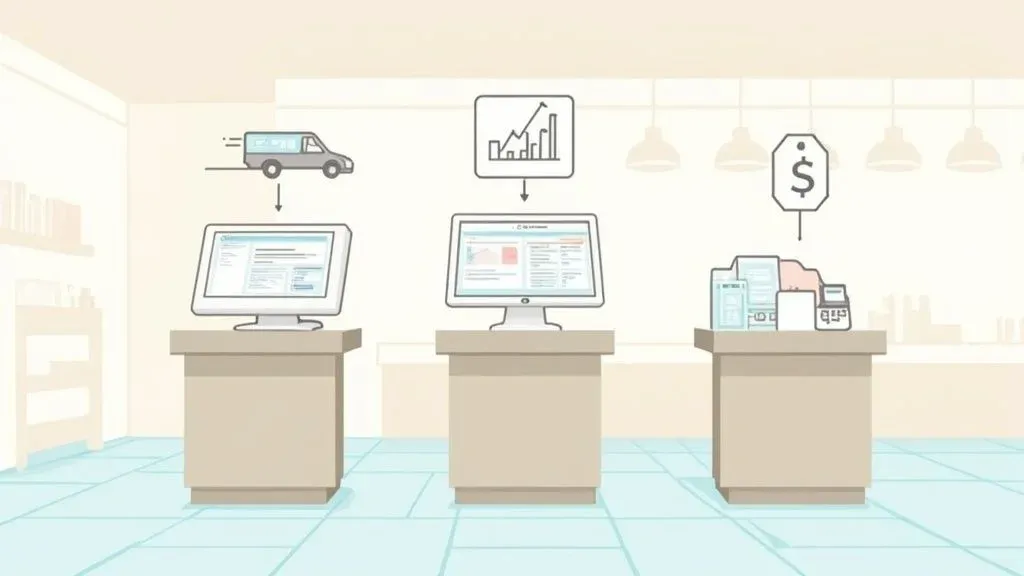
A restaurant Point of Sale (POS) system is the modern-day cash register, but it does so much more. Think of it as the command center for your entire restaurant. It’s the technology that takes a customer’s order, sends it to the kitchen, processes the payment, and even tracks your inventory. Top-tier systems like Square and Clover have evolved to become the operational heart of a restaurant, tying together payments, inventory, and crucial sales data that helps you run a smarter, more efficient business.
Choosing Your Restaurant’s Command Center

Your Point of Sale (POS) system is the central nervous system of your restaurant. It’s where every sale, customer interaction, and kitchen ticket comes together. Picking the right one is arguably one of the most critical technology decisions you’ll face, with a direct impact on your staff’s efficiency and your bottom line.
At its most basic, a POS processes transactions. But its real power comes from what it does beyond the sale. The best systems seamlessly connect your front-of-house team with the back-of-house. Why it matters: When a server punches in an order, the kitchen gets it instantly and correctly. This direct line of communication is the key to reducing order mistakes and speeding up ticket times, which keeps customers happy and tables turning faster during a chaotic dinner rush.
Why The Right POS Matters for Restaurant Operations
The choice you make in a POS system shows up every single day. A platform with a clean, intuitive interface means less time training new hires, so they can start taking orders confidently from their first shift. This is a huge time-saver that improves staff productivity and helps maintain a smooth pace of service, avoiding costly errors that lead to food waste and unhappy guests.
Then there’s reliability. A system that goes down in the middle of a Friday night service can grind your entire business to a halt. You need a workhorse you can count on.
A great POS system isn’t just about processing payments faster. It’s about creating a frictionless workflow that lets your team focus on hospitality, not technology hurdles. It turns operational data into actionable insights for growth.
The market for this essential restaurant tech is booming. The global restaurant POS terminal market is set to hit around $2.55 billion in 2025 and is projected to grow at a compound annual growth rate of 4.4% through 2033. This explosion is largely fueled by the shift to cloud-based systems, which now account for over 70% of new POS installations worldwide.
Core Functions to Evaluate in Restaurant POS Systems
As you compare different POS systems, zero in on these foundational features and ask how they’ll help you run your business better:
- Order and Payment Management: Can it effortlessly handle every order type you offer—dine-in, takeout, and delivery? Does it accept all the ways your customers want to pay, from tap-to-pay cards to mobile wallets?
- Inventory Tracking: Look for a system that offers real-time ingredient tracking. This means as soon as a dish is ordered, the components are automatically deducted from your stock counts. This feature directly reduces food costs by preventing you from 86ing a popular item mid-service.
- Sales Reporting and Analytics: A good POS should give you clear, easy-to-read reports. You need to see sales trends, identify your best-selling items, and know your peak hours to make smarter decisions about staffing, marketing, and menu engineering.
Think of your POS as a long-term partner. Choosing one that truly fits your unique operational needs is a cornerstone of your success.
What Really Matters in Modern Food Tech and POS Integration
Think of your restaurant’s POS system as less of a cash register and more of the central nervous system for your entire operation. Long gone are the days of just processing payments. Today’s top platforms are about giving you the tools to run a smarter, more efficient, and ultimately more profitable business. The features we’re about to cover aren’t just nice-to-haves; they’re the engine that drives a successful modern restaurant.
At its core, a great POS brings order to the daily chaos. It is one of the most powerful business process automation tools you can have, handling everything from the moment an order is placed to the second that ingredient is marked off your stock list. This frees up you and your staff to focus on what actually makes a difference: the guest experience.
Real-Time Inventory and Menu Management for Better Restaurant Operations
One of the single most impactful features is real-time inventory management. It’s a simple concept with huge implications. When a customer orders a burger, the system automatically deducts one patty, one bun, and a slice of cheese from your digital stockroom.
Why it matters: This simple automation helps you dodge the dreaded “86” on a popular item during a busy Friday night—a situation that disappoints customers and costs you money. It also gives you the data to stop over-ordering, which directly cuts down on food waste and protects your margins. For example, if your Square POS alerts you that you’re low on avocados, you can order more before the weekend rush, preventing lost sales on high-margin items like guacamole. This feature alone leads to significant cost savings.
A POS with smart inventory management acts as your digital stock manager, ensuring you have what you need when you need it, and preventing money from sitting on shelves or ending up in the trash.
This infographic lays out exactly how these core POS features translate into real, measurable growth for a restaurant.

As you can see, investing in these functionalities has a direct impact on how you manage stock, grow revenue, and keep customers coming back.
Sales Analytics and Customer Relationship Management
A top-tier POS does more than just track what you sold; it helps you understand why and when. Sales analytics dashboards give you a clear view of your rockstar dishes, which items are collecting dust, and your busiest service hours. This kind of information is gold when you’re making decisions about your menu, special promotions, or staff schedules.
Actionable Insight: If you notice that a particular appetizer flies out of the kitchen on weekends, you can prep smarter and schedule an extra person to meet that demand. This is how you shift from guesswork to data-driven menu engineering, improving staff productivity and service speed.
Hand-in-hand with sales data is Customer Relationship Management (CRM). This feature lets you build a database of your guests, keeping track of what they like to order and how often they visit. You can then use this info to create loyalty programs that actually feel personal—like offering a free coffee to a regular or sending a birthday discount. A platform like Clover has a whole ecosystem of apps built to manage and reward customer loyalty, helping you turn first-time visitors into regulars.
Streamlining Kitchen and Staff Operations
Finally, a modern POS has to make life easier for your team. A Kitchen Display System (KDS) is a perfect example. It gets rid of messy paper tickets and sends orders straight from the server—or a self-ordering kiosk—to a screen in the kitchen. To see how this works in practice, you can check out our deep dive into https://www.orderout.co/blog/self-ordering-kiosk-for-restaurants/. This single integration cuts down on order mistakes and drastically improves ticket times by keeping your cooks organized.
Employee management tools are another must-have. These modules let you build staff schedules, track hours, and sometimes even run payroll, all from the same system. When you can overlay sales data with your schedules, you can build smarter rotas that have you covered for the rushes without bleeding money on labor during quiet spells. A system like Square, for example, offers really solid tools for team management that simplify a manager’s day-to-day.
The demand for this technology is exploding. The restaurant POS systems market is on track to hit $30.5 billion by 2035, a massive leap from $12.3 billion. This growth is all about the industry’s move to cloud-based systems and contactless payments, with restaurants seeing up to a 20% boost in customer retention from this tech.
Practical Next Step: Review your current operation’s biggest time-waster. Is it managing inventory, building schedules, or dealing with kitchen errors? Prioritize a POS system that offers a strong, automated solution for that specific problem.
Head-To-Head Comparison: Clover vs. Square

When you start digging into the best restaurant POS systems, two names pop up everywhere: Clover and Square. They’re both giants in the industry, but they tackle the challenges of running a restaurant from very different angles. To really choose the right one, you have to look past the marketing and get into the nitty-gritty of their hardware, software, and overall philosophy.
Think of it this way: Square often feels like the “get started today” solution. It’s known for a super clean user interface and dead-simple pricing, which makes it a go-to for new restaurants or smaller spots like cafes and food trucks. Clover, on the other hand, is built like a comprehensive toolkit. It offers a more powerful, customizable ecosystem that appeals to established businesses needing specialized tools and purpose-built hardware.
This isn’t about crowning a single winner; it’s about figuring out which system is the right fit for your kitchen, your staff, and your goals. And while we’re zeroing in on these two, taking a look at a comprehensive restaurant POS system comparison can give you a bird’s-eye view of the entire market.
Hardware and Physical Setup
The actual devices you and your team will be tapping on all day are a huge part of the experience. This is one of the clearest dividing lines between Clover and Square, and it affects everything from your counter’s aesthetic to how efficiently you can take payments at the table.
Square’s hardware is all about sleek, minimalist design. Their lineup goes from a tiny card reader for an iPad all the way to their all-in-one Square Register. The big win here is flexibility. You can often bring your own iPad to the party, which can seriously cut down on your upfront costs.
Clover goes a different route, offering a proprietary line of rugged, purpose-built hardware. Whether it’s the handheld Clover Flex for tableside payments or the powerhouse Clover Station Duo, their gear is built specifically for the chaos of a restaurant. You’re locked into their ecosystem, but these devices are designed to survive spills and constant use, offering a kind of durability a standard tablet just can’t promise.
Why it matters: Your hardware choice defines your workflow. A coffee shop could run beautifully on a simple Square Stand. But a high-volume bistro churning out orders during a packed dinner rush might need the rock-solid reliability of a Clover Station to keep things from grinding to a halt. The right hardware reduces staff frustration and increases service speed.
Software Functionality and Customization
Behind the screen is the engine that runs your business. Both platforms nail the basics—menu management, sales reports, and employee timeclocks—but they have fundamentally different ideas about what “customization” means.
Square for Restaurants is designed to be intuitive right out of the box. Features like floor plan management, conversational ordering, and firing courses to the kitchen are straightforward and easy for new hires to pick up. This simplicity is its biggest selling point, especially for quick-service spots that don’t need a ton of bells and whistles.
Clover’s power, however, lies in its massive App Market. While the core software is solid on its own, its true potential is unlocked through hundreds of third-party apps. Need a deeply integrated loyalty program or advanced, granular inventory control? There’s an app for that. This approach lets you build a system tailored perfectly to your needs, but be aware that each app can add to your monthly subscription cost and overall complexity.
POS Integration for Restaurant Delivery Management
Today, no POS can afford to be an island. How well it connects with other technology, especially third-party delivery services, is non-negotiable. Without a solid integration, you’re stuck with the dreaded “tablet farm”—a cluttered counter of iPads from DoorDash, Uber Eats, and Grubhub, with staff frantically re-keying orders into the main system.
This manual data entry is a recipe for disaster. It wastes precious time and is a major source of mistakes. Why it matters: A wrong order doesn’t just mean wasted food and lost money; it hurts your restaurant’s rating and reputation on these incredibly competitive platforms. It’s a direct hit to your bottom line and future growth.
Thankfully, both Square and Clover solve this problem through their marketplaces, allowing for direct integrations that bring order to the chaos. For example, a restaurant using OrderOut can plug directly into either POS.
- For Square users: An integration from the Square App Marketplace funnels all your Uber Eats orders right into your POS, just like an in-person order, eliminating manual entry.
- For Clover users: A similar integration from the Clover App Market does the same job, sending DoorDash orders straight to your kitchen display system (KDS).
This direct link means every online order is handled with the same accuracy and speed as your dine-in tickets. Your staff can finally stop being data-entry clerks and get back to focusing on the guests in front of them, boosting staff productivity and reducing costly errors.
Clover vs Square At-A-Glance Comparison for Restaurants
To make sense of the key differences, it helps to see them side-by-side. This table breaks down how Clover and Square stack up across the criteria that matter most to restaurant owners.
Feature/Criteria Clover Square for Restaurants Ideal For High-volume, full-service restaurants, bars, and businesses needing deep customization. New restaurants, cafes, food trucks, QSRs, and businesses prioritizing ease of use. Hardware Proprietary, durable, purpose-built devices (e.g., Flex, Station Duo). No BYOD. Sleek, modern hardware (e.g., Register, Stand). Can use your own compatible iPad. Software Model Core software plus an extensive App Market for specialized features. Highly customizable. All-in-one system with built-in features. Intuitive and easy to learn. Pricing Structure Monthly software fees + hardware purchase/lease + variable processing fees. Free plan available. Flat-rate, transparent processing fees. Hardware purchased upfront. Ease of Use Can have a steeper learning curve due to high customizability and app integrations. Extremely user-friendly with a clean interface. Minimal training required. Third-Party Integrations Large ecosystem via the Clover App Market, offering a wide range of specialized tools. Robust app marketplace with key integrations like OrderOut for delivery management.
Ultimately, this table highlights the core trade-off: Clover offers robust, specialized power at the cost of complexity, while Square delivers outstanding simplicity and transparent value.
Pricing and True Cost of Ownership
Finally, let’s talk money. Understanding the full cost of a POS system is critical, and the two platforms have very different models that will impact your bottom line.
Square is famous for its straightforward, flat-rate processing fees. You pay a predictable percentage on every transaction, which makes forecasting your expenses a breeze. They also offer a free software tier that’s a fantastic starting point for new businesses. Hardware is an upfront purchase, but the option to use your own iPad can keep that initial investment low.
Clover’s pricing is more layered. You’ll typically have a monthly software subscription fee, the cost of the hardware (which you can buy or lease), and payment processing fees. These processing fees can vary because Clover works with many different merchant service providers. While this sounds more complicated—and it can be—it also means that high-volume restaurants can sometimes negotiate lower processing rates than Square’s flat fee.
The Practical Takeaway:
So, which one is it? The choice between Clover and Square really boils down to your restaurant’s current needs and where you see it going.
- Choose Square if: You’re launching a new restaurant, a cozy cafe, or a nimble food truck. You value simplicity, predictable costs, and a system your team can learn in an afternoon.
- Choose Clover if: You’re an established, high-volume operation that needs a battle-tested system. You need durable, specialized hardware and a POS that can be customized to handle complex workflows and deep integrations.
Practical Next Step: Your best next move is to get a personalized demo from both. Watch the software in action and grill them with questions about your specific pain points, especially around delivery and online ordering.
Other alternative POS to consider
FoodTec Solutions is an all-in-one restaurant management platform built specifically for delivery-driven restaurants and pizzerias. The system goes beyond a traditional POS, offering integrated online ordering, kitchen display systems, delivery and driver management, loyalty, labor scheduling, and detailed reporting—all in one place.
FoodTec is best suited for restaurants that need a tightly connected ecosystem to manage both the front of house and the back of house without relying on multiple third-party tools.
Your POS Is More Than a Cash Register—It’s Your Restaurant’s Brain
In a world where customers expect to order from anywhere, a POS system that just sits there and processes payments is a boat anchor. It’s holding you back. The real magic happens when your POS connects every part of your business into one smart, cohesive network. This connectivity, what we call POS integration, is what separates the restaurants that are just getting by from the ones that are absolutely crushing it.
At its core, integration just means your POS system can “talk” to the other software you rely on—from your accounting tools to, most critically, your third-party delivery apps. Technically, this is done through Application Programming Interfaces (APIs) that allow different software to share data automatically. This builds a direct pipeline for information, which cuts out tedious manual work and kills the chance for human error.
Taming the Chaos of Restaurant Delivery with POS Integration
The single most important integration for any restaurant today is with delivery services. Before direct integration, owners were stuck with the “tablet farm”—that cluttered counter space piled high with iPads for DoorDash, Uber Eats, and every other platform. Every time an order came in, a staff member had to stop what they were doing, accept it on the tablet, and then manually punch every single item into the main POS.
Why it matters: This old-school process is a recipe for disaster. It’s slow, wildly inefficient, and a breeding ground for expensive mistakes. One simple typo means you’re making the wrong dish, leading to wasted food, lost money, and a bad review that haunts your online reputation. This directly hurts your bottom line and turns your front-of-house team into data-entry clerks instead of letting them focus on your in-house guests.
A non-integrated setup forces your staff to juggle multiple disconnected systems, which is a direct cause of friction and errors. A fully integrated system unifies everything, letting online orders flow into your kitchen with the same speed and accuracy as an order taken at the table.
Strategic integration wipes this problem off the map. By connecting delivery platforms directly to your POS, you create one smooth, unified workflow.
From Manual Entry to Automatic Efficiency
Picture this: an order comes in through Uber Eats. With a direct POS integration, it doesn’t just make a sound on a lonely tablet. It instantly and automatically flows straight into your POS, popping up on your Kitchen Display System (KDS) exactly like a dine-in ticket. No re-entry, no typos, no delays.
The benefits are immediate and obvious:
- Error Reduction: Automating order entry eliminates the human mistakes that happen when someone is trying to punch in a complicated order during a dinner rush. This keeps customers happy and ensures every order is perfect.
- Increased Staff Productivity: Your team is finally free from managing a fleet of tablets. They can now spend their time on high-value tasks, like giving guests a great experience or upselling drinks and desserts, which directly boosts your revenue.
- Faster Restaurant Delivery: Orders hit the kitchen the second they’re placed. That means food gets cooked and sent out the door faster, improving your delivery times, earning you better ratings, and encouraging repeat business.
For restaurants using popular POS systems, getting this set up is surprisingly simple. Tools like OrderOut are built to bridge the gap between delivery apps and your central system. You can find pre-built integrations for platforms like Clover and Square that can be installed in minutes, letting you ditch the tablet farm for good.
If you want to get into the nitty-gritty of how these connections work, check out our complete guide on point of sale integrations.
Practical Next Step: Calculate how much time your staff spends each day manually entering delivery orders. Multiply that by your average hourly wage to see the direct cost savings you could achieve with POS integration.
Understanding Hardware and Implementation

Choosing a restaurant POS system is about more than just software features. You’re also making a critical decision about the physical tools your team will handle every single day. The hardware is the bridge between your staff and your system, and its design and reliability directly shape your restaurant’s efficiency. A clunky terminal or a fragile tablet can easily create bottlenecks during a dinner rush, while the right setup makes service feel effortless.
This physical footprint is where you’ll see some of the biggest differences between providers. For instance, Square is well-known for its sleek, modern hardware and often lets you use your own compatible iPads, which can seriously cut down on upfront costs. On the other hand, a system like Clover offers a line of proprietary, rugged devices built specifically for the chaos of a restaurant, from handhelds for tableside ordering to sturdy countertop stations.
Key Hardware for Modern Restaurant Operations
Your restaurant’s unique flow will determine what hardware you actually need. A quick-service coffee shop has completely different requirements than a full-service dining room with a bustling patio.
Here are the essential components to think about:
- Stationary Terminals: This is your command center, usually parked at the host stand or main counter. It needs to be a workhorse, powerful enough to handle a high volume of transactions without slowing down.
- Mobile Devices: Handheld units are a game-changer. They let servers take orders and payments right at the table, which speeds up service, increases table turnover, and cuts down on errors from scribbled notes.
- Customer-Facing Displays: These screens give guests a clear view of their order as it’s being rung up. It improves transparency, helps them catch mistakes, and simplifies the payment process.
- Kitchen Display Systems (KDS): A KDS gets rid of paper tickets and puts a digital screen in the kitchen. This system organizes orders, tracks ticket times, and makes sure the line cooks are always focused on the right priority, completely transforming the kitchen workflow. If you want to dig deeper into how peripherals like printers fit in, you can learn more about the role of a food delivery printer in your restaurant.
The demand for these devices is exploding. The restaurant POS terminals market is on track to grow from $25.1 billion in 2025 to a massive $49.3 billion by 2035. This growth is being fueled by the need for modern tools like KDS and QR ordering that old-school cash registers just can’t handle.
A Realistic Look at the Implementation Process
Let’s be honest: switching your POS system can feel like performing open-heart surgery on your business. But a solid plan can make the transition smooth and keep disruptions to a minimum. A successful rollout is about much more than just plugging in new hardware—it’s about carefully managing your data, your people, and your processes.
Why it matters: A poorly planned implementation can cause chaos. Think lost sales data, confused staff, and service disruptions that hit your revenue and frustrate customers. A methodical approach is the only way to ensure you hit the ground running from day one, minimizing downtime and cost overruns.
Here’s a practical roadmap for a successful switch:
- Data Migration: Your menu and customer list are incredibly valuable. Work closely with your new POS provider to migrate this data cleanly and accurately. Getting this right saves you from countless hours of manual data entry later.
- Staff Training: The most powerful system is worthless if your team doesn’t know how to use it. You have to schedule dedicated training sessions before you go live. Start with the core functions: placing orders, processing payments, and splitting checks.
- Go-Live Support: Make sure your POS provider offers accessible, hands-on support during your first few days. Having an expert on call to troubleshoot immediate issues is absolutely critical for a stress-free launch.
Practical Next Step: Create a simple implementation checklist. Outline your key data for migration, schedule at least two separate training sessions for your staff, and confirm your new provider’s support hours before you even think about setting a go-live date.
How to Make Your Final Decision
Alright, you’ve seen the specs and crunched the numbers. Now comes the hard part: picking the right POS system for your restaurant. This isn’t just about buying a cool piece of tech; it’s a strategic move that needs to line up with where your business is today and where you want it to be tomorrow. The best system is the one that solves your specific problems, not just the one with the longest feature list.
Let’s look at a couple of real-world scenarios. If you’re launching a new coffee shop and every dollar counts, Square is practically a no-brainer. It’s incredibly easy to get running on an iPad, the pricing is straightforward, and you don’t need a degree in IT to figure it out. For a small operation focused on speed and simplicity, it’s a perfect fit.
But what if you’re running a bustling, multi-location restaurant group? Your needs are completely different. That’s where a workhorse like Clover shines. It’s built for heavy use with durable hardware and gives you access to a huge app market. This means you can bolt on specialized tools for everything from advanced inventory to complex loyalty programs as you grow.
Your Practical Next Steps
Before you pull the trigger and sign on the dotted line, there are a few final checks to make. Don’t skip these—they can save you a world of headaches later.
- Get a Live Demo: Don’t just watch a pre-recorded video. Schedule a live, one-on-one demo and make them show you exactly how their system handles your most common (and most annoying) daily tasks.
- Ask the Tough Questions: Get specific. How will they handle migrating your existing menu and customer data? What does staff training actually look like? Crucially, what’s their customer support like on a chaotic Friday night?
- Plan for Integration: This one is non-negotiable. Your last step should be confirming how you’ll handle POS integration with all your third-party delivery apps. Manually punching in orders is a recipe for disaster in today’s restaurant operations.
Practical Next Step: Picking the right system can completely change the game for your daily efficiency. To get a head start on streamlining your delivery orders for free, head over to the OrderOut Dashboard and see how you can connect your POS in just a few clicks.
Frequently Asked Questions
Picking the right POS system brings up a lot of questions. Let’s tackle some of the most common ones that restaurant owners ask, with answers that get straight to the point.
How Much Does A Good Restaurant POS System Cost?
There’s no single price tag. Your total cost is a combination of hardware, software subscriptions, and payment processing fees. Hardware can range from a few hundred dollars for a basic tablet setup to several thousand for a full-scale system. The software is almost always a monthly subscription, running anywhere from $50 to over $300 per terminal. On top of that, payment processing is usually a small cut of every transaction, typically around 2.6% + 10¢.
Why it matters: Always demand a detailed quote that breaks down every single cost—both one-time and recurring. Getting that clarity upfront is key to budgeting properly and avoiding surprise fees that can chip away at your profits.
What Is The Most Important Feature In A Restaurant POS?
While things like inventory tracking and sales reports are essential, the one feature that’s an absolute game-changer for today’s restaurants is POS integration capability.
In simple terms, this is how well your system connects with other technology, especially third-party delivery apps like DoorDash and Uber Eats. When your POS integrates seamlessly, online orders flow directly into your kitchen without anyone having to touch a thing. Why it matters: This single capability slashes manual entry errors, frees up your staff, and speeds up your entire delivery operation, leading to better reviews and more repeat customers.
Can I Switch POS Systems Without Losing My Data?
Yes, for the most part, you absolutely can. Established POS companies like Square and Clover typically offer data migration services to help you move critical info like your menu, customer database, and sales history.
That said, the process isn’t always a walk in the park. Before you sign on the dotted line, you need to get a clear answer from their support team about exactly what data they can transfer and what the process looks like. A clean data transfer is non-negotiable for a smooth switch that doesn’t throw your business into chaos. You can find more details in our OrderOut POS Integration Frequently Asked Questions guide.
How Long Does It Take To Set Up A New POS System?
The timeline really depends on the size and complexity of your restaurant. For a small coffee shop with a single iPad, you could be up and running in just a few hours.
But for a large, full-service restaurant needing multiple stations, KDS screens, printers, and handhelds, you should plan for a few days. The setup involves getting all the hardware connected, loading your menu into the software, and most importantly, training your staff. A headache-free launch comes down to good planning and leaning on the support resources your new POS provider offers.
Your Next Step: Ready to integrate your delivery channels and streamline your restaurant operations? You can connect your POS system to all the major delivery apps, eliminating manual entry and reducing errors. Get started for Free in just a few clicks at https://dashboard.orderout.co.