
The Best POS Systems for Small Restaurants: An Actionable Guide
· Thibault Le Conte
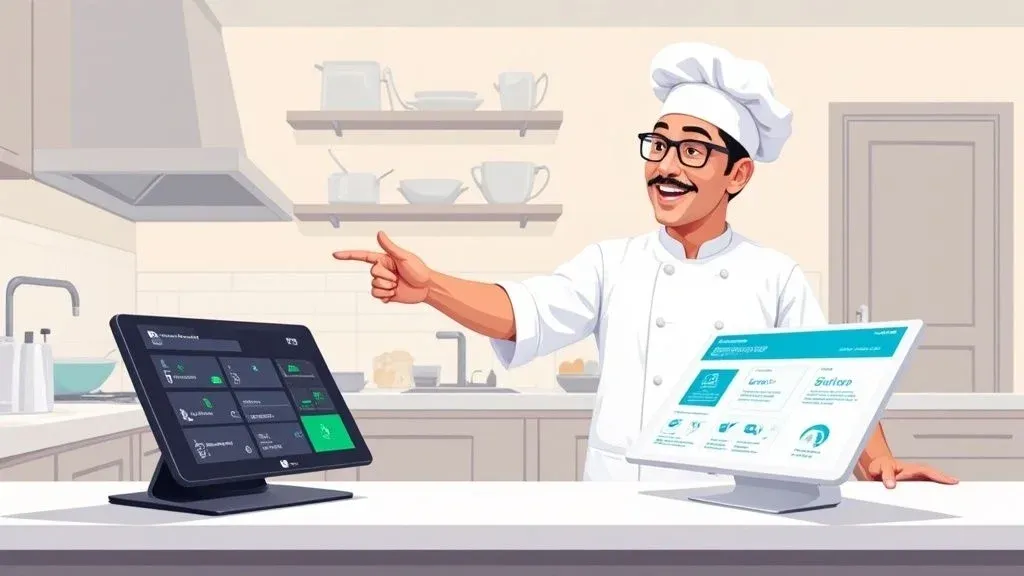
Choosing the best POS system for your small restaurant isn’t just about picking a new cash register; it’s about selecting the command center for your entire operation. In simple terms, the right Point of Sale (POS) system connects every part of your business—from taking an order at the table to managing delivery apps—and brings it all together on one screen. For restaurant owners, this means less chaos, fewer errors, and a more efficient business. The right system, whether it’s from a powerhouse like Clover or Square, will touch every part of your business—from how orders are taken to how your kitchen runs and even how you manage inventory.
Choosing the Right POS to Improve Restaurant Operations

Think of a modern POS system as the central nervous system of your restaurant. It’s what connects your dining room service, your website’s online ordering portal, and all those third-party delivery apps into one cohesive unit. This lets you manage everything from a single screen—a massive upgrade from the tablet chaos many small restaurants are all too familiar with.
Why it matters: For a small restaurant, this kind of centralization is a game-changer for restaurant efficiency. When information flows automatically from the customer straight to the kitchen, you drastically cut down on human error. We’ve all seen it happen: a misheard order leads to wasted food, an unhappy customer, and a stressed-out team. A solid POS helps stop those problems before they even start, saving you money on food costs and protecting your reputation.
It’s no surprise the food tech world is booming. The global restaurant POS market was valued at around USD 12.3 billion in 2024 and is expected to skyrocket to USD 30.48 billion by 2035. This isn’t just a trend; it’s a fundamental shift driven by cloud-based systems and the customer’s expectation for things like contactless payments. For restaurant owners, this means getting on board with modern tech isn’t just an option—it’s essential to stay competitive.
Unlocking Efficiency with POS Integration and Food Tech
A good POS does so much more than just take payments. It’s a powerful tool that helps you run a smarter, more efficient restaurant by collecting crucial data on sales trends, busy periods, and what your customers love to order.
Here’s a real-world look at how the right system can transform your daily grind through POS integration:
- Saves Time: When orders from delivery services like DoorDash or Uber Eats are automated, your staff isn’t stuck punching them in manually. This frees them up to focus on what they do best: taking care of the guests in front of them. This is a direct boost to staff productivity.
- Reduces Errors: Direct POS integration means an order is sent to the kitchen exactly as the customer placed it. This improves accuracy, cuts down on food waste from costly remakes, and keeps everyone happier.
- Boosts Productivity: With smoother workflows, your team can confidently handle a dinner rush without getting bogged down, leading to better morale and faster table turnover.
A Quick Comparison of Top Contenders
To get a better feel for the options, let’s compare two of the most popular systems. While both are fantastic choices, they’re built for slightly different types of small restaurants.
Feature Clover Square Ideal For Restaurants wanting flexible hardware and a huge app marketplace. Quick-service spots, cafes, and food trucks needing a simple, low-cost start. Hardware A wide range of devices, from handhelds to complete countertop stations. Famous for its sleek, easy-to-use terminals and mobile card readers. Key Strength Its deep customization through an extensive app market for POS integration. Simplicity and transparent pricing, including a free plan to get started.
Ultimately, your POS is a foundational piece of the puzzle for building a successful restaurant. It has to work seamlessly with your other tools to create a smooth operation from front to back. To see how it all fits together, you might want to check out our guide on the best restaurant management software.
Practical Next Step: Start by pinpointing your biggest operational headache. Is it manually entering delivery app orders? Or maybe it’s the bottleneck at the register during your lunch rush? Figure that out first, and you’ll have a much clearer idea of which system and features will make the biggest difference for you.
The Must-Have Features for Any Small Restaurant POS
When you’re hunting for the right POS system for your small restaurant, it’s easy to get distracted by fancy bells and whistles. But before you look at the shiny objects, you need to make sure the system absolutely nails the fundamentals. These are the core tools that will truly impact your day-to-day grind, from how fast orders get to the kitchen to how much money you’re actually making.
Think of it this way: you wouldn’t build a house on a shaky foundation. For your restaurant, that foundation is a POS that handles order management, payments, basic inventory, and sales reporting without a hitch. If a system can’t do these four things flawlessly, even its most advanced features won’t solve your real-world problems.
Seamless Order Management for Restaurant Delivery and Dine-In
The primary job of any POS is to make taking orders simple, fast, and dead-on accurate. This is the operational hub of your entire restaurant, whether that order is coming from a server at a table, a customer calling for takeout, or a third-party delivery app.
Why it matters: Modern systems let servers punch in orders on a tablet right at the table, zapping them instantly to the kitchen. That simple act alone cuts down on endless trips back and forth, gets rid of sloppy handwriting errors, and helps you turn tables faster. This directly boosts your staff’s efficiency and reduces errors. Your kitchen crew gets clear, easy-to-read tickets instead of trying to decode a server’s scribble, which means fewer mistakes and less food in the trash. The goal is to create a frictionless path from the customer’s mouth to the kitchen line, a critical part of any good quick service restaurant software.
For example, a system like Square lets you build custom modifiers into your menu. That way, a complex order like “burger, no onions, add bacon, gluten-free bun” gets communicated perfectly every time, preventing those frustrating and costly remakes during a dinner rush.
Flexible and Secure Payments
Getting paid should be the simplest part of the entire dining experience. In simple terms, your POS has to handle every way your customers want to pay—from old-school credit cards to tap-and-go options like Apple Pay and Google Pay. The technical part is that this requires integrated payment processing, which connects your POS directly to the payment networks.
Why it matters: This flexibility isn’t just a nice perk anymore; it’s what customers expect. It makes for a better guest experience and speeds up the whole checkout process, a huge time-saver. When payment processing is built directly into your POS, transactions are quicker, more secure, and make closing out at the end of the night a whole lot easier. You can say goodbye to manually matching a stack of credit card receipts to your POS sales, a mind-numbing task that can steal hours from a manager’s day, boosting staff productivity.
A POS system that offers integrated, versatile payment options can reduce checkout times by up to 40%. That’s a huge deal during peak hours, keeping lines short and customers happy.
Basic Inventory Tracking
You can’t sell what you don’t have, and you’re losing money if you’re constantly over-ordering. A good POS should give you a basic handle on your inventory by connecting what you sell directly to what you have in stock.
Why it matters: When a server rings up a burger, the system should automatically subtract one patty, one bun, and a slice of cheese from your counts. This gives you a live look at your stock levels, helping you make smarter purchasing decisions and cut down on spoilage. This core function is absolutely essential for keeping your food costs in check and reducing waste, directly impacting your bottom line. For those who need more, many of the best systems offer robust inventory management capabilities that are crucial for truly controlling costs.
Clear, Actionable Sales Reports
Your POS is sitting on a mountain of valuable data. The best systems don’t just collect this data; they make it easy to understand through simple, visual reports. You shouldn’t need an analyst to figure out your top-selling dishes, your busiest times of day, or how your sales are trending.
Why it matters: This is the information you need to make smart business moves that boost restaurant efficiency. If your reports show that a new pasta dish is a total dud, you can swap it out for something more profitable. If you see that Tuesdays are consistently dead, you can run a promotion to get more people in the door. A system like Clover, for example, lets you pull up these reports from your phone, giving you a pulse on your business even when you’re not there. This saves time and helps you make data-driven decisions.
Practical Next Step: Before you get wowed by add-ons, make sure any POS you’re considering has mastered these four fundamentals. A system that shines at orders, payments, inventory, and reporting will give your small restaurant the strong operational backbone it needs to succeed.
Comparing the Best POS Systems for Restaurants
Choosing between the top contenders in the restaurant POS world goes way beyond a simple feature checklist. It’s about digging into how each system’s core philosophy, hardware, and software will actually fit into the day-to-day chaos of your restaurant. For small restaurant owners, the decision often boils down to two heavyweights: Clover and Square. This choice really depends on your service style, your plans for growth, and frankly, how tech-savvy you want to be.
Instead of just listing pros and cons, let’s get into the nitty-gritty of where each system truly shines. We’ll focus on the practical realities of running a small restaurant—from how the hardware feels in a server’s hand during a dinner rush to what payment processing fees will actually cost you over a year.
Hardware Options and Usability
The physical devices your staff use countless times a day have a massive impact on your restaurant’s flow. The right hardware should feel second nature, be tough enough for a busy kitchen, and flexible enough to work for your specific setup.
Square for Restaurants has built its reputation on sleek, minimalist hardware that’s incredibly easy to get up and running. Their terminals feel a lot like using a high-end tablet, which means training new staff is usually a quick and painless process. This simplicity is a huge plus for cafes, food trucks, or any counter-service spot where speed is everything.
- Square Terminal: A slick, all-in-one machine for taking payments and printing receipts. It’s portable, which is perfect for pay-at-the-table service.
- Square Stand: Turns a standard iPad into a clean, modern-looking POS station for your front counter.
- Square Register: A fully integrated system with two screens. Customers can see their order and pay on their own screen, which really helps move the line along.
Clover, on the other hand, gives you a much wider and more modular range of its own proprietary hardware. This allows you to really customize the setup to fit your restaurant’s unique layout, whether it’s a full-service dining room or a packed bar. While it can take a bit more effort to set up, that flexibility is a game-changer for restaurants with more complex needs.
- Clover Flex: A super versatile handheld device that lets servers take orders, process payments, and even check inventory right from the dining room floor.
- Clover Station Duo: A powerful countertop system with a second screen for customers, much like Square Register, but it’s built to work seamlessly within the entire Clover ecosystem.
- Clover Mini: A compact but powerful terminal that can work on its own or be paired with other Clover devices as your business grows.
Why it matters: The right hardware directly impacts your restaurant operations. If you need to get up and running fast with minimal fuss, Square’s hardware is hard to beat for a quick time-to-value. But if you need a more tailored solution that can scale with you, Clover’s extensive options provide a more powerful foundation for long-term restaurant efficiency.
Software, Menu Customization, and Staff Management
The software is the brain of the operation, and how it works directly impacts your efficiency. A clunky interface for updating your menu or confusing staff permissions can lead to daily headaches and costly mistakes.
Square’s software is built around a core idea: simplicity. The backend is incredibly straightforward, letting you update menu items, tweak prices, and pull sales reports with just a few clicks. Adding a daily special with custom modifiers, for instance, can be done in minutes and is instantly pushed to every terminal. The staff management tools are solid, too, covering time tracking and basic user permissions.
Clover’s software is a powerhouse of customization, thanks to its massive App Market. While the core software is robust on its own, its real strength is the ability to bolt on specific functions through third-party apps for POS integration. Need advanced inventory management, specialized reporting, or a top-tier customer loyalty program? There’s probably an app for that. This lets you build a tech system that’s perfectly suited to your restaurant’s specific needs.
This visual gives you a great breakdown of the key functions any good POS software needs to nail.

From taking an order to processing the payment and analyzing the data later, these features are the operational backbone of your business.
To help you see the differences side-by-side, here’s a quick comparison of their key software features and strengths.
Clover vs Square Feature Comparison for Small Restaurants
This table breaks down the key differences to help you decide which platform aligns better with your restaurant’s needs, from service style to future growth plans.
Feature/Aspect Clover Square for Restaurants Ideal For Full-service restaurants, bars, and businesses needing high customization. Quick-service restaurants, cafes, food trucks, and new restaurant owners. Hardware Wide range of proprietary, modular hardware (Flex, Station, Mini). Sleek, user-friendly hardware using iPads or proprietary devices (Terminal, Stand, Register). Software Customization Extremely high via the Clover App Market; build a tailored tech stack. Simple, intuitive interface with solid built-in features; less reliant on third-party apps. Ease of Use Can have a steeper learning curve due to its extensive options. Famous for its plug-and-play simplicity and minimal training time. Payment Processing Varies by reseller; often requires negotiation but can offer lower rates for high volume. Transparent, predictable flat-rate pricing. No long-term contracts on free plans. Integration Strength Robust App Market allows for deep integrations with many third-party systems. Strong direct integrations with key platforms, especially for online ordering and delivery.
Ultimately, both are fantastic systems, but they are built for slightly different types of operators. Your choice will come down to whether you value out-of-the-box simplicity or long-term customizability.
Payment Processing and Long-Term Costs
Understanding the fee structure is one of the most critical parts of choosing a POS. It’s not just the monthly software subscription; payment processing rates can quietly eat into your profit margins.
Square is well-known for its transparent, flat-rate pricing. For every tapped, dipped, or swiped transaction, you pay a consistent percentage plus a small fixed fee. There are generally no hidden monthly charges or long-term contracts for their basic plan, which is a huge advantage for new restaurants or those with unpredictable sales. This predictability makes it so much easier to forecast your finances.
Clover’s model can be more complicated. Because its systems are sold through different merchant service providers (like your bank), processing rates and contract terms can vary wildly. This can sometimes lead to more competitive, negotiated rates for high-volume establishments, but it also means you have to read the fine print very carefully to avoid getting locked into a bad deal.
Key Insight: A busy coffee shop with lots of small transactions might save money with Square’s predictable flat rate. On the other hand, a fine-dining spot with high average checks might be able to negotiate a better “interchange-plus” pricing model through a Clover provider, saving a lot more in the long run.
The market for these systems is fierce. While established players still hold a significant portion of the market, many small restaurants are flocking to modern platforms like Square and Clover. You can dig deeper into these restaurant POS market share findings to see the trends.
POS Integration for Restaurant Delivery and Operations
Today, your POS has to play well with others—especially third-party delivery services like DoorDash and Uber Eats. Solid POS integration capabilities are no longer a “nice-to-have”; they are essential for running a modern restaurant and managing restaurant delivery effectively.
Why it matters: Both Square and Clover have strong app marketplaces that enable direct integrations. This means when an order comes in from Uber Eats, it can be automatically pushed to your POS and sent straight to the kitchen printer. This one feature gets rid of the soul-crushing task of manual order entry, which is a massive source of errors and wasted time. This automation saves you real money by reducing labor costs, minimizing expensive order mistakes, and speeding up your prep times. That leads to happier customers and better ratings on the delivery apps. You can learn more about how this works in our guide on restaurant order management software.
Practical Next Step: The right choice between Clover and Square really comes down to your restaurant’s specific situation. If you prioritize simplicity, speed, and transparent pricing for a quick-service model, Square is an amazing choice. If you see yourself needing deep customization, flexible hardware for a full-service setup, and you’re willing to navigate different payment processing options, Clover offers an incredibly powerful and scalable platform. Your next move should be to schedule a demo with both. Get a feel for each system and ask tough questions about how it would solve your biggest operational headaches.
Why POS Integration is a Must for Restaurant Delivery

Let’s be honest. Online ordering and third-party delivery services are no longer just a nice-to-have. For most small restaurants, they’re essential. But trying to manage orders from DoorDash, Uber Eats, and others often leads to pure chaos—a counter cluttered with ringing tablets, what many in the industry call “tablet hell.”
This is where a solid POS integration becomes your secret weapon. In simple terms, it acts as the central nervous system for your restaurant, allowing all those separate delivery apps to communicate directly with your main POS system. Technically, this works via an API (Application Programming Interface) that lets different software systems talk to each other. Instead of staff frantically keying in every order from a dozen different tablets, the information flows automatically from the customer’s app right to your kitchen.
From Manual Mayhem to a Smooth Workflow
Without integration, every online order is a manual task. A staff member has to stop what they’re doing, find the right tablet, and re-type the entire order into the POS. It’s slow, clumsy, and a perfect recipe for expensive mistakes. One wrong key press and you’ve got the wrong meal, wasted food, and a very unhappy customer.
Why it matters: Automating this entire process through POS integration is a huge relief for restaurant operations. When an order is placed, it instantly pops up on your kitchen display system (KDS) or prints out, just like any other ticket. This one change creates a ripple effect, boosting your team’s productivity, reducing errors, and taking a massive amount of stress out of a busy service.
How This Looks in a Busy Restaurant: An Example
Imagine a small bistro using Square for their POS. During the lunch rush, orders are flying in from their website, in-house diners, and three delivery apps like DoorDash and Uber Eats. By using a service that connects those apps to their Square POS, every single order is funneled into one place.
The benefits are immediate and obvious:
- Fewer Errors: Automated orders are 100% accurate. What the customer taps is exactly what the kitchen sees, dramatically reducing costly mistakes and food waste.
- Faster Ticket Times: The kitchen gets the order instantly, letting them fire it up sooner and get it out the door quicker. This improves delivery times and customer satisfaction.
- Better Staff Productivity: Your team can actually focus on the customers in front of them instead of being chained to a wall of tablets.
We’re talking real time savings here. By cutting out manual entry, a restaurant can save an average of 90 seconds per order. Over hundreds of orders a week, that adds up to dozens of hours of labor you’re getting back every month.
The entire food tech world is built on this kind of smart efficiency. It’s no surprise that a massive 55% of restaurant sales now come from online ordering integrations. This shift shows just how much customer habits have changed and why choosing from the best POS systems for small restaurants means putting integration capabilities at the top of your list. For a deeper look, check out our guide on what POS system integration is.
Why This Matters for Your Bottom Line
At the end of the day, strong POS integration protects your profits. Automating your delivery workflow leads to real, tangible savings. You’re cutting labor costs spent on punching in orders, reducing food waste from mistakes, and improving your delivery speed, which can even help your visibility on the apps.
The entire restaurant POS market, valued at around USD 26.04 billion globally, is focused on tools that make operations run smoother. Smart integrations are at the very heart of that, helping restaurants stay profitable and sustainable.
Practical Next Step: When you’re evaluating any POS system, make delivery integration a non-negotiable. Ask vendors which apps they work with and what that connection actually looks like in practice. A system that gets this right won’t just make your daily life easier—it will set your restaurant up for real growth in a world that orders online.
How to Choose Your Next POS System
Now that we’ve broken down the features and compared the top players, it’s time to make a decision. Choosing from the best POS systems for small restaurants is more than a tech purchase; it’s an investment in a partner for your growth. This framework will help you walk through the process and land on a choice you feel confident about.
Before you even think about scheduling a demo, you have to get real about the numbers. Map out a clear budget that accounts for everything: the upfront hardware costs, the monthly software fees, and the payment processing rates. Knowing exactly what you can afford will immediately narrow down your options and stop you from getting sold on flashy features you won’t use.
With a budget in hand, the next step is to get specific about what your restaurant actually needs to run smoothly day-to-day. The biggest driver here is your service style. A fast-paced coffee shop operates in a completely different universe than a full-service bistro that needs table-side ordering.
Define Your Restaurant Operations
To get a crystal-clear picture of your requirements, start by asking yourself a few pointed questions:
- What’s my service style? Are you a counter-service joint where speed is everything? Or are you a full-service restaurant that depends on solid table management and easy ticket-splitting?
- How critical is mobility? Do your servers need to take orders on the patio with handhelds, or will a stationary terminal on the counter get the job done?
- What are my biggest operational headaches? Is it the time spent manually punching in orders from delivery apps? A clunky payment process that creates a bottleneck during the dinner rush? Or maybe it’s just trying to manage staff schedules. Pinpoint your main problem, and you can find a POS that solves it.
Why it matters: This kind of honest self-assessment is essential. It forces you to focus on solutions that tackle your real-world challenges, which will directly improve your restaurant’s efficiency, reduce errors, save time, and ultimately, boost your profits.
Situational Recommendations for Your Restaurant
Once you have a handle on your budget and operational weak points, the choice between top systems becomes much less intimidating. What works for the restaurant down the street might be a terrible fit for you.
Let’s look at a couple of common scenarios.
If your main goals are keeping startup costs low and having a system that’s dead simple to use, something like Square is often the perfect fit. Its straightforward, flat-rate pricing and clean interface are a godsend for new owners, food trucks, and small cafes. You can get everything set up and running in no time with very little training, which saves you a ton of time and stress right out of the gate.
Key Takeaway: For a no-fuss, budget-friendly start, look for simplicity and transparent fees. This approach keeps your financial risk low while giving you all the core tools you need to operate on day one.
On the other hand, if you’re already thinking about future growth and need a system that can grow with you, Clover might be the smarter long-term play. Its huge range of hardware options and a massive app marketplace mean you can customize it to do almost anything. As your business gets more complex, you can bolt on specialized tools for things like advanced inventory, customer loyalty programs, or unique third-party integrations.
Why it matters: That kind of flexibility means you can build a technology stack that truly scales, ensuring your POS system helps you expand instead of holding you back. For example, you can integrate Clover with delivery aggregators like OrderOut to streamline your restaurant delivery operations, saving dozens of hours a month on manual order entry. The goal is to find a system that not only fixes today’s problems but also supports your vision for tomorrow.
Your Practical Next Step: Book a demo with your top one or two choices. Go into that meeting with a list of questions pulled directly from your operational needs. See the software in action and get a feel for whether it’s something your team can actually use. To start taming your delivery chaos today, you can start onboarding for Free in a few clicks at https://dashboard.orderout.co.
Frequently Asked Questions About Restaurant POS Systems
Choosing the right POS system for a small restaurant always stirs up a lot of questions. We get it. To help you feel confident about your decision, here are some clear, direct answers to the most common ones we hear.
How Much Should a Small Restaurant Budget for a POS System?
Pinning down the true cost of a POS system can feel like hitting a moving target. In simple terms, it’s not just one single price tag. A realistic budget needs to account for three separate costs: the hardware, the software, and the ongoing payment processing fees.
First, you’ve got the upfront hardware investment. This can swing wildly from a few hundred dollars for a basic tablet and card reader from a company like Square to several thousand for a full-blown setup. A more complex system from a provider like Clover might include multiple terminals, kitchen printers, and handheld devices for your servers.
Next up is your monthly software subscription. Most modern POS platforms run on a subscription basis, with plans often falling between $50 and $150 per month for each terminal. This fee typically covers your access to the software itself, customer support, and any new feature updates.
Finally—and this is a big one—are the payment processing fees. These are the small percentages and flat fees skimmed off every credit or debit card transaction. You’ll typically see rates between 2.6% + 10¢ and 2.9% + 30¢ per swipe, tap, or dip. While that might not sound like much, this is a major ongoing expense that adds up fast.
Can I Switch POS Systems if I’m Not Happy?
Absolutely. You can always switch POS systems, but you’ll want to plan it out carefully to avoid a major headache. The single biggest hurdle is usually data migration—getting all your menu items, customer profiles, and sales history out of the old system and into the new one.
This process can get messy, and it’s not always a clean one-to-one transfer. That’s why it’s critical to choose a new provider that offers excellent onboarding support to walk you through the switch. Before you commit, ask them directly about their migration process and exactly what kind of help they provide.
The other thing to watch out for is your contract. Some POS companies lock you into long-term agreements with hefty early termination fees. Always, always read the fine print before you sign anything. You need the flexibility to make a change if the system just isn’t working for your restaurant.
Is a Generic Retail POS Good Enough for a Restaurant?
While a retail POS can technically take a payment, it’s a terrible choice for any restaurant, no matter how small. Restaurants have a completely unique workflow that retail systems are simply not designed to support. You’d be missing out on essential features that directly impact your team’s efficiency and your customers’ experience.
Just think about the things a retail system can’t do:
- Table Management: You need a way to see your floor plan, track which tables are open, and manage reservations.
- Ticket Splitting: A retail POS will choke when a table of six asks to split the check six different ways—a daily occurrence in a restaurant.
- Kitchen Display System (KDS) Integration: Modern kitchens run on orders sent directly to a screen. A retail system can’t talk to that essential piece of food tech.
- Modifiers: Things like “no onions” or “extra sauce” are critical for getting orders right. Retail systems don’t have this level of customization.
Key Takeaway: Using a retail POS in a restaurant is like trying to use a hammer to turn a screw. It might work in a pinch, but it’s the wrong tool for the job. You’ll end up with more errors, a slower team, and a lot of frustration.
If you have more questions about how these systems work together, you might be interested in reading our OrderOut POS integration frequently asked questions to get a deeper understanding of how modern food tech connects. Making the right choice from the start saves you countless headaches down the road.
Ready to streamline your restaurant delivery and put an end to tablet chaos? OrderOut connects all your delivery apps like DoorDash and Uber Eats directly to your POS, eliminating manual entry to save you time and money. Start onboarding for Free in a few clicks.