
Your Profitable Bar BQ Menu Design Guide for 2026
· Thibault Le Conte
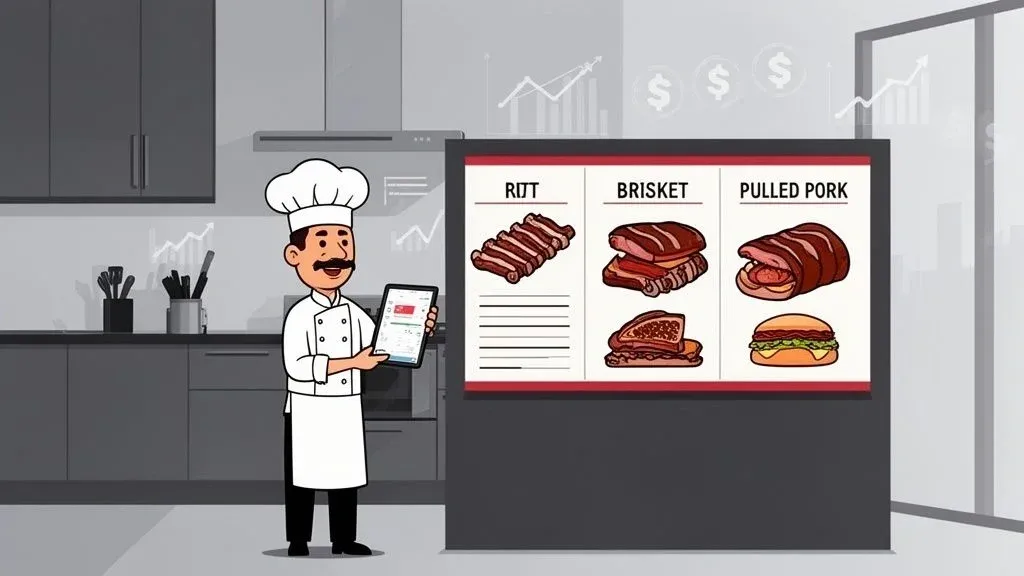
Your bar bq menu is far more than a list of delicious things you cook. It’s the engine of your restaurant, driving profitability and keeping your kitchen running smoothly. The very best menus strike a careful balance between your signature, high-margin showstoppers and the crowd-pleasing classics, all while being simple enough for your team to execute perfectly, time and time again—especially for delivery.
Getting this foundation right is everything.
Building Your Core Bar BQ Menu Foundation
Think of your bar bq menu as your single most important sales tool. It’s what customers see first, and it’s what ultimately dictates your revenue. Crafting a menu that really performs, however, is about more than just great recipes. It’s about a smart strategy that lines up with your brand, your kitchen’s capacity, and what your customers truly want.
It all starts with identifying your signature items. These are the “can’t miss” dishes that get people talking and define what your BBQ is all about. We’re talking about that legendary hickory-smoked pork sandwich or the fall-off-the-bone ribs that people drive across town for. These dishes need to be front and center, giving customers a clear, compelling reason to order from you.
Balancing Classics with Profitability
While your signature dishes get people in the door (or clicking “add to cart”), a truly profitable menu balances them with essential crowd-pleasers and higher-margin alternatives. Brisket, for example, is a BBQ icon. But with beef prices being what they are, the margins can get squeezed tight.
This is where smart operators get creative.
You can absolutely feature brisket as your premium, top-tier offering, but you should also be strategically promoting higher-margin proteins like pulled pork and smoked chicken. This isn’t about tricking anyone; it’s about giving them fantastic choices that also happen to protect your bottom line.
Why it matters: A smaller, tightly curated menu is a gift to your kitchen staff. It means faster prep, less waste, and unwavering consistency in every single dish that leaves your kitchen, which directly reduces food cost and improves staff productivity.
Designing for Restaurant Delivery and Kitchen Efficiency
This focused approach pays huge dividends for your entire operation, especially when it comes to restaurant delivery. On platforms like Uber Eats and DoorDash, customers are often overwhelmed by too many options. A simple, confident menu cuts through the noise and helps them make a decision faster—which means more completed orders for you.
Properly outfitting your kitchen with equipment like high-quality grill pans is also key for getting that authentic flavor efficiently.
Back in the kitchen, that simplicity translates directly into a more efficient, less chaotic environment:
- Faster Ticket Times: With fewer, well-practiced items, your kitchen can practically run like an assembly line for your bestsellers. That means less time between an order popping up and the driver picking it up.
- Fewer Errors: A streamlined menu cuts down on confusion and costly mistakes, which is a lifesaver when orders are flying in from multiple apps at once, reducing waste.
- Happier Staff: Your team can truly master a smaller set of recipes, leading to better quality food and a lot less stress during those dinner rushes, boosting productivity.
This is where your food tech can make or break you. A concept called POS integration is key here. In simple terms, it means your delivery apps talk directly to your cash register system. When an order from a delivery app flows straight into your Square or Clover POS, you completely eliminate the slow, error-prone task of a staff member re-punching the order. That simple integration frees up your team to do what they do best: cook great food and get it packed correctly. This directly boosts your profitability by cutting down on labor costs and getting more orders out the door.
At the end of the day, your menu isn’t a static document—it’s the blueprint for your entire business. A well-designed bar bq menu paves the way for a smooth kitchen workflow, happy customers, and a healthy bottom line.
Nail Your Pricing and Food Costs for Maximum Profit
In the world of barbecue, where meat prices can swing wildly, just “winging it” on your menu prices is a recipe for disaster. Successful pitmasters are just as obsessed with their spreadsheets as they are with their smokers. Pricing isn’t about gut feelings; it’s about building profitability into every single plate that leaves your kitchen.
Let’s break down how you get there.
It all starts with knowing exactly what each dish costs you to make. I’m not just talking about the brisket or the ribs. You have to account for every component: the spice rub, the glop of sauce, the bun, the pickle spear, and even the branded boat it’s served in. Skip this step, and you’re literally giving away money.
The magic number you’re chasing is your food cost percentage. This is simply the portion of your menu price that covers the cost of the ingredients. The industry benchmark hovers around 28-35%. If your numbers are coming in higher than that, it’s a red flag that your menu price is too low or your recipe is too expensive for the price point.
Calculating Your Plate Cost
To figure this out, you have to do a “plate cost” breakdown for your key menu items. Think about your best-selling pulled pork sandwich. The actual cost isn’t just the pork; it’s the sum of every single thing a customer gets.
Here’s an actionable look at how you’d map this out.
Sample Food Cost Calculation for a Pulled Pork Sandwich
This table gives you a clear, itemized breakdown for a standard pulled pork sandwich. By costing out each component—from the protein down to the packaging—you can see exactly what it takes to build one serving before you ever decide on a price.
Ingredient Cost per Unit Amount Used Cost per Serving Pork Shoulder $3.50/lb 6 oz (0.375 lbs) $1.31 Brioche Bun $0.60/bun 1 bun $0.60 BBQ Sauce $10.00/gallon 2 oz $0.16 Coleslaw $8.00/quart 4 oz $0.25 Delivery Container $0.45/each 1 container $0.45 Total Cost $2.77
With a total plate cost of $2.77, you can now price with confidence. If you’re aiming for a 30% food cost, the math is simple: divide your plate cost by your target percentage ($2.77 / 0.30). That gives you a baseline price of $9.23. From there, you can round it to a more customer-friendly price like $9.49 or even $9.99.
Remember, this isn’t a one-and-done task. The cost of beef, pork, and other staples changes all the time. Actionable insight: Review your plate costs quarterly to stay ahead of market shifts and adjust pricing before your margins get squeezed.
Why it matters: A meticulously costed menu is your best defense against inflation. It turns pricing from a guessing game into a strategy that guarantees every sale strengthens your bottom line, boosting restaurant efficiency.
Improve Restaurant Operations with Food Tech
Once you’ve got the numbers dialed in, you can start using some simple menu psychology to nudge customers toward your most profitable items. For instance, you could place a high-margin “Smoky Mountain Potato” loaded with pulled chicken right next to your premium (and higher food cost) brisket platter. The potato suddenly looks like a fantastic and affordable choice.
This is where your restaurant tech stack becomes absolutely essential. When you need to raise the price of that pulled pork sandwich by 50 cents, that change has to happen everywhere at once—on your POS, your online ordering menu, and across all the delivery apps.
This is exactly what POS integration is for. A system that syncs your DoorDash and Uber Eats menus with your central Clover or Square POS is a lifesaver. You update the price in one place, and it pushes everywhere automatically. No more pricing mistakes or wasting an hour of your manager’s day updating six different tablets. That’s real time and labor saved, which drops straight to your bottom line. For more tactics, our guide on how to calculate food cost percentage has plenty more.
Dialing In Your Kitchen for Speed and Restaurant Delivery
You can have the best-tasting ribs in the city, but if your kitchen seizes up during the Friday night rush, that amazing menu is dead in the water. Getting your restaurant operations right is everything, especially when delivery orders start flooding in. The name of the game is building your menu and your kitchen workflow for speed, consistency, and—most importantly—efficiency.
It all starts with standardization. This isn’t about crushing creativity; it’s about control. You need iron-clad, documented recipes and exact portion sizes for every single thing that leaves your kitchen. When every cook knows a brisket sandwich gets precisely six ounces of meat and one scoop of slaw, two incredible things happen: your food costs become predictable, and your customers get the same great experience every time they order.
Work Smarter with Cross-Utilization
One of the savviest moves you can make is designing menu items that share key ingredients. In simple terms, this means using one core ingredient in multiple dishes. We call this cross-utilization, and it’s a game-changer for reducing waste, simplifying inventory, and protecting your margins. For instance, the same smoked chicken can be the star of a platter, get shredded for tacos, and be tossed into a salad.
This strategy streamlines your entire back-of-house:
- Less Prep: Your team is smoking one batch of chicken, not prepping three different proteins. This saves significant labor time.
- Simpler Inventory: You’re stocking fewer unique items, which frees up precious cooler space and cash.
- Minimal Waste: Using ingredients across multiple dishes means they move faster, so less food spoils, directly reducing food costs.
Getting this right means truly understanding your core ingredients. Even the type of fuel you use for smoking makes a huge difference in flavor and cost. For a deep dive, this guide on choosing charcoal for restaurants is a great resource.
By being strategic with your ingredients, you take a massive amount of stress off your kitchen crew and boost their productivity—a huge win during those peak hours.
Build an Assembly Line for Speed
For your most popular delivery items, you need to think like Henry Ford. Create a dedicated assembly line. Let’s say your top seller on DoorDash is a pulled pork sandwich. Actionable insight: Set up a station where one person can build that sandwich start to finish in under 90 seconds.
This station has to have everything within arm’s reach: toasted buns, pre-portioned tubs of pulled pork, your signature BBQ sauce in a squeeze bottle, and a container of slaw. No wasted steps. This hyper-focused setup is how you crush ticket times.
Why it matters: This is more than just being fast. It means delivery drivers aren’t left waiting, which boosts your ratings on the apps and gets hotter food to your customers. An efficient setup also lets your team handle a much higher volume of orders without getting buried, which is the cornerstone of a solid online order management system.
Why POS Integration Isn’t Optional for Restaurant Operations
This is where your food tech stack goes from a “nice-to-have” to an absolute necessity. If you’re still having staff manually punch delivery app orders into your POS, you’re creating a massive bottleneck. It’s a recipe for errors and a colossal waste of labor, pulling a skilled person away from the line to do mindless data entry.
POS integration fixes this instantly.
When your third-party delivery apps are connected directly to your Clover or Square POS, orders shoot straight to your kitchen printer or KDS screen without anyone touching a thing. This is probably the single most impactful operational change you can make. The benefits are immediate:
- Zero Manual Entry Errors: The order the customer placed is the exact order that prints in the kitchen. No more costly mistakes.
- Huge Time Savings: Your crew can stay 100% focused on cooking and packing instead of typing, increasing staff productivity.
- Faster Ticket Times: Orders hit the line the second they’re placed, shaving minutes off every single delivery.
For example, a busy BBQ spot using Square for its dine-in orders can use an integration tool to funnel all Uber Eats orders directly into its kitchen printer. This eliminates the need for a separate tablet and a dedicated employee to manage it, saving both time and money on every single order.
Designing a Menu That Sells Itself
Think of your BBQ menu as your single best salesperson. It works around the clock and has a direct hand in how much money you make. Too many restaurant owners treat their menu like a simple price list. It’s so much more than that—it’s your most powerful marketing tool.
A menu that just lists items and prices is leaving a ton of money on the table. It’s time to make yours work a whole lot harder.
Writing Descriptions That Create Cravings
The words you choose to describe your food can make or break a sale. Vague descriptions like “Pulled Pork Sandwich” or “BBQ Ribs” are massive missed opportunities. You’re not just listing ingredients; you’re trying to make someone’s mouth water through a screen.
Get specific and appeal to the senses. Does your pork get smoked for 12 hours over fragrant hickory wood? Do your ribs have a “smoky, caramelized crust”? Tell that story. Details like these paint a picture in the customer’s mind and, just as importantly, justify your price.
Why it matters: A great menu description anticipates a customer’s questions. It builds excitement and makes them feel confident about their order, which is absolutely essential for getting someone to tap ‘Add to Cart’ on a delivery app, increasing conversion rates.
Menu Description Makeover
Let’s look at a couple of before-and-after examples. It’s amazing what a few carefully chosen words can do to make an item irresistible. This table breaks down how to turn a boring description into a powerful sales pitch.
Original Description Improved Description Impact BBQ Ribs - Half Rack Our legendary half rack of ribs, slow-smoked for 8 hours over hickory wood until they’re fall-off-the-bone tender. Glazed with our signature sweet & tangy sauce. The improved version uses sensory words and highlights the cooking process. This creates a premium feel that makes the price feel like a bargain, justifying a higher margin. Pulled Pork Sandwich A generous pile of our 12-hour hickory-smoked pulled pork, hand-pulled and piled high on a toasted brioche bun. Served with a side of our crisp, house-made slaw. This paints a vivid picture. “Hand-pulled” suggests craftsmanship, and “toasted brioche” adds quality. This helps the customer envision the complete meal, making it easier to order.
By elevating your descriptions, you stop just describing food and start selling an experience. For a deeper dive, check out our guide on leveraging restaurant menu data.
Why Professional Photos Are Not Negotiable for Food Tech
In the world of online ordering, your food photography is your product. When a hungry customer is scrolling through an app like Uber Eats or DoorDash, they make snap judgments based entirely on visuals. A dark, blurry phone picture of your incredible brisket will get scrolled past every single time. Investing in professional photos isn’t an expense; it’s a core business necessity.
People truly buy with their eyes. A fantastic photo instantly communicates:
- Texture: The glistening glaze on a rack of ribs, the juicy bark on sliced brisket.
- Portion Size: A well-staged shot clearly shows the value you’re offering.
- Freshness: Bright, vibrant colors in your sides, like a creamy coleslaw or fresh corn.
Actionable insight: Low-quality photos directly lead to fewer online orders and lost revenue. High-quality ones can dramatically increase how many browsers become buyers.
Syncing Your Menu with Your POS Integration
You’ve got the drool-worthy photos and compelling descriptions online. Now, you have to make sure that menu perfectly reflects what’s actually going on in your kitchen. There’s nothing worse than a customer falling in love with a photo of your “Hawg Back Potato,” placing an order, and then having it fail because you ran out an hour ago and forgot to update the menu.
This is where POS integration becomes your safety net.
When your online menus are connected directly to your POS system, like Square, you can 86 an item in one place and watch it instantly disappear from all your delivery platforms. This simple bit of automation prevents failed orders, which means fewer unhappy customers, no more wasted time processing refunds, and a massive reduction in errors. It ensures the menu that sells itself is also the menu you can actually fulfill, protecting both your reputation and your bottom line.
Weaving Your BBQ Menu into Your POS and Delivery Tech
If you’ve ever worked in a busy BBQ joint, you’ve seen it: a staff member chained to a tablet, manually punching delivery orders into the POS. That’s not just a hassle; it’s a direct drain on your profits. Connecting your delivery apps straight to your Point of Sale (POS) system isn’t some fancy tech upgrade—it’s a core strategy for running a tighter, more profitable operation.
In simple terms, POS integration means an order from DoorDash flows directly into your kitchen’s workflow, showing up just like a ticket from a server on the floor. This one connection gets rid of the slow, mistake-prone task of re-typing orders. For any restaurant that’s serious about selling BBQ, mastering this food tech is a non-negotiable part of growing your business.
What Automated Restaurant Operations Actually Look Like
Picture the Friday night rush. Instead of someone juggling three tablets, frantically trying to keep up, your team is focused on what matters: smoking meat and boxing up orders. Every order, whether from Uber Eats, Grubhub, or your own online ordering page, lands in one unified stream.
That’s the real power of POS integration. It turns that chaotic, manual mess into a smooth, automated workflow. The few minutes saved on each order quickly add up, translating into huge gains in staff productivity over a week. This is especially true in the BBQ world, which pulled in $4.9 billion in revenue back in 2022.
For operators using a POS from providers like Clover or Square, adding an integration tool can immediately slash labor costs by getting rid of that manual entry job altogether. You can check out more barbecue industry statistics to get a sense of the scale here.
From a high level, the process of bringing your menu online is pretty straightforward. You describe it, you photograph it, and you sell it.
The key thing to realize is that solid tech integration is the engine that drives this whole process, making sure the menu you “sell” is always in sync with your kitchen’s reality.
A Real-World Example: Streamlining with a Clover POS
Let’s walk through a common scenario. A popular BBQ spot relies on its Clover POS for all dine-in orders but keeps separate tablets for its delivery partners. During every dinner rush, one employee spends their entire shift just managing those tablets, which leads to constant mistakes and a bottleneck at the pass.
Now, imagine they integrate a platform like OrderOut. Suddenly, every online order—no matter where it came from—prints directly from their existing kitchen printer, formatted just like a standard dine-in ticket.
The results are felt almost instantly:
- Fewer Mistakes: Order accuracy skyrockets because typos from manual entry are completely gone, reducing food waste and refunds.
- Smarter Staffing: The employee who used to be the “tablet jockey” can now focus on expediting and quality-checking every order that goes out the door, increasing staff productivity.
- Quicker Service: Orders hit the kitchen line 3-5 minutes faster on average. That means happier customers and better ratings on the apps.
Why it matters: By connecting your delivery apps to your POS, you’re not just buying software; you’re buying back time and eliminating a major source of kitchen stress and financial loss.
Next practical step: Take an honest look at your current workflow. Are you still running a “tablet farm” and burning payroll on manual data entry? If the answer is yes, then finding a POS integration solution should be at the top of your to-do list.
Time to Launch: Making Your New Menu a Hit
You’ve done the hard work of costing, testing, and perfecting your BBQ menu. It looks great on paper, but now comes the real test. Launching a menu isn’t just about adding new items and hoping for the best; it’s about creating a wave of excitement that gets people ordering.
Those first few weeks are everything. This is your chance to see what your customers really think, not just what you hoped they’d like. It’s also the ultimate stress test for your kitchen and your entire ordering and delivery tech setup.
Making a Big Splash on Day One
Don’t just quietly update your menu. Make a big deal out of it! A proper launch creates a sense of occasion and gives your regulars a powerful reason to come back and try something new right away.
Actionable insight: Build a promotional strategy around the launch itself:
- Create Limited-Time Launch Combos: Bundle your new signature items into irresistible deals. For instance, package a “Brisket First Taste” combo that includes your new brisket sandwich, a premium side, and a specialty drink. This pushes customers directly toward your star players.
- Get Social with Your Best Shots: Remember those professional photos you took? Now’s the time to use them. Run targeted ads on Facebook and Instagram featuring your most drool-worthy dishes to stop people mid-scroll and drive them straight to your online ordering page.
- Feature It on Delivery Apps: On platforms like Uber Eats and DoorDash, don’t let your new items get buried. Update your profile with a “New BBQ Menu” banner or create a special category at the top of your page. Make it impossible to miss.
These early promotions do more than just drive a quick burst of sales. They give you the first wave of real-world data you need to start fine-tuning. For a deeper dive into building out your promotional calendar, check out this comprehensive marketing plan for restaurants.
Upselling and The Art of Constant Improvement
A new menu is the perfect excuse to re-energize your staff on the art of the upsell. And I don’t mean pushy, uncomfortable sales tactics. It’s about making genuine, helpful suggestions that make the customer’s meal even better—and happen to increase your average check size.
Coach your team to think in pairings. If a customer orders that spicy beef bulgogi sandwich, the natural follow-up is, “Would you like to add a side of our cooling cucumber salad to balance out the heat?” It’s a simple question that shows you’re thinking about their experience.
Why it matters: Your BBQ menu should never be a “set it and forget it” document. Think of it as a living, breathing thing that has to adapt to what your customers and your sales data are telling you. The real secret to long-term profit is a cycle of constant, data-driven tweaking.
The first 30 days post-launch are your golden window for collecting this data. You need to be watching your sales reports like a hawk, and your POS system is the best tool for the job.
Let Your POS Data Guide Your Next Move
Your POS is so much more than a digital cash register; it’s a goldmine of business intelligence. After you’ve had a few weeks of orders coming in, it’s time to sit down with your sales data from Clover or Square and get a clear picture of what’s happening.
You’re essentially looking for answers to a few critical questions:
- What are the hits? Which new items are flying out the door? These are your new champions.
- What are the misses? Which dishes are collecting dust? They might need a better photo or a more enticing description.
- Are your combos working? Is that “Ribs Dinner” combo actually selling more ribs than when they were just an à la carte option?
- Are you selling what’s profitable? Are your most popular items also your highest-margin ones? If not, you need a strategy to guide customers toward more profitable choices.
When you analyze this information, you can stop guessing and start making smart decisions. This feedback loop—launch, analyze, adjust—is what powers a truly profitable and successful restaurant.
The first step on this journey is ensuring your technology is ready to support your growth. With OrderOut, restaurant owners can start onboarding for Free in a few clicks and streamline their entire delivery operation. Get started today at https://dashboard.orderout.co.