
10 Back of the House Positions: A Guide for Restaurant Operations
· Thibault Le Conte
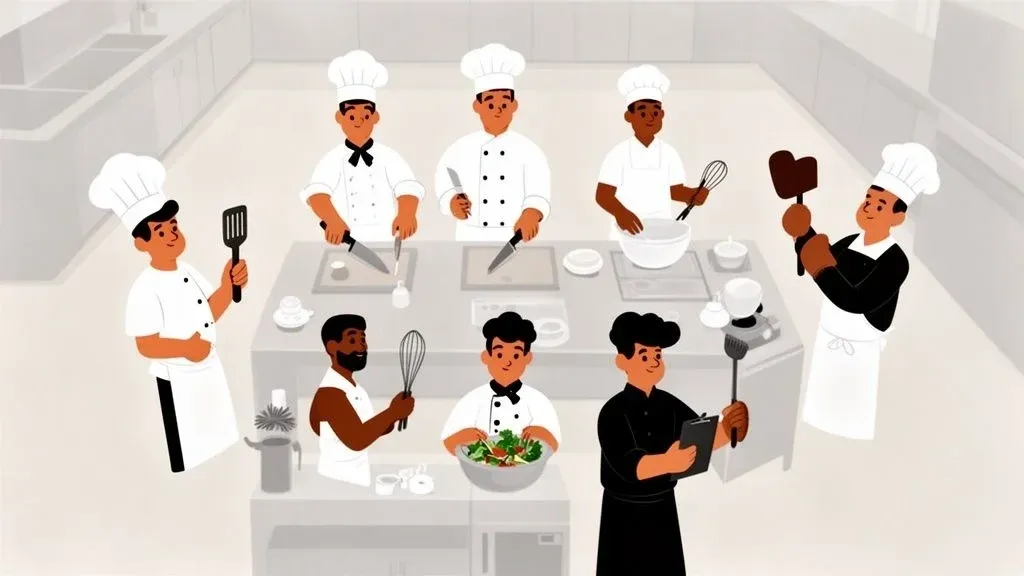
While the front of house team creates the guest experience, the back of house (BOH) is the engine that drives your restaurant’s success. Simply put, this is where the food is made. A well-structured BOH team directly impacts profitability, food quality, and operational speed, especially in the fast-paced world of online ordering and delivery. Mismanaged BOH operations lead to order errors, slow ticket times, and wasted inventory—costly problems that are magnified when dealing with delivery platforms like Uber Eats and DoorDash. Building an efficient team isn’t just about hiring cooks; it’s about defining specific roles and integrating smart technology to support them.
This guide provides a comprehensive breakdown of key back of the house positions, detailing their specific responsibilities and how they impact your bottom line. Crucially, we’ll explore how modern restaurant technology, like POS integration for delivery, directly affects each position. Understanding this connection is key to boosting restaurant efficiency, reducing costs, and increasing staff productivity.
You will gain actionable insights into how clearly defined roles can reduce errors, manage costs, and boost productivity. By understanding how each position contributes to the bigger picture of order fulfillment and kitchen efficiency, you can build a BOH team that not only produces great food but also excels in the demanding environment of modern restaurant operations. Let’s dive into the essential roles that make your kitchen tick.
1. Kitchen Manager
The Kitchen Manager is the operational leader of the entire back of house. Think of them as the director of the kitchen, responsible for orchestrating everything from food preparation and inventory management to staff scheduling and quality control. They ensure that every dish leaving the kitchen meets the establishment’s standards—a critical function for both dine-in and delivery orders.
Functioning as the central hub for kitchen communication, the Kitchen Manager is one of the most vital back of the house positions for maintaining order and efficiency. For a deeper understanding of the differences and overlaps with front-of-house leadership, you can explore the responsibilities of a restaurant manager. This position requires a blend of culinary skill and strong leadership to guide the team through a high-pressure service.
How POS Integration and Food Tech Impact Restaurant Operations
Modern Kitchen Managers rely heavily on food tech to manage the chaos. A Kitchen Display System (KDS) integrated with a POS like Square or Clover provides a real-time, digital ticket rail. When integrated with a delivery aggregator, this system becomes even more powerful. All orders from Uber Eats, DoorDash, and others appear on one consolidated screen, sorted and prioritized. This allows the Kitchen Manager to direct traffic effectively, ensuring that a delivery order isn’t started too early or a dine-in ticket gets buried.
Why it matters: A Kitchen Manager using an integrated KDS can see at a glance which orders are for delivery and require special packaging or timing. This reduces errors, minimizes cold food complaints from delivery customers, and directly protects the restaurant’s online reputation, saving time and reducing costly refunds.
Actionable Insights for Kitchen Managers
- Standardize Delivery Workflows: Create specific Standard Operating Procedures (SOPs) for your most popular delivery items. Document every step, from preparation to packaging, to guarantee consistency and reduce staff training time.
- Monitor Ticket Times: Use your KDS data to track average ticket times for both dine-in and restaurant delivery. Identify bottlenecks and adjust station setups to improve speed without sacrificing quality, boosting staff productivity.
- Implement Order Throttling: During unexpected rushes, use your POS or delivery management dashboard to temporarily pause incoming delivery orders. For example, if DoorDash orders are overwhelming the grill station, you can pause that platform for 15 minutes. This gives the kitchen team breathing room to catch up, preventing a system-wide collapse and a wave of negative reviews.
2. Line Cook
Line Cooks are the heart of the kitchen’s production engine, executing the hands-on cooking for every dish. They operate specific stations—like the grill, fryer, or sauté—following precise recipes. Their speed, consistency, and ability to perform under pressure directly determine the quality and flow of food leaving the kitchen, making them a fundamental back of the house position.
In high-volume environments, a Line Cook’s efficiency is paramount. They must master their station, maintain their mise-en-place (prepped ingredients), and communicate effectively with teammates to handle order surges without a drop in quality. Their role is a demanding blend of technical skill and mental toughness, essential for keeping the service running smoothly.
How POS and Delivery Integration Affects This Role
For a Line Cook, a Kitchen Display System (KDS) linked to the restaurant’s POS and delivery platforms is a game-changer. Instead of deciphering handwritten tickets or listening to shouted orders, they get a clear, organized digital queue. When an order from DoorDash or Uber Eats comes through an integration platform, it appears instantly on the KDS at the correct station. This digital workflow eliminates manual entry errors and confusion.
Why it matters: An integrated KDS provides Line Cooks with visual cues about order sources. They can immediately see if an order is for delivery, prompting them to use specific packaging-friendly plating techniques. This simple step improves food quality on arrival, boosts customer satisfaction, and reduces the time spent clarifying orders.
Actionable Insights for Line Cooks
- Master Delivery Timing: Pay close attention to the timing requirements displayed on the KDS for different delivery platforms. Start orders at the right moment to ensure food is hot and fresh when the driver arrives, reducing food waste from remakes.
- Optimize Delivery Plating: Work with management to develop plating techniques specifically for to-go containers. The goal is to prevent shifting during transit, preserving the dish’s presentation and preventing negative reviews.
- Batch for Peak Hours: Use forecasting data from your POS to prep components of popular delivery items during slower moments. Batch cooking can drastically reduce ticket times during an unexpected rush, improving staff productivity.
3. Prep Cook
The Prep Cook is the unsung hero of kitchen efficiency. Their entire job is to do advance food preparation—chopping vegetables, marinating proteins, and portioning ingredients—so the kitchen can run smoothly during busy service. This preparation is a cornerstone of consistency and speed, ensuring line cooks can assemble dishes quickly for both dine-in and restaurant delivery.
This role is one of the most foundational back of the house positions. Their meticulous work sets the pace for the entire kitchen. For a complete overview of their duties, you can get a full definition of the prep cook role here.
How POS Integration and Food Tech Impact Restaurant Operations
A Prep Cook’s job shifts from guesswork to precision with the right food tech. POS data from systems like Square, when analyzed over time, reveals which menu items are most popular on delivery platforms like DoorDash and Uber Eats. This information allows Prep Cooks to forecast demand accurately and prepare the correct quantities of high-volume ingredients.
Why it matters: By using POS sales data, a Prep Cook can create a prep list prioritized by delivery popularity. This means ingredients for the top-selling online items are always ready, directly cutting down ticket times and reducing food waste from over-prepping. This data-driven approach saves both time and money.
Actionable Insights for Prep Cooks
- Implement FIFO: Strictly follow the “First In, First Out” method for all prepped ingredients. Label every container with the date to ensure freshness, reduce costly spoilage, and maintain food safety standards.
- Create Data-Driven Checklists: Build daily prep checklists based on sales forecasts from your POS data. Adjust quantities based on day-of-the-week trends or weather that might affect delivery volume.
- Pre-Portion for Speed: Identify top-selling delivery items and pre-portion their core components. This allows line cooks to simply grab and assemble, drastically reducing the time it takes to get an order out the door and increasing staff productivity.
4. Expeditor (Expo)
The Expeditor, or Expo, is the final quality checkpoint between the kitchen and the customer. This role is responsible for ensuring every plate is accurate, complete, and properly presented before it goes to a diner or a delivery driver. In a modern restaurant juggling dine-in, takeout, and multiple delivery platforms, the Expeditor is the master of organized chaos.
The Expeditor is one of the most critical back of the house positions for maintaining a restaurant’s reputation. They are the last line of defense against missing items or incorrect modifications. For high-volume delivery, their ability to coordinate with drivers directly impacts customer satisfaction and online reviews.
How POS Integration and Food Tech Impact Restaurant Delivery
Technology transforms the Expeditor’s station from a paper-ticket battlefield into a digital command center. When a POS system is integrated with a delivery aggregator, the Expeditor’s KDS shows all orders from DoorDash and Uber Eats in one place. For example, with an integration for a Clover POS, they can see which order is for delivery, which is for dine-in, and which is for pickup, all at a glance.
Why it matters: An Expeditor using an integrated system can trigger “Order Ready” notifications directly from their station. This alerts drivers precisely when to approach, minimizing crowding and ensuring food is handed off at peak freshness. Exploring how an order ready screen works shows how this tech improves the entire handoff process, saving time for both staff and drivers.
Actionable Insights for Expeditors
- Create Packaging Templates: For popular delivery items, create visual guides at the expo station showing the correct container and arrangement. This guarantees consistency and reduces costly packaging errors during a rush.
- Use Staging Zones: Designate specific, labeled zones in your handoff area for different delivery platforms (e.g., “Uber Eats,” “DoorDash”). This helps drivers find orders quickly and keeps the pass clear, improving overall efficiency.
- Track Accuracy Metrics: Use your POS data to track order accuracy. If you notice a recurring issue, like missing sides on a specific dish, you can provide targeted feedback to the line cook, fixing the problem at its source and reducing errors.
5. Dishwasher
The Dishwasher is responsible for the cleanliness of all dishes, utensils, cookware, and equipment. Far from a simple cleaning job, this role is foundational to smooth restaurant operations, preventing bottlenecks and ensuring the kitchen has the necessary tools to function. In a high-volume environment, the Dishwasher manages a constant cycle of items, directly impacting health, safety, and efficiency.
A restaurant without a steady supply of clean plates and pans will grind to a halt. This makes the Dishwasher one of the most critical back of the house positions. This role requires resilience, organization, and an understanding of how their work affects every other person in the kitchen.
How POS and Delivery Integration Affects This Role
While not directly interacting with a screen, the Dishwasher’s workflow is heavily influenced by the data flowing through the POS and delivery systems. An integrated KDS, fed by orders from platforms like DoorDash and Uber Eats, dictates the pace and volume of items returning to the dish pit. A surge in delivery orders means an incoming wave of specific cookware.
Why it matters: A well-organized dish station, informed by the flow of orders, acts as an early warning system. When a Dishwasher notices they are running low on pans used for a top-selling Uber Eats item, they can prioritize cleaning those and alert the Kitchen Manager, preventing a line-wide shutdown and costly order delays.
Actionable Insights for Dishwashers
- Organize for Efficiency: Set up your dish pit with separate areas for different types of items. This allows you to tackle priority items first when the line cooks are in a rush, boosting overall kitchen productivity.
- Master the Three-Compartment Sink: Follow strict procedures for the three-compartment sink (wash, rinse, sanitize) and understand chemical safety. This is non-negotiable for health code compliance and food safety.
- Track Delivery Container Inventory: Create a rotation schedule for cleaning and restocking delivery-specific containers. A shortage of clean containers during a dinner rush can stop your delivery operation cold.
6. Food Runner / Order Packer
As delivery and takeout become central to restaurant revenue, the Order Packer has evolved into a critical back of the house position. This role is the final quality checkpoint, responsible for meticulously assembling and packaging orders to ensure they arrive in perfect condition. They protect both food quality and the restaurant’s reputation.
This position is the last line of defense against missing items and poor temperature control—issues that frequently lead to negative online reviews. In high-volume delivery kitchens, a dedicated packer is a necessity for maintaining operational speed and accuracy.
How POS Integration and Food Tech Impact Restaurant Delivery
Technology is essential for an effective Order Packer. When a POS integration feeds all delivery channels into a single KDS, the packer gets a clear, organized view of what needs to be assembled. Instead of juggling tablets from DoorDash, Uber Eats, and others, they see a consolidated queue with specific packing instructions right on the digital ticket.
Why it matters: An integrated system gives the Order Packer a powerful tool for quality control. They can instantly see which orders are for delivery and any special customer requests. This drastically reduces packing errors and ensures a smooth handoff to drivers, getting food to customers faster and hotter, which saves time and prevents refunds.
Actionable Insights for Order Packers
- Create Standardized Packing Guides: Develop visual, step-by-step guides for packing each menu category. For example, specify that hot and cold items go in separate bags to ensure food quality.
- Establish a Quality Checkpoint: Before sealing any bag, the packer must perform a final check against the KDS ticket. This simple habit catches errors like a missing side of fries before it leaves the restaurant, reducing costly mistakes.
- Use a Staging Area: Designate specific, labeled shelves for each delivery service (e.g., DoorDash, Uber Eats). For example, a restaurant like Chipotle has dedicated shelves that make pickups fast and error-free for drivers. This prevents confusion and improves handoff speed.
7. Pantry Chef / Cold Station Cook
The Pantry Chef, or Cold Station Cook, is the specialist in charge of all non-cooked food items, such as salads, cold appetizers, and some desserts. This role is crucial for rounding out a menu and providing fresh options. In restaurants with a significant delivery presence, the Pantry Chef’s expertise in temperature control and packaging is essential for quality assurance.
From fine dining to fast-casual spots, the Pantry Chef is a key player among back of the house positions. Their work directly impacts guest satisfaction, as they are the last line of defense against wilted greens and poorly presented cold items. This role requires a keen eye for detail and a deep understanding of food safety.
How POS Integration and Food Tech Impact This Role
Technology helps Pantry Chefs manage the specific demands of cold food preparation. When a POS like Square is connected to a delivery integration, the KDS can display special instructions for delivery orders from services like DoorDash. This allows the Pantry Chef to immediately see if a dressing needs to be portioned on the side.
Why it matters: An integrated system gives the Pantry Chef the foresight to use separate containers for delivery orders. This simple, system-driven action prevents soggy salads and directly improves the customer experience, safeguarding positive online reviews and reducing food waste.
Actionable Insights for Pantry Chefs
- Design for Delivery: Develop specific cold items, like hearty grain bowls, that hold their texture and temperature well during transit. This reduces quality complaints and improves customer satisfaction.
- Pre-portion for Speed: During prep time, pre-portion all dressings and toppings into individual cups. This dramatically speeds up assembly during a rush and ensures consistency, improving staff productivity.
- Organize Your Station: Create an assembly-line setup for your most popular cold items. Arrange ingredients in the order they are used to minimize movement and maximize efficiency.
8. Inventory Manager / Purchasing Coordinator
The Inventory Manager is the financial watchdog of the kitchen, responsible for maintaining optimal stock levels while controlling costs. This role directly impacts profitability by ensuring the restaurant has exactly what it needs—no more, no less. They manage supplier relationships, track ingredient usage, and prevent the waste that can drain a restaurant’s budget.
This is one of the most data-driven back of the house positions. A skilled Inventory Manager prevents stockouts and minimizes spoilage, directly influencing both customer satisfaction and the bottom line. To learn more, you can learn how to calculate food cost percentage.
How POS Integration and Food Tech Impact Restaurant Operations
An Inventory Manager’s job is supercharged by POS data and delivery integration. A POS such as Square or Clover provides precise data on which menu items are selling through delivery channels like DoorDash. This allows the manager to move beyond guesswork and use real-time sales velocity to forecast demand for both ingredients and packaging.
Why it matters: By analyzing delivery order data, an Inventory Manager can identify that a specific burger is the top seller on weekends. They can then adjust par levels for buns and takeout boxes accordingly, preventing a costly stockout during the Saturday night rush and protecting weekend revenue.
Actionable Insights for Inventory Managers
- Implement ABC Analysis: Categorize your inventory. ‘A’ items are high-value (e.g., premium steaks), ‘B’ are mid-value (e.g., produce), and ‘C’ are low-value (e.g., salt). Focus your tightest controls on ‘A’ items to maximize cost savings.
- Set Dynamic Par Levels: Use historical delivery data from your POS to set different par levels for weekdays versus weekends. Don’t use a one-size-fits-all number. This reduces waste and saves money.
- Track Packaging Separately: Delivery operations create a new inventory category: packaging. Monitor the consumption rates of boxes and bags just as closely as you monitor food to avoid service interruptions.
9. Kitchen Cleaning / Sanitation Lead
The Sanitation Lead is the guardian of the restaurant’s health and safety standards. This role is dedicated to ensuring that every kitchen area is compliant with stringent local health codes. Their work is fundamental to preventing foodborne illness and passing health inspections, making them one of the most crucial back of the house positions.
This individual’s responsibilities go beyond simple mopping. They are in charge of deep cleaning schedules, chemical safety, and training staff on proper sanitation protocols. A crucial aspect of their role involves knowing how to effectively prevent mold in grill areas. Proper sanitation knowledge is non-negotiable, and you can explore food handler certification requirements to understand the baseline knowledge needed.
How POS Integration and Food Tech Impact Restaurant Operations
While not directly handling orders, the Sanitation Lead’s job is influenced by the flow of business shown on the POS. High volumes of delivery orders from services like Uber Eats and DoorDash create constant traffic around packing stations. An integrated POS system gives the Sanitation Lead visibility into rush patterns, allowing them to schedule cleaning tasks more intelligently.
Why it matters: A Sanitation Lead can use data from the POS to identify peak delivery times. This allows them to schedule deep cleaning during predictable lulls and focus on sanitizing high-traffic packing zones during rushes, directly supporting a safer and more efficient restaurant delivery operation without disrupting service.
Actionable Insights for Sanitation Leads
- Create Tiered Checklists: Develop daily, weekly, and monthly sanitation checklists. Use a digital tool or laminated charts to track completion, ensuring no task is ever overlooked and improving accountability.
- Implement Color-Coding: Assign specific colors for cleaning tools to different kitchen zones (e.g., red for raw meat areas, green for vegetable prep). This simple system drastically reduces cross-contamination risk and improves food safety.
- Schedule Around the Rush: Analyze KDS ticket data to find the slowest periods. Schedule disruptive tasks like degreasing the fryers during these times to minimize operational impact and improve staff productivity.
10. Kitchen Operations Analyst / Shift Lead
The Kitchen Operations Analyst or Shift Lead is a data-driven supervisor who oversees the kitchen’s performance during a service period. This role focuses on optimizing order flow, managing staff in real-time, and using performance metrics to make immediate adjustments. They act as the on-the-ground extension of the Kitchen Manager, ensuring that strategy translates into execution.
This is one of the more modern back of the house positions, born from the need to manage the complexity of multi-channel ordering. They are tasked with interpreting data to improve efficiency, making them crucial for maintaining profitability and speed in restaurant operations.
How POS Integration and Food Tech Impact Restaurant Operations
An Operations Analyst thrives on data provided by integrated systems. When a POS like Square is connected to a delivery aggregator, the KDS becomes a command center. All orders from Uber Eats, DoorDash, and dine-in are centralized, giving the Shift Lead a complete view of demand. They can analyze order pacing, identify bottlenecks, and reassign staff on the fly to prevent a backlog.
Why it matters: A Shift Lead using consolidated data from a POS integration can forecast needs for the next hour, not just the next ticket. For example, they can see a surge in Uber Eats orders and proactively assign a team member to the packaging station before the rush overwhelms the line. This proactive management improves staff productivity and reduces ticket times.
Actionable Insights for Shift Leads
- Run Daily Huddles: Before each shift, gather the team to review expected delivery volume based on historical data. Discuss any large pre-orders and assign specific roles to manage capacity.
- Track Key Metrics: Use your POS and delivery platform analytics to monitor order completion time, accuracy rates, and item-level prep times. Identify which menu items are slowing down the kitchen and address the root cause.
- Create Dynamic Staffing Models: Analyze order volume patterns from your integrated dashboard to build smarter schedules. Staff up for the predictable 7 PM Friday delivery rush and schedule leaner during Tuesday’s midday lull to control labor costs.
- Optimize Station Timing: Use your KDS data to identify which stations are creating bottlenecks. If the grill station is consistently behind, re-evaluate the process or provide additional support during peak times to improve throughput.
10 Back-of-House Positions Compared
Role Implementation complexity 🔄 Resource requirements ⚡ Expected outcomes ⭐📊 Ideal use cases 💡 Key advantages ⭐ Kitchen Manager High 🔄🔄🔄 — coordinates POS/KDS and staff Moderate ⚡⚡ — trained leadership + tech integration Improved quality, timing, and reduced waste ⭐📊 Delivery-heavy full-service or multi-channel ops 💡 Centralized control over orders and consistency ⭐ Line Cook Medium 🔄🔄 — station-focused execution Moderate ⚡⚡ — skilled labor and cooking stations Fast, consistent food prep; meets delivery windows ⭐📊 High-volume kitchens during peak delivery times 💡 Station expertise delivering speed and accuracy ⭐⚡ Prep Cook Low–Medium 🔄🔄 — routine prep workflows Low ⚡ — prep space and basic tools Faster line throughput and consistent portions ⭐📊 Kitchens needing batch prep and predictable menus 💡 Reduces line pressure; improves consistency ⭐ Expeditor (Expo) High 🔄🔄🔄 — real-time coordination hub Moderate–High ⚡⚡⚡ — staging area, KDS, dedicated staff Higher order accuracy and on-time departures ⭐📊 Delivery-centric ops with many drivers and platforms 💡 Ensures quality checks and smooth handoffs ⭐ Dishwasher Low 🔄 — repeatable cleaning processes Low ⚡ — commercial washer, staffing Reliable availability of clean equipment; hygiene compliance ⭐📊 High-volume or continuous-service kitchens 💡 Foundation for uninterrupted operations and safety ⭐ Food Runner / Order Packer Low–Medium 🔄🔄 — standardized packing flow Low ⚡⚡ — packaging supplies and staging Better delivery condition and higher ratings ⭐📊 Restaurants with heavy third‑party delivery volume 💡 Improves delivery quality and customer satisfaction ⭐⚡ Pantry Chef / Cold Station Cook Medium 🔄🔄 — precise cold assembly Low–Moderate ⚡⚡ — cold storage, portion tools Consistent cold-item quality and food safety ⭐📊 Menus with salads, desserts, and cold bowls for delivery 💡 Creative cold-item prep with temperature control ⭐ Inventory Manager / Purchasing Coordinator Medium–High 🔄🔄🔄 — forecasting and vendor ops Moderate–High 📊⚡ — analytics, supplier links, storage Cost control, fewer stockouts, reduced waste ⭐📊 Multi-platform delivery and complex SKU environments 💡 Improves profitability and forecast accuracy ⭐ Kitchen Cleaning / Sanitation Lead Low–Medium 🔄🔄 — scheduled sanitation protocols Low ⚡ — cleaning supplies, training Regulatory compliance and reduced contamination risk ⭐📊 Regulated kitchens and high-volume delivery periods 💡 Prevents violations and protects customer safety ⭐ Kitchen Operations Analyst / Shift Lead High 🔄🔄🔄 — data-driven process optimization High 📊⚡ — reporting tools, training, managerial staff Optimized staffing, throughput, and KPIs ⭐📊 Chains, high-delivery volume, or efficiency improvement projects 💡 Scales operations via data and process improvements ⭐
Final Takeaway: Your Practical Next Step
We’ve explored the ten critical back of the house positions that drive a restaurant. From the Kitchen Manager to the Dishwasher, each role is a vital cog in a high-pressure machine.
The most significant takeaway is that back of the house positions can no longer be managed in a vacuum. The efficiency of a Line Cook is now tied to how clearly an order from a delivery app is displayed on their screen. The accuracy of an Inventory Manager relies on real-time sales data from a POS system like Clover or Square. The speed of your Expeditor is directly affected by the integration—or lack thereof—between your various ordering platforms.
Failing to connect your technology creates friction that ripples through your entire operation, leading to:
- Increased Errors: Manual order entry from delivery tablets into the POS is a primary source of mistakes, frustrating both customers and kitchen staff.
- Slower Ticket Times: The seconds lost juggling multiple tablets add up, dragging down your kitchen’s speed and costing you revenue.
- Staff Burnout: Forcing skilled chefs to perform low-value administrative tasks is a recipe for low morale and high turnover.
To truly set your back of house up for success, you must build a technological foundation that supports your team. The single most impactful change you can make is to integrate your online and third-party delivery orders directly into your main POS system and Kitchen Display System (KDS). This eliminates extra tablets and manual entry, freeing up your team to focus on what they do best: cooking.
Ready to connect your delivery platforms to your kitchen and boost efficiency? Onboard for free in just a few clicks at https://dashboard.orderout.co.