
How to Add Your Restaurant to DoorDash: A Practical Guide for Fast Setup
· Thibault Le Conte
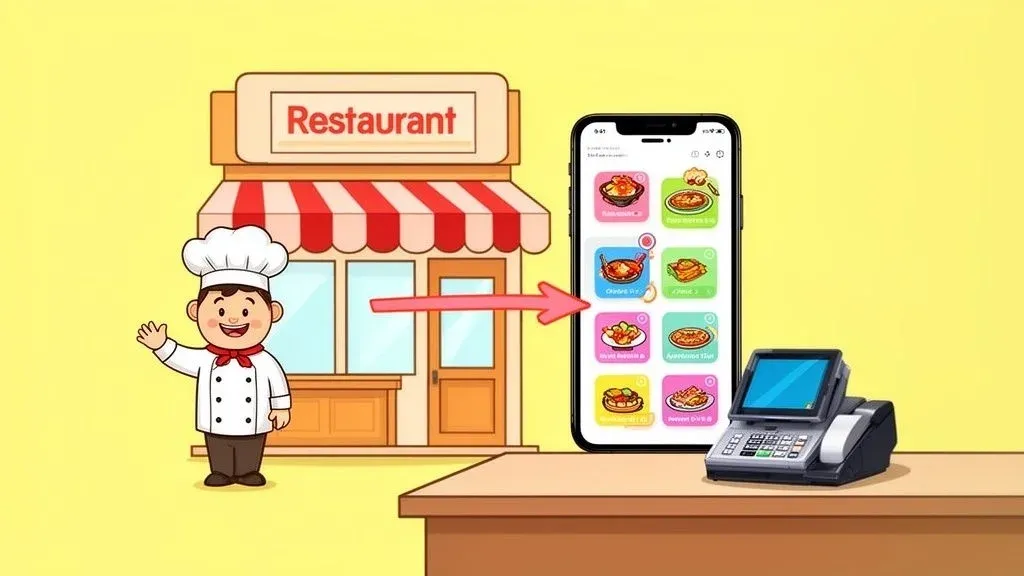
Getting your restaurant on DoorDash is pretty straightforward. You head over to their merchant sign-up page, plug in your business info, and build out your menu. Just like that, you’ve opened a new door to millions of potential customers and a powerful new revenue stream. The key is to manage this new channel efficiently to maximize profit and minimize chaos in your kitchen.
Why Getting on DoorDash Is a Must for Restaurant Operations Today

Let’s face it, convenience is king. Food delivery isn’t just a trend anymore; it’s a core part of how people dine. Listing your restaurant on a platform like DoorDash has shifted from being a “nice-to-have” to a strategic move for survival and growth.
Simply put, DoorDash puts your menu in front of a massive audience that’s actively looking for what to eat right now. Think of it as a powerful marketing engine that works for you around the clock, showcasing your food to people far beyond your physical neighborhood. You’ll connect with busy professionals ordering lunch, families who want an easy dinner, and late-night snackers—all customers who might have never found you otherwise.
Tap into a Huge, Hungry Market for Restaurant Delivery
The sheer scale of the DoorDash marketplace is hard to ignore. To put it in perspective, DoorDash processed a mind-boggling 732 million orders in the U.S. in just the first quarter of a recent year. That’s an 18% jump from the year before, proving just how much demand is out there.
With over 550,000 partner merchants and growing, joining DoorDash isn’t just about getting on another app; it’s about plugging into a massive, built-in customer base that’s ready to order.
Here’s a quick look at why this partnership is so valuable for restaurants.
The DoorDash Advantage At a Glance
Benefit Key Statistic Impact on Your Restaurant Massive Customer Reach 37+ million active monthly users Instantly exposes your menu to a huge local audience you couldn’t reach otherwise. Market Dominance Commands 67% of the U.S. food delivery market Partnering with the industry leader gives you the best chance of being seen and chosen. Proven Growth Engine Over 550,000 restaurant partners Joins you with a network of businesses successfully using the platform to grow sales. High Order Volume 732 million U.S. orders in Q1 alone Taps you into a consistent, high-volume stream of potential delivery orders.
As you can see, the numbers speak for themselves. This isn’t just about getting a few extra orders; it’s about fundamentally changing your restaurant’s reach and revenue potential.
Boost Revenue and Restaurant Efficiency with POS Integration
Every order that comes through DoorDash is an extra sale that builds on your existing dine-in business. It’s a fantastic way to fill the gaps during slower hours and keep your kitchen humming. But here’s why it matters to your operations: if you don’t manage it right, it can become a headache.
Manually punching third-party delivery orders into your POS is a recipe for disaster. It slows everything down, creates a ton of stress for your staff, and almost guarantees costly mistakes will happen, reducing staff productivity and increasing costs.
The goal is to make restaurant delivery feel like a natural part of your workflow, not a chaotic add-on.
This is where integrating DoorDash directly with your POS system is a game-changer. Imagine a customer orders on DoorDash. Instead of a tablet dinging and an employee stopping to re-type everything, the order instantly and automatically appears on your kitchen printer. For example, if you use Clover or Square, the order flows straight from the app to your kitchen. No more manual entry. No more mistakes. Your team saves a ton of time and can focus on what they do best: making great food. For other ways to expand your customer base, you might also want to explore these proven tactics for restaurant growth.
Of course, choosing the right platform is key. If you’re weighing your options, our comparison of https://www.orderout.co/blog/uber-eats-vs-doordash-vs-grubhub/ can help. But the takeaway is clear: adding your restaurant to DoorDash opens up incredible opportunities, and with the right tools, you can make sure it’s both profitable and headache-free.
Prepping Your Restaurant for a Flawless DoorDash Launch
Before you even think about filling out the DoorDash sign-up form, a little prep work goes a long way. Trust me, getting your ducks in a row now will make the whole process to add your restaurant to DoorDash incredibly smooth. Think of it as your pre-flight check—doing this now saves you from frustrating delays and sets you up for a strong start right out of the gate. This directly impacts how quickly you can start increasing your restaurant delivery sales.
The first thing to tackle is the paperwork. DoorDash needs to verify your restaurant is legit and, of course, know where to send your money. It’s a standard business practice, but fumbling for documents mid-application is a surefire way to slow things down.
Gathering Your Essential Documents
I always recommend creating a dedicated folder on your computer and saving digital copies of everything you’ll need. It’s a simple trick that saves a ton of time.
- Business License: This is the official document that proves you’re allowed to operate in your city or state.
- Federal Employer Identification Number (EIN): Think of this as the social security number for your business. It’s essential for all tax-related matters.
- Bank Account Information: Have your routing and account numbers handy. This is how you get paid.
- Proof of Ownership: This could be your articles of incorporation or another official document showing you own the business.
Getting these documents ready upfront is one of the easiest ways to speed up your launch. It cuts down on the back-and-forth and gets you from application to your first order much faster.
Crafting a Delivery-Optimized Menu
Here’s a hard truth: your dine-in menu probably isn’t perfect for delivery. When a customer orders from home, their experience isn’t about your restaurant’s great vibe; it’s about how that food tastes after a trip across town. You absolutely have to curate a menu that’s built for the journey. This is a critical step in improving your restaurant operations for delivery.
Take a hard look at your current offerings and be honest about what travels well. Those perfectly crispy fries? They can turn into a sad, soggy mess after a 20-minute car ride. On the other hand, things like curries, hearty noodle bowls, and burritos often hold up beautifully, sometimes even tasting better after the flavors have had a chance to meld.
One of the biggest mistakes I see restaurants make is just uploading their entire dine-in menu. It’s a recipe for preventable bad reviews. The goal is to deliver food that’s just as good as what you’d serve a guest sitting at one of your tables. This protects your brand and encourages repeat business.
You should also think about creating delivery-only combos. For a pizza place, this might look like a bundle with a large pizza, a 2-liter soda, and a side of garlic knots. This does two things: it bumps up your average order value and makes ordering easier for the customer. It’s a win-win. Taking the time to figure out which third-party delivery service is the best fit can also give you more ideas for maximizing your profit.
Pricing for Profitability and Packaging for Success
Now, let’s talk money and presentation. Delivery platforms charge commission fees—it’s just the cost of doing business with them. To protect your margins, you’ll likely need to adjust your prices for your delivery menu. You have to sit down and calculate everything: food cost, labor, packaging, and that commission, to make sure every single order is still profitable. This is essential for a sustainable restaurant delivery strategy.
And don’t forget about packaging. It’s the very first thing a delivery customer physically interacts with, making it a crucial extension of your brand.
- Invest in Vented Containers: A few small holes can be the difference between crispy and soggy for your fried foods. Vents let the steam escape.
- Separate Hot and Cold Items: This seems obvious, but it’s often overlooked. Always use separate bags to keep hot entrees hot and cold salads or drinks cold.
- Consider Tamper-Evident Seals: A simple sticker or a sealed bag gives customers huge peace of mind, assuring them their food arrived untouched.
Putting a little extra thought into your menu and packaging now will pay off big time. You’ll see fewer customer complaints and your staff won’t be bogged down handling order issues, letting them focus on what they do best.
Creating Your DoorDash Merchant Account Step by Step
Alright, you’ve got your documents and menu strategy sorted. Now for the exciting part: actually creating your DoorDash for Merchants account. This is where your restaurant officially joins the marketplace, so getting it right the first time will save you a ton of headaches and get you online faster.
We’re going to walk through the entire sign-up flow. I’ll break down the partnership plans so you can pick the right one, and point out the little details that can trip people up. The goal is to add your restaurant to DoorDash smoothly.
The whole process kicks off on the DoorDash for Merchants sign-up page. It’s pretty intuitive, but knowing what’s coming makes it feel less like paperwork and more like a simple to-do list. You’ll start with the basics—your restaurant’s name, address, and phone number—to build your business’s identity on the platform.
Navigating the Initial Sign-Up Form
Think of this first step as laying the foundation for your online presence. It’s absolutely critical to enter this information with 100% accuracy. Why does this matter for your restaurant operations? Because DoorDash uses it for verification, and it’s what customers and Dashers will see.
I’ve seen simple typos in an address cause activation delays that last for days. Worse, it can send drivers to the wrong location, leading to cold food, unhappy customers, and a whole lot of operational chaos. Double-check everything here.

This screen is your starting line. Getting these fundamentals right kicks off the process of putting your restaurant in front of millions of potential new customers.
Choosing the Right Partnership Plan
This is easily one of the most important decisions you’ll make. DoorDash has a few different plans, and your choice directly impacts your profitability and how many customers see your restaurant. Let’s break them down in simple terms.
- DoorDash Basic: This is the entry-level plan with the lowest commission. It’s a solid choice if you’re on a tight budget or just want to test the waters. The trade-off is a smaller delivery radius and customers will see higher delivery fees, which can sometimes deter orders.
- DoorDash Plus: This is the sweet spot for many restaurants. You pay a bit more in commission, but you get a larger delivery area and, crucially, access to DashPass customers. These are loyal subscribers who tend to order more often and spend more per order. The increased visibility often pays for itself.
- DoorDash Premier: If your goal is maximum growth, this is the plan for you. It offers the largest delivery radius and the lowest fees for customers, making your restaurant a top choice. It does come with the highest commission rate, but it also includes a growth guarantee to ensure you get a return on your investment.
So, how do you choose? Think about your goals. Are you just dipping your toes in, or are you ready to go all-in on acquiring new customers? The good news is this decision isn’t set in stone—you can change your plan later. But starting with one that aligns with your strategy from day one is always the best move.
Here’s a pro tip from my experience: run the numbers. Calculate your average order value and see how each plan’s commission rate affects your bottom line. A high-end steakhouse can easily absorb the Premier commission for the growth benefits, but it might not make sense for a small coffee shop. This practical calculation is key to efficient restaurant operations.
After you pick a plan, you’ll be prompted to upload the documents you gathered and enter your banking info for payouts. This is where all that prep work pays off. Instead of scrambling to find a voided check, you can just upload and move on.
Completing Your Menu and Store Details
The last major step is building out your digital storefront. This is your chance to make a fantastic first impression on a brand-new audience.
You’ll upload your delivery-optimized menu, add high-quality photos of your best dishes (this is a must!), and set your store hours. Pay special attention to modifiers and add-ons. These are your secret weapons for increasing the average ticket size. For example, if you run a burger joint, options like “Add Bacon” or “Make it a Double” are pure profit.
Once you’ve filled everything out, you’ll hit submit, and the DoorDash team will review your application. Because you followed these steps and avoided common mistakes like typos or missing info, you’ve set yourself up for a fast and easy verification. This cuts down on the back-and-forth and gets you ready to take that first order.
Designing a DoorDash Menu That Sells

Let’s be clear: your DoorDash menu isn’t just a list of what you sell. It’s your digital storefront, your 24/7 salesperson, and often the very first impression a new customer has of your restaurant. In the world of online ordering, you’ve got mere seconds to grab someone’s attention and turn their scrolling into an order.
Think of it from a customer’s perspective. A confusing or bland menu is an instant turn-off, leading to a quick exit and a lost sale. But a well-thought-out menu? That guides them right to your best dishes, nudges them to add a little something extra, and makes them excited to order again. Every photo, every word, and every price point matters for your restaurant delivery success.
Photos: Let Them Eat With Their Eyes
Before anyone reads a single word, they see your photos. This is where the magic starts. Poor-quality images will sink your sales faster than anything else. In fact, DoorDash has found that menus with professional-looking photos can see up to 44% more sales. That’s a huge difference, driven entirely by how your food looks on screen.
You don’t need to hire a professional photographer to get this right. Your smartphone and a little know-how can produce incredible results.
- Find the light. Natural light is your best friend. Set up near a window to get bright, even lighting that makes your food look fresh and vibrant, avoiding those harsh, unappetizing shadows.
- Zoom in on what matters. Get close and show off the textures. Capture the gooey cheese pull on your pizza, the glisten of sauce on your ribs, or the crispiness of your fried chicken.
- Keep the background simple. The food is the star of the show. A clean countertop, a rustic wooden board, or a simple plate works perfectly. Let the dish speak for itself.
A few minutes spent staging a good photo can make your food absolutely irresistible to someone scrolling through their options.
Descriptions: Make Their Mouths Water
Once a great photo has caught their eye, the description seals the deal. This is your chance to go beyond a simple list of ingredients and actually make someone crave your food. Use descriptive, sensory words that help them imagine the taste and smell.
For example, don’t just write “Cheeseburger.”
Try something like: “Our signature flame-grilled patty, stacked with sharp cheddar, crisp lettuce, and our tangy house-made pickles, all on a toasted brioche bun.” See the difference? The second one tells a story and sparks an appetite. If you’re looking for more inspiration, understanding the key menu elements for your restaurant can be a game-changer.
A great menu description does more than inform; it persuades. It’s the difference between a customer thinking, “That sounds okay,” and “I have to have that right now.” This is where you convert interest into a sale.
Menu Engineering: Turn Clicks into Cash
Now, let’s talk strategy. Menu engineering is the art of designing your menu to maximize profit. It’s about subtly guiding customers toward your most profitable items and encouraging them to spend a little more. The easiest way to do this is with smart modifiers and combos.
Modifiers are your best friend for increasing ticket size. Simple prompts like “Add Avocado,” “Extra Cheese,” or “Make it a Combo with Fries and a Drink” are incredibly effective. These small upsells might not seem like much on a single order, but they add up to a significant revenue boost over time. When you add your restaurant to DoorDash, getting these modifiers set up correctly from the start is absolutely crucial for your bottom line.
Data backs this up. A recent report revealed that 98% of people order delivery simply to satisfy a craving—with comfort foods like fries and tacos leading the charge. This is a golden opportunity. You can bundle these high-demand items into combos that are both appealing to the customer and profitable for you.
Your menu should never be static. Treat it as a living tool. By combining stunning photos, compelling descriptions, and smart pricing, you can turn your DoorDash page from a simple listing into a powerful engine for your business.
Bring DoorDash Orders Straight Into Your POS for Peak Restaurant Efficiency

Once your DoorDash profile is up and running, the orders will start rolling in. This is exactly what you want, but it can quickly turn into chaos if you’re not prepared. We’ve all seen it: the dinner rush hits, the delivery tablet starts chiming nonstop, and your staff is scrambling to manually punch those orders into the POS while trying to serve in-house guests.
This manual double-entry is a huge bottleneck. It’s not just clunky; it’s a breeding ground for expensive mistakes. A single typo can send the wrong meal out the door, which means an unhappy customer, a bad review, and a direct hit to your profits. It pulls your team’s focus away from what really matters: your food and your guests. This is a classic drain on staff productivity and restaurant efficiency.
From Tablet Hell to Automated Harmony with POS Integration
The fix for this is POS integration. This is the technical solution that solves the operational problem. Think of it as a direct pipeline from DoorDash to your kitchen. Instead of juggling a separate tablet, orders flow automatically from the app straight into your existing POS system. The moment a customer hits “place order,” the ticket prints at your kitchen station or pops up on your KDS, looking just like any other order.
The difference is night and day. Imagine a busy Saturday night where your front-of-house team isn’t glued to a tablet, frantically re-typing orders. They’re free to manage the floor and give your dine-in customers a great experience. Meanwhile, your kitchen gets clear, accurate tickets instantly, which reduces error rates and cuts down on prep times. This is how modern food tech helps restaurants operate—by creating a smoother, more efficient workflow. A well-integrated system can even complement your existing restaurant online ordering system.
The hidden cost of manually re-entering orders is one of the biggest drains on a restaurant’s delivery business. It kills staff productivity, creates a stressful work environment, and leads directly to mistakes that hurt your reputation and your bottom line.
The Power of a Connected Food Tech System
Services like OrderOut are built to make this connection feel invisible. They act as a bridge, taking order information from DoorDash and feeding it directly into popular POS systems like Clover or Square. The positive impact on your restaurant’s efficiency is something you’ll feel right away.
To really see what’s at stake, let’s compare the two approaches side-by-side.
Manual Entry vs. POS Integration: A Restaurant Operations Showdown
This table breaks down the real-world impact of handling your DoorDash orders manually versus automating the process with an integration solution like OrderOut.
Operational Task Manual Process (Without Integration) Automated Process (With OrderOut) Order Entry A staff member has to stop what they’re doing, walk over to the tablet, and carefully re-type the entire order into the POS. The order appears in the POS automatically and is sent directly to the kitchen printer or KDS within seconds. Error Rate High. Typos in menu items, modifiers, or special instructions are common, leading to costly remakes and food waste. Nearly zero. The customer’s order is transmitted exactly as they placed it, which removes the risk of human error, reducing costs. Staff Productivity Low. Your team gets bogged down by repetitive data entry instead of focusing on great service or food prep. High. Staff are freed from administrative work, allowing them to focus on tasks that actually improve the guest experience, saving time. Order Speed Slow. There’s an unavoidable delay between the tablet notification and the kitchen actually getting the ticket. Fast. The ticket is in the kitchen’s hands almost instantly, which improves ticket times and gets food out the door faster. Financial Reporting Complicated. Delivery sales have to be reconciled manually against POS reports, creating more work for your accountant. Simple. All sales, including those from DoorDash, are consolidated in your POS for easy, accurate financial reporting.
As you can see, the benefits go way beyond just saving a few minutes. Integrating your delivery platforms is a strategic move that makes nearly every part of your restaurant run better.
When you add your restaurant to DoorDash, automating this one critical step helps you reclaim valuable counter space, lower your team’s stress levels, and make sure every single order is both accurate and profitable. It’s a small change to your tech setup that delivers a huge return.
Navigating the Final Steps to Go Live on DoorDash
You’ve done the heavy lifting—application submitted, menu uploaded, and documents sent. So, what’s next? This is the final stretch before your restaurant is officially live on DoorDash, and knowing what to expect can make all the difference.
This waiting period is all about verification. The team at DoorDash is busy reviewing your business license, EIN, and banking information to make sure everything is legitimate and that your future payouts land in the right account. In my experience, this whole process usually takes anywhere from a few days to about a week.
Common Hurdles and How to Avoid Them
The biggest bottleneck I see is almost always a simple, avoidable error. A single typo in a bank account number or a slight difference between your legal business name and what’s on your license can flag your application for a manual review. That’s a surefire way to add frustrating delays.
Before you even think about hitting that final submit button, triple-check every single field. Does the name on your bank account match your legal business name exactly? Taking an extra two minutes for this one step can be the difference between a three-day approval and a ten-day headache that holds up your revenue.
Activation is where preparation truly pays off. A clean, accurate application sails through verification, while a sloppy one gets stuck in a frustrating back-and-forth that costs you time and money.
Setting Up for Your First Order
While DoorDash is verifying your details, they’re also getting your order-receiving system ready. How this plays out depends entirely on the method you chose.
- DoorDash Tablet: If you went the tablet route, DoorDash will ship one directly to you. When it arrives, just unbox it, connect it to your Wi-Fi, and log in. You’re good to go.
- POS Integration: For restaurants integrating directly with a POS like Clover or Square, this is when the magic happens. The connection gets switched on, and orders will start flowing right into the system your staff already uses. No extra hardware, no extra steps.
The last thing you need to do is get your team ready. Seriously, don’t skip this. A quick huddle to show them how to accept a new order, where to stage the pickup bags, and the process for handing off food to a Dasher is crucial. A prepared team is your secret weapon for a smooth launch.
For more expert advice, check out these additional tips for a successful DoorDash partnership. By thinking ahead, you can make sure your DoorDash launch is a seamless and profitable new chapter for your business.
Answering Your Top DoorDash Onboarding Questions
Getting the final details ironed out before you add your restaurant to DoorDash can feel a bit overwhelming. Let’s walk through some of the most common questions restaurant owners have at this stage so you can get up and running without a hitch.
What’s the Real Cost of Partnering with DoorDash?
This is usually the first question on everyone’s mind. DoorDash has a few different partnership plans, and the commission you’ll pay generally lands somewhere between 15% and 30% for each order. The specific plan you choose impacts things like how visible your restaurant is on the app and the size of your delivery radius.
A crucial piece of advice: you absolutely must factor this commission into your menu pricing. If you don’t, you’ll be eating into your margins with every single sale. This is also where a smart POS integration really proves its worth. By automating order entry, you cut down on labor costs and eliminate those costly human errors, which makes every delivery order that much more profitable. For example, when a DoorDash order automatically enters your Square system, you avoid paying staff to manually type it in, directly offsetting the commission fee and improving your restaurant efficiency.
How Long Does It Take to Go Live?
You can typically expect to be live on the platform within a few business days, maybe a week at most. The biggest factor influencing your timeline is you.
If you have all your paperwork—business license, EIN, banking information—ready to go before you even start signing up, the process will be much faster. A clean, complete application sails right through their verification process.
From experience, one of the most common snags we see is a tiny discrepancy between the legal business name on a license and the name on the bank account. Seriously, double-checking those small details can save you days of back-and-forth and frustration.
Can I Use My Own Drivers?
Absolutely. DoorDash offers a “Self-Delivery” option that’s a great fit for some restaurants. This lets you get all the marketing benefits of being on their marketplace but use your own in-house drivers for the actual delivery.
This model comes with a much lower commission rate, so it’s a fantastic choice if you already have a reliable delivery team in place. You get the reach of DoorDash while keeping total control over the delivery experience for your customers.
How Can I Manage Orders Without Adding Another Tablet?
The dreaded “tablet farm” is a real pain point for restaurant operators. The best way to avoid it is with direct POS integration, a key piece of modern food tech.
Instead of cluttering your counter with another piece of hardware, a service like OrderOut channels all your DoorDash orders straight into your existing Square or Clover system. The order simply prints out of your kitchen printer like any other ticket. It completely gets rid of manual re-entry and cleans up your entire restaurant operations.
Ready to stop juggling tablets and start streamlining your delivery operations? With OrderOut, you can connect DoorDash directly to your POS system, saving time, reducing errors, and boosting your bottom line. Get started for free in just a few clicks at https://dashboard.orderout.co.